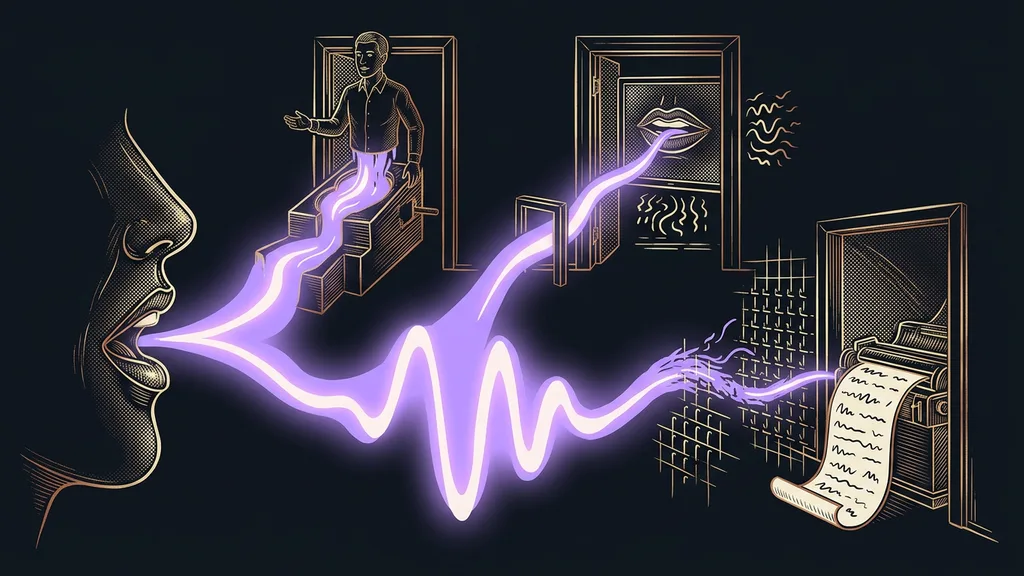
Almost anyone can read a text aloud in their own voice these days. There are more than enough tools for it, and they all put out decent audio. The differences lie elsewhere: in how well they handle Czech, and above all in what they actually charge you for.
I fell for it myself. I picked a tool by its monthly price, ran out of my monthly allowance after two weeks, and spent the rest of the month waiting. And it wasn’t that I’d voiced more text. I’d just regenerated the same sentence five times before it sounded the way I wanted.
The number on the pricing page isn’t what you’ll pay
With voice tools, the billing model decides, not the monthly price. One counts hours of recorded audio, another a monthly allowance of credits, a third credits for every rendered video. So two tools with the same price will bill the same work completely differently.
| Tool | What it’s for | Czech | Price (September 19, 2026) | What you pay for |
|---|---|---|---|---|
| ElevenLabs | Cloning your own voice | Yes, 74 languages | Free $0, Starter $6, Creator $11, Pro $99 a month | Monthly credit allowance |
| Beey | Transcribing Czech recordings | Built for Czech | CZK 198 (about €8) per hour, Plus CZK 590, Business CZK 990 a month | Hours of audio |
| Descript | Transcription with editing built in | Yes, on its list of 25 languages | Free $0, Hobbyist $16, Creator $24 a month | Media hours per month |
| HeyGen | Video dubbing that keeps the lips in sync | 175+ languages | Free $0, Creator $29, Pro $49 a month | Credits per video |
| Whisper | The cheapest transcription, also runs locally | Very good Czech | pricing not verified, free locally | Minutes of audio |
| Murf | Studio voiceover for video | not verified | pricing not verified | not verified |
I read the prices in the table straight off the official pricing pages on September 19, 2026. For Murf and Whisper that didn’t work out, so you won’t find a number there. Estimating one would mean making it up, and that’s worse than an honest gap.
Voice clone
A replica of a specific human voice that a model builds from a few minutes of recording. It reads your text in your own voice, timbre and pace included, rather than in some stock voice from a menu. That’s exactly why the speaker’s consent comes up before the price does.
The priciest tool is the one where you regenerate the same sentence for the fifth time, whatever its monthly price says.
ElevenLabs: the best voice clone, Czech included
ElevenLabs is the strongest tool for cloning your own voice today, and Czech really works in it. According to its pricing page, it handles 74 languages.
Best for: reading texts in your own voice, audio versions of articles, video voiceovers, and anything that should sound like you.
You record a few minutes of yourself talking, the tool builds a voice from it, and then you give that voice text to read. That’s exactly how my own voice clone reads my articles aloud for me.
Where it falls short: every regeneration of the same sentence costs the full price again. If you fine-tune intonation, you’ll burn through your monthly credits much faster than you expected.
Price: verified on September 19, 2026. The free version comes with 10,000 credits, Starter costs $6 a month, Creator $11, and Pro $99.
Beey: Czech transcription from a Czech company
Beey is a tool built specifically for Czech, from a Czech vendor. That’s rare in this category, and with sensitive recordings it’s an argument in itself.
Best for: transcribing meetings, interviews, lectures, and anything you already have recorded as a file.
You upload a finished recording and get text you can keep working with. With Czech speech, the result is usually closer to a finished transcript than what you get from foreign tools that treat Czech as one language among many.
Where it falls short: you pay for hours of audio, including the part of the recording where everyone spent fifteen minutes looking for the projector. So trim longer recordings before you send them in.
Price: verified on September 19, 2026. In the basic mode, CZK 198 (about €8) per hour of audio, which works out to CZK 3.30 per minute. The Plus plan costs CZK 590 (about €24) a month for five hours, Business CZK 990 (about €41) for ten hours.
Descript: transcribe and edit in the same place
Descript combines two things that other tools keep separate: it transcribes the audio and, in the same window, lets you cut it by editing that text. You delete words, and the audio disappears with them.
Best for: podcasts, talking-head videos, and recordings that should end up as an edited cut, not just text.
Czech is on its list of 25 transcription languages, so you can work on a Czech podcast in it. The same principle, working with text instead of a timeline, is also behind how a finished video gets made without manual editing.
Where it falls short: its Czech voice clone doesn’t come close to ElevenLabs. And unused hours don’t roll over to the next month, so if your work comes in bursts, you also pay for the empty months.
Price: verified on September 19, 2026. The free version gives you 60 minutes of media a month, Hobbyist costs $16 for 10 hours, and Creator $24 for 30 hours.
HeyGen: dubbing where even the lips match
HeyGen solves a different problem from the rest of the list. It takes a finished video and dubs it into another language so the lip movements match the new speech.
Best for: a single recorded video that needs to come out in Czech and in other languages, typically training videos or product demos.
Credits instead of minutes
A billing model where you buy points rather than time or a number of outputs, and every action deducts a different amount of them. You only find out reliably how many points a particular video uses once it’s rendered. For your budget, that means one thing: comparing two tools by their monthly price makes no sense.
Where it falls short: lip sync quality varies with the original footage. With a close-up talking head it lines up, with fast-paced editing not always. And you can’t estimate credit usage in advance.
Price: verified on September 19, 2026. The free version gives you three videos a month, up to one minute each. Creator costs $29 a month, Pro $49.
Whisper: the cheapest transcription, and it runs on your own computer
OpenAI’s Whisper is a model rather than a finished product. It handles Czech very well, and you can run it locally, without sending the recording anywhere.
Best for: large volumes of recordings, sensitive content that shouldn’t leave the company, and cases where plain text is all you need.
Running it locally is its strongest argument. The recording never leaves your machine, and the cost per hour of audio shrinks to the electricity bill.
Where it falls short: you get one continuous block of text. It doesn’t separate the speakers, and there’s no editor to correct it in. If you want finished meeting notes, you need one more layer on top, much like with content that runs on autopilot.
Price: I’m not listing one. The per-minute rate is part of the API pricing, and I couldn’t verify it from an official source on September 19, 2026. Running it locally is free. You only pay for your own computer.
Murf: studio voiceover that sounds corporate
Murf targets voiceovers for company videos and presentations. It’s the most polished product on the list and also the least personal.
Best for: training videos, product demos, and internal materials where the voice should be neutral and nobody cares whose it is.
You pick a stock voice, paste in the text, and get a clean voiceover. A similarly impersonal voice also makes sense where callers talk to a voice receptionist whose line is never busy.
Where it falls short: the voices sound corporate and don’t suit a personal brand. I haven’t verified its Czech support, so treat that as an open question.
Price: I’m not listing one. I couldn’t open its pricing page from an official source on September 19, 2026.
How I choose
First I decide what the work should produce: text, audio, or a finished video. Then I ask whether it needs to sound like me. If it does, it’s a voice clone, and nothing else will replace it. Finally, I work out the monthly volume in hours, because that’s exactly where pricing models diverge the most.
Who none of these tools will help
So who shouldn’t buy a subscription? Anyone who shoots one video a year. The free versions are plenty for that, and a subscription would just drain money between shoots.
It won’t help anyone who expects a voice to rescue a bad text, either. A clone of your own voice will read a dull sentence with perfect fidelity. It’ll just read it dully. The voice is the last layer, not a substitute for content.
And then there’s the case everyone runs into sooner or later: a voice that isn’t yours. Using someone else’s voice for anything that goes public is a question of consent, not technology. It pays to ask before you render, not after, just like with an acted ad shot without a film crew.
The whole choice in a nutshell
- First, get clear on whether you need text, audio, or a finished video.
- For a clone of your own voice, go with ElevenLabs, and expect fine-tuning to cost credits.
- For transcribing a Czech recording, Beey is the safest bet, because it’s built specifically for Czech.
- If the transcript should also turn into an edited video, Descript makes sense.
- Keep sensitive content in-house and transcribe it locally with Whisper.
- Before you choose, work out your monthly volume in hours, and only then compare prices.
Back to that monthly allowance I ran out of after two weeks. The tool wasn’t expensive. I’d simply bought the wrong unit. In this category, a good choice has less to do with whose voice sounds nicer than with the end of the month, when you’re left with audio rather than a surprise on your invoice.