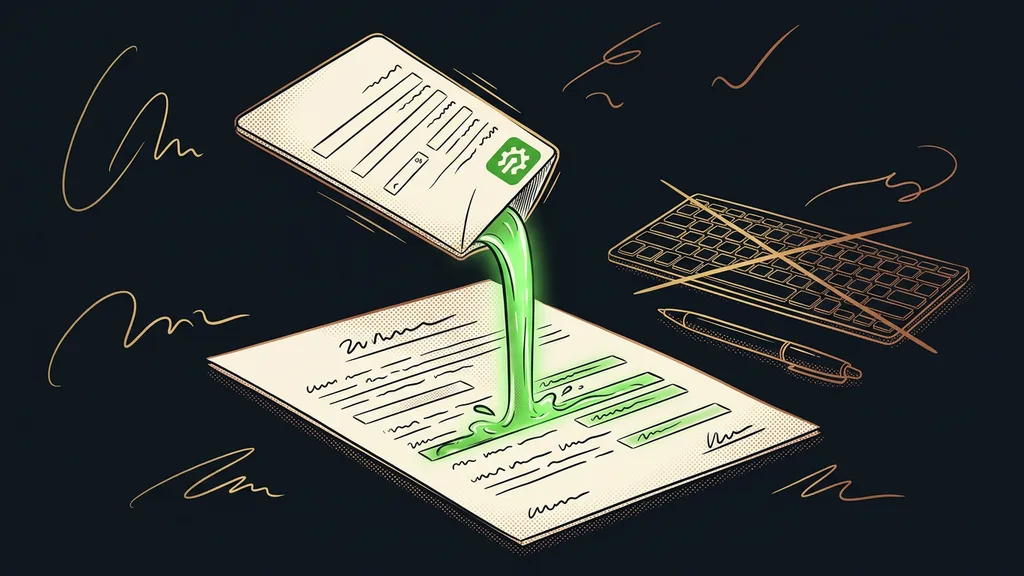
General AI sounds great, but it knows nothing about your business. It knows the world, not your price lists, contracts, playbooks, and meeting notes. The moment you ask about them, it starts filling in the blanks, and a made-up answer looks just as confident as the right one.
I see this over and over in consultations. A company asks AI a question about its own price list, gets a number that was never in it, and concludes that AI can’t be trusted. Except nobody ever gave it the price list to read.
Where the answers come from matters more than the model
With assistants that work on your own data, one thing decides everything. Either they answer strictly from the sources you gave them, or they help themselves to everything else. The second group is more convenient and a lot more treacherous in day-to-day business.
| Tool | Where answers come from | Czech | Price (Sept. 19, 2026) | Main weakness |
|---|---|---|---|---|
| NotebookLM | Only from uploaded sources | Understands it | free tier, pricing not verified | Tells you nothing beyond your sources |
| Claude Projects | From uploaded documents | Excellent | Included in Pro at $20 ($17 billed annually), Max from $100 | You upload documents by hand |
| ChatGPT Projects | From documents and memory | Good | pricing not verified | Memory behaves unpredictably |
| Microsoft 365 Copilot | From your email, Teams, and files | Yes | pricing not verified | Pointless without a paid Microsoft 365 plan |
| Perplexity Spaces | From your files and the web | Good | pricing not verified | Doesn’t show where it’s pulling from |
| Claude Code | From files on your disk | Excellent | Included in Pro at $20 or Max from $100 | Runs in an editor, higher barrier to entry |
I read Claude’s prices straight from the official pricing page on September 19, 2026. I couldn’t do that for the other four tools, so you won’t find a number for them. With Microsoft and Perplexity, the price is also almost always part of a bigger bundle, so a standalone number wouldn’t tell you much anyway.
Source-grounded answer
A way of working where the tool isn’t allowed to draw on general knowledge and has to rely strictly on the documents you gave it. You can then trace every sentence back to the page it came from. It’s easy to spot: ask about something outside your documents, and a tool like this will tell you it has nothing on that.
The tool doesn’t decide whether you get the right answer. The documents you gave it do.
NotebookLM: the fastest way to question your own PDFs
Of the six, NotebookLM is the easiest way into this kind of work. You upload your documents and start asking questions without setting anything up.
Best for: a pile of PDFs, notes, and transcripts you need to make sense of quickly, typically the material for a single project or topic.
Its strength is exactly what looks like a limitation at first glance. It only answers from what you uploaded, so when the answer isn’t in your documents, it says so. You can build an honest answer library on that principle, like the one I describe for a chatbot with a library of hundreds of answers.
Where it falls short: it won’t help you with anything outside the sources you uploaded. If you expect a general-purpose helper, you’ll be disappointed, and yet that’s its best feature.
Price: the basic tier is free. Paid tiers come as part of a Google bundle, and I didn’t verify that pricing on September 19, 2026, so I’m not giving a number.
Claude Projects: long Czech documents and writing built on them
Claude Projects is a place where you upload your own material and ask about it again and again without sending it each time. For long Czech documents, it’s the strongest of the six.
Best for: contracts, playbooks, research, meeting notes, and anything where you need coherent Czech text built on your documents, not just an answer.
The difference from a regular chat is that your documents sit off to the side and the conversation keeps coming back to them. On that foundation you can even build fact-checking, as I show with a knowledge base built on verified studies.
Where it falls short: you upload documents by hand, and nothing syncs from your disk on its own. When a document changes, you have to upload the new version, or it keeps answering from the old one.
Price: verified on September 19, 2026. It’s included in the Pro plan at $20 a month, or $17 a month billed annually. The Max plan starts at $100 a month.
ChatGPT Projects: convenient until it matters where the answer came from
ChatGPT Projects does the same thing inside the OpenAI ecosystem, and for a lot of people it’s the most convenient choice simply because they already use ChatGPT.
Best for: work where your own documents mix with everyday questions and it’s fine if the two blend together.
Hallucination
An answer the model made up because it wasn’t in the documents, delivered with the same confidence as a fact. You can’t spot it by its tone or wording. The only way to catch it is to compare it with the source. That’s why, with business data, traceability comes before fluency.
Where it falls short: memory across conversations behaves unpredictably, so you never know for sure whether an answer comes from the uploaded document or from something the tool remembers from elsewhere. With a price list or a contract, that difference costs money.
Price: not listed. I couldn’t open the pricing from an official source on September 19, 2026.
Microsoft 365 Copilot: for companies that live in Outlook
Copilot has one big advantage over the rest of the list. You don’t have to upload anything, because it already sits inside your email, Teams, and files.
Best for: companies where everything important lives in Microsoft and moving documents elsewhere would be a project of its own.
That’s its biggest benefit: an assistant that doesn’t need you to bring it the work first. It sits where the manual work actually happens, in your inbox, your calendar, and your shared documents.
Where it falls short: without a paid Microsoft 365 plan, it makes no sense at all. A company that doesn’t have one has to add the cost of moving its whole operation to the price of the assistant.
Price: not listed. I couldn’t load the pricing page on September 19, 2026, and the price is usually tied to business licenses anyway, so a single number wouldn’t hold.
Perplexity Spaces: your own files and the web together
Perplexity Spaces mixes your documents with web search. Sometimes that’s exactly what you need, and sometimes it’s exactly what you don’t want.
Best for: research where your own material is just the starting point and the rest should come from outside.
When you’re building an overview of a market, your competitors, or an industry, combining the two is powerful. You get outside data in a similar way when you pull data from the web without copying it by hand.
Where it falls short: it doesn’t make it clear enough where it’s pulling from, and your files sometimes contradict the web. With company numbers that’s a serious problem, because you only notice the wrong source after the fact.
Price: not listed. I couldn’t verify the pricing from an official source on September 19, 2026.
Claude Code: working directly on the files on your disk
Claude Code is the only one of the six that works directly with your files where they live, instead of with copies uploaded into a window. And it saves the result back into them.
Best for: large numbers of documents, repeated work on them, and cases where you need a finished output rather than an answer.
This is a big shift. Instead of answering a question, the assistant does the work and leaves it for you to review. Just as important, it can check its own result before it shows it to anyone.
Where it falls short: it runs in an editor or a terminal, which is a higher barrier for non-technical people. If you’re looking for a ready-made window with a button, you won’t find it here.
Price: verified on September 19, 2026. It’s included in the Pro plan at $20 a month or the Max plan from $100 a month. It isn’t available on the free plan.
How I choose
I ask three things, in this order. First, whether the tool may use the web or should stick to my documents only. Second, where those documents live and whether I can live with uploading them by hand. Third, whether the work should produce an answer or a finished file. Price comes up only after those three questions.
Who none of these tools will help
Who is this not for? Anyone who has nothing to upload. When your company know-how exists only in the owner’s head, there’s nothing to answer from, and the assistant will either stay silent or make things up.
It won’t help if your documents contradict each other either. No tool will fix three versions of a price list in three folders. It’ll just start answering from each of them in turn. Cleaning up your documents is work you can’t skip, and it’s often the more valuable half of the project.
And then there’s the last group: people who expect the assistant to replace decision-making. An answer from your documents is an input, not a verdict. It doesn’t change who’s ultimately accountable for it, and that person should read it.
The whole selection in brief
- First, decide whether the tool should stick to your sources only or is allowed on the web.
- If you want to start fast and for free, upload your documents to NotebookLM.
- For long Czech documents and coherent writing based on them, reach for Claude Projects.
- If everything lives in Microsoft, look at Copilot before you move your data anywhere else.
- Claude Code is built for files on your disk and repeated work on them.
- Clean up your documents before you roll anything out. One valid version of each document, not three.
Back to that price list, the one the AI pulled a number from that was never in it. That was a problem with the setup, not with the model. How smoothly an assistant answers tells you nothing about whether it’s any good with your own data. What counts is whether you can show where each answer came from. And if it can’t show you that, it’s just a nicely written guess. A database that AI fills in and reads on its own stands or falls on its source material in exactly the same way.