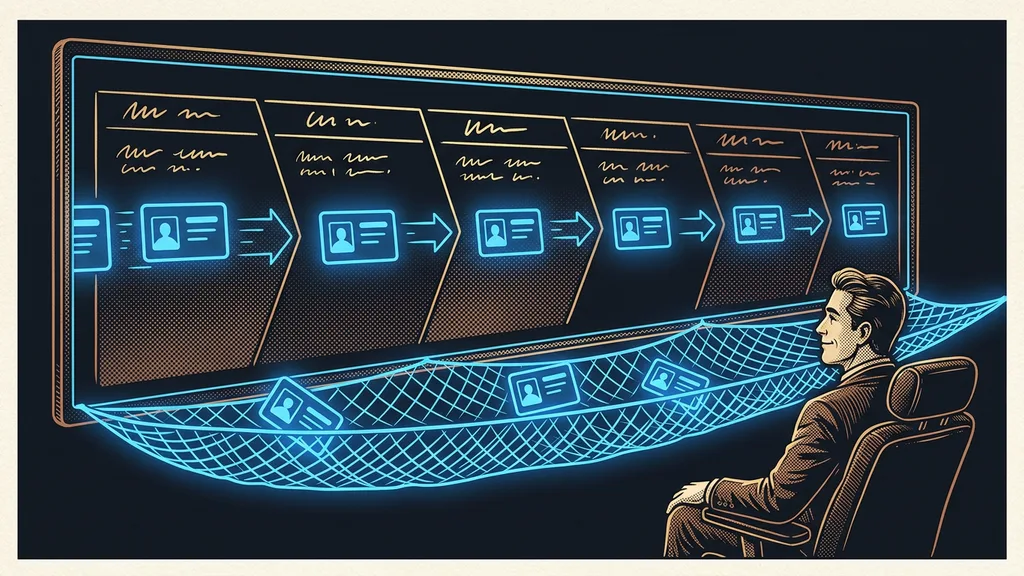
A move to a new system rarely fails on the data. Contacts, invoices, and pages almost always transfer these days. The trouble sits one step to the side: in the domain, in links that went out long ago, and in automations nobody rebuilt in the new system. You notice the difference the moment something fails to reach a customer.
With the clients whose systems I move, it looks the same every time. The data checks out, the content is in place, everything looks finished. A week later, people are hunting for why some of the mail never arrived and why a link in an old newsletter leads nowhere.
The data moves. The snags sit right next to it
What decides a migration is everything connected to the data. Moving contacts and content is routine today, and almost any platform can handle it. The days get lost on what that data used to set in motion: emails, links, workflows, access, and payments.
That’s why I approach a move backward. First I write down what breaks when something stops existing, and only then do I work out how to move it. The nine places below are in the order I go through them with a client.
Sending domain
The domain your business sends email from. Mail servers keep track of its reputation and use it to decide whether a message goes to the inbox or to spam. A new domain has no reputation, so it starts from zero and has to earn one.
“Moving it will take two days. It’s just data.”
I hear that line at the start of almost every move. The data really is often done in two days. The rest takes three weeks.
Nine places where migrations snag
The table below is the full list. The right-hand column is always what you can do before you touch anything.
| What you’re moving | Where it snags | What to do first |
|---|---|---|
| 1. The domain and its records | the new platform rewrites the settings its own way | list the records and compare them after the switch |
| 2. Sending domain | a new domain has no reputation, and the first blast burns it | ramp up sending in batches |
| 3. Content and library | it transfers, but nobody can find it at the destination | test search and filters before volume |
| 4. Contacts and tags | tags transfer without their meaning | write a glossary of what each tag means |
| 5. Links already out there | old URLs lead nowhere | set up redirects to the new URLs |
| 6. Automations and workflows | they don’t transfer; they get rebuilt | write down what breaks if they stop running |
| 7. Forms and inquiries | an inquiry lands in the old system | switch them last and test right away |
| 8. Payments and subscriptions | recurring payments stay with the old provider | decide what runs out and what gets set up again |
| 9. Access and shutdown day | the old system disappears along with data you go back to | export a backup outside both platforms |
In short: the first two points decide whether your email gets delivered, the middle three whether people can find their way around the new system, and the last four whether the switch goes through without downtime.
Domain and email: the one place where the customer spots the mistake first
The domain is the only part of the whole move where a mistake shows up on the other side rather than on yours. You’ll notice everything else yourself and fix it within a day.
On one move, we transferred forty-one domain records. We listed them in advance, checked them item by item from both sides after the switch, and only then turned email back on. Not a single difference was allowed, and in the end there wasn’t one.
The trap people fall into has nothing to do with the transfer itself. The new platform likes to switch on its own protective layer for the domain, and with some setups that quietly knocks out outgoing email. Messages keep going out; recipients just don’t get them. I explain what’s behind it and how to read it in my article on email deliverability.
The second point is the reputation of a new sending domain. Send a blast to your entire database from it on day one, and you lock yourself out for months. You start in batches, with the addresses that actually open your emails. The daily cap goes up gradually, not in one jump.
Safeguard
Before you switch anything on the domain, list all its records in a file and email it to yourself. After the switch, compare them line by line. It takes twenty minutes, and it’s the one thing in the whole migration you’d otherwise be fixing under pressure.
Content and contacts: the holdup is organization, not data
With content, what matters is whether people can find it at the destination, not how much of it there is. You can move almost anything. The problem is when nobody opens it afterward.
One client was moving 371 lessons. The transfer itself wasn’t the problem. What held us up were the filters and search in the new library, because without them a student would get lost in that much material. So I deal with the volume of content second, after working out how people will search it.
Contacts work the same way. Tags transfer, but their meaning stays in the head of whoever created them. That’s why I write one sentence for every tag: what it means, who adds it, and what gets triggered when someone applies it. Without a glossary like that, the database becomes unreadable within six months, even for the person who filled it. And it works the other way, too: anything you can’t describe in one sentence before the move usually doesn’t need to move at all.
The third thing is links that went out long ago. In newsletters, in posts, in email signatures, and on other people’s websites. If you send people through your own short links, you redirect them to the new system in one move. If you sent out direct URLs, you’re tracking them down one by one.
Automations get rebuilt, not moved
You can’t carry workflows over from one platform to another. Expecting otherwise is the most common mistake of the whole move, and workflows are also its most expensive part.
Before I start building anything, I write up a registry. For each automation, it lists what triggers it, what it does, and above all what breaks when it stops running. Past forty workflows, you can’t even talk about a system without a list like that, let alone move it. I show what an automation like that looks like from the inside with the workflows that keep an inquiry alive.
Automation registry
A list where every tag and every workflow has its own row: what it does, who triggers it, and what breaks if it’s switched off. It’s created along with the automation, not after the fact. Without it, a year later nobody dares to touch anything.
The second trap is overlap. If the same workflow runs in both systems on switch day, the customer gets every email twice. So you turn off the old ones in the same hour you turn on the new ones, not the next day.
And since you’re building it a second time anyway, turn the result into a template. Next time, deployment takes minutes instead of days, as I describe in the piece on snapshots and onboarding.
Money, access, and the day the old system shuts down
Non-technical as they are, the last two points cut more than one migration short. They’re about payments and the date.
People’s access is the quickest thing to sort out and the thing most often forgotten. In the new system, nobody usually has the same permissions as in the old one, so on day one someone can’t see what they need. Go through the roles before you go live, so you’re not sorting it out in the middle of the first inquiry.
Recurring payments stay with whoever set them up. If you expect them to transfer along with the contacts, you’ll find out otherwise at the first charge that doesn’t go through. The decision itself is simple. Either the old subscription runs out and the new system starts billing from the next period, or you ask customers to enter their payment details again. Both are fine; you just have to decide in advance.
The most important date in the whole move is the day the old system shuts down. After that, the data you need to go back to often disappears too. That’s why I always export a backup before the subscription ends and store it outside both platforms. A month of overlap costs one extra subscription; for GoHighLevel, that’s $97 for the entry plan according to the official pricing page, verified on September 19, 2026. That’s cheaper than one nervous weekend.
I go into more detail on what moves into a new system and what’s better left to run out in the article on migrating from other tools.
Who shouldn’t bother moving
It’s not worth it if you have one tool and it works for you. Moving over a single missing feature is weeks of work, and you can often buy that feature as an add-on.
It’s not worth it in the middle of your busy season, either. A migration needs a week when you can afford for something not to work for a while. Move during your strongest month of the year, and you’ll pay for it twice.
And then there’s the business that expects a new system to bring order. Order doesn’t move over. The mess transfers along with the data, and in the new environment it’s just easier to see.
The whole move in a nutshell
- List your domain records and export a data backup before you touch anything.
- Write an automation registry: what each one does and what breaks if it stops running.
- Add a glossary for both content and tags so things can be found at the destination.
- Switch the domain, verify the records one by one, and ramp up email in batches.
- Turn off the old workflows in the same hour you turn on the new ones.
- Allow a month of overlap, and shut down the old system only once the backup is done.
And that line about two days from the beginning isn’t even an exaggeration. Data really does tend to be done quickly, which is exactly why moves get underestimated. What eats the time is everything that hung off the data, not the transfer itself. And a good migration shows in the fact that your customers never noticed it, not in the fact that the data made it over.