Half the work of running a business is moving information around. From email to calendar, from calendar to to-do list, from notes to invoice. You can hand that part of the day to a system today. The question that always comes next is a different one: so what stays with the people?
I hear it over and over in consultations. What a business is after is someone to get the work done, not another tool. And while the debate keeps circling around whether AI is smart enough, there are eight jobs on the table that it can take over right now, without months of preparation.
An assistant takes over tasks, not people
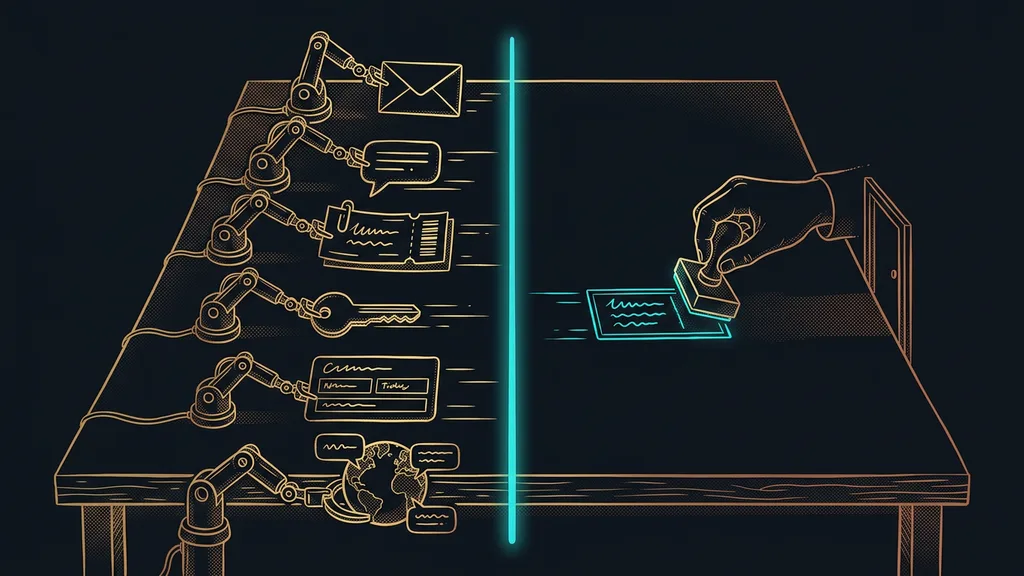
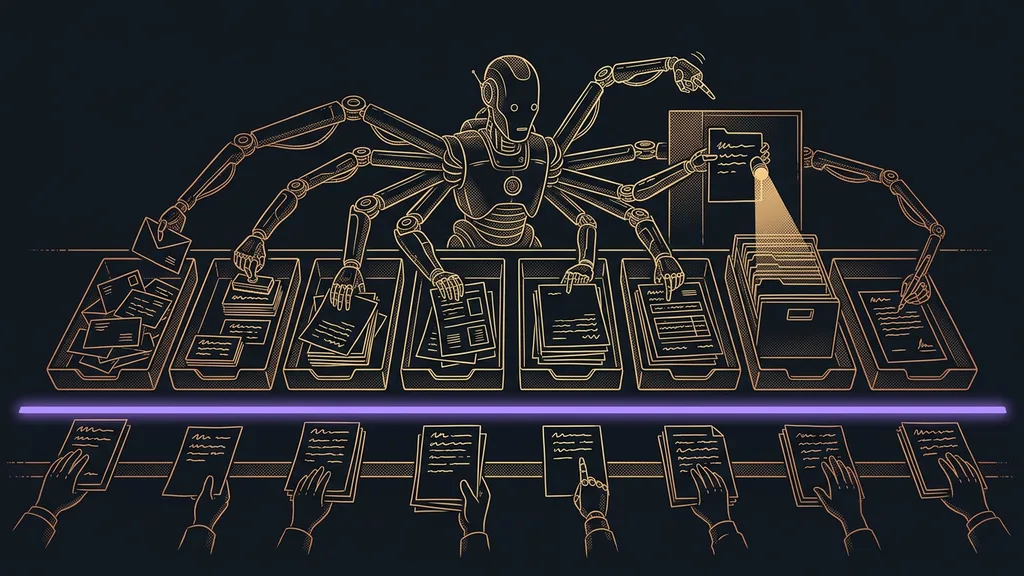
An assistant is a set of tasks. It isn’t a person, and it isn’t a single product. You decide task by task, because the line falls in a different place for each one. The table below is that list, and the right-hand column is the one that matters more.
| Area | What the assistant takes over | What stays with a human |
|---|---|---|
| sorts your inbox and drafts replies | the decision and hitting send | |
| Meetings | notes, action items, and a summary for the client | the conversation itself |
| Invoicing | gathers the details and builds a draft | approving and sending the invoice |
| Morning briefing | goes through your channels and prepares a summary | choosing the day’s priority |
| Customer questions | answers the ones that keep coming up | unusual cases and complaints |
| Documents | fills in the same forms over and over | checking the numbers and signing |
| Searching your documents | finds the answer in your files | judging whether the source is valid |
| Writing | drafts posts, descriptions, and the newsletter | brand voice and approval |
The right-hand column is the main content of this table, not a footnote. It’s how you tell a well-built assistant from a bad one. Where that line is missing, you end up with a system nobody trusts and everyone works around within a month.
Prices in this category are hard to compare, because most tools come as part of a bigger subscription. For Claude, as of September 19, 2026, that means $20 a month, or $17 with annual billing. Where the price is buried inside a bundle, I’d rather not give a number at all.
AI assistant
An umbrella term for the tasks a system does for you, working from your own data. It spans several tools and several prices, and it’s built from small pieces: your inbox, your calendar, your documents, your files. You can tell it’s an assistant because you give it work in a sentence, not through settings.
“I don’t need another tool. I need someone to actually do it.”
I hear that line at almost every first consultation, and it’s spot on. Most businesses have plenty of tools. What they’re missing is the hands to run them, and those hands are exactly what you can build today.
Email: your inbox sorted before you open it
The assistant goes through your inbox, sorts it by what each message needs from you, and drafts replies. You open a ready-made pile, not two hundred messages.
It saves the most on email that repeats: a price inquiry, a request for an appointment, a question about an invoice. The draft reply is built on your own documents, so it has the right number in it, too. I break down what this looks like right inside email and calendar in my article on how AI works inside a company account.
What stays with a human: the decision and hitting send. You answer the unpleasant messages, not the system.
Meetings: notes, action items, and a summary for the client
Every meeting produces notes, a list of action items for both sides, and a summary you can send to the client. Nobody has to take notes, and nobody has to type them up afterward.
This one pays off even if you only have two meetings a week. The notes are the least of it. The value is being able to look up, a month later, what you promised to whom. I describe the whole thing in my article about the meeting archive I can ask questions.
What stays with a human: the conversation itself. That’s why the meeting happens in the first place.
Invoicing: everything you need, gathered in one place
The assistant collects the hours worked, what was agreed on calls, and the orders, and puts together a draft invoice. The end of the month shrinks from an evening to a few minutes of checking.
Completeness matters more here than speed. The system also finds work that got done but never got logged anywhere, because it checks it against your calendar and records. Billing for it then becomes easier than forgetting it.
What stays with a human: approving and sending. The invoice leaves your hands, not the system’s.
Morning briefing: a day that starts with a finished summary
Before your workday starts, the assistant goes through your email, calendar, notes, and open deals and prepares a single briefing. In the morning, you read instead of searching.
The half hour a day you spend working out where to even start is the most expensive work in the whole business. Nobody logs it and nobody sees it. Yet it can get done while nobody’s even at their desk.
What stays with a human: choosing the priority. The briefing shows you the options, and you set the order.
Customer questions: answers to the ones that keep coming up
Repeat questions about prices, dates, availability, and terms are something the assistant can handle on its own, because the answer is the same every time. Your customer doesn’t have to wait until Monday.
The line here is sharper than anywhere else. Spell out for the assistant exactly when to hand the conversation to a person, and when in doubt, it should always hand it over. A wait annoys a customer for a while, but the feeling that a bot is making things up lingers much longer.
What stays with a human: unusual cases and every single complaint. That’s where the relationship is on the line.
Documents: the same forms and contracts, over and over
Orders, reports, delivery notes, and contracts mostly differ in just a few fields. The assistant fills them in from your data and hands back a finished document.
In practice, it means nobody retypes the same numbers for the third time. And when the data comes in through a form, the finished document gets created right away, as I describe in the piece on forms that turn into a finished PDF.
What stays with a human: checking the numbers and signing. Responsibility for what the document says doesn’t move anywhere.
Searching your documents: answers from your files, not the internet
An assistant that has your documents answers a question like “what did we promise that client last year?” from your records. It doesn’t give a generic answer. It answers from your archive.
That’s also the biggest difference from a chat window. Your company’s knowledge lives in your files, not in the tool’s head, which is why it needs maintaining. An outdated price list in the folder produces an outdated answer.
What stays with a human: judging whether the source is still valid. The tool sees the file, not reality.
Working from your own documents
A mode in which the assistant works from your files: your price list, contracts, meeting notes, and procedures. It doesn’t guess from general knowledge, and it can tell you where each answer came from. It’s the difference between a helper who knows your business and a clever stranger.
Writing: posts, descriptions, and newsletters ready to approve
The last job is writing. The assistant drafts social posts, product descriptions, and your newsletter, based on your earlier writing, so it sounds like you.
It helps most where content has to come out regularly and nobody has time for it. Again, the difference from generic writing is the source material: the brief rests on your price list and your topics, not on what usually gets written in your industry.
What stays with a human: brand voice and approval. Publishing something you haven’t read is a bad idea, even after a year of running it.
How I pick the first job
Take three tasks that repeat every week in the same shape, and for each one, ask what happens if the result is wrong. Start with the one where a mistake is cheapest. That means never invoicing or customer replies, but something like the morning briefing or meeting notes. Trust gets built on a job where a mistake costs you nothing.
Who this list won’t help at all
Who gets nothing out of it? A business where every project runs differently and nothing repeats. An assistant lives on repetition, and without it, there’s nothing to build on.
The second case is trickier. Where procedures aren’t written down anywhere, the assistant has nothing to work from. First you need your price list, terms, and notes in one place. Only then does it make sense to hand them to anyone. That, by the way, tends to be the most useful by-product of the whole exercise. The business finally writes down how things actually work there.
And third, expectations: an assistant doesn’t take over responsibility. It prepares the groundwork, but the final step belongs to a person, as I explain in more detail in my piece on the work an AI helper can do. If you’re hoping this gets you out of making decisions, you’ll be disappointed.
How to choose, in a nutshell
- List the jobs that repeat every week in the same shape.
- Next to each one, write down what happens if the result is wrong.
- Start where a mistake is cheapest, and leave invoicing for later.
- Get your documents ready: price list, terms, procedures, and notes, all in one place.
- For each job, decide up front what stays with a human, and stick to it.
- Expand one at a time. Neither a person nor a system can handle eight jobs at once.
Remember the line from the beginning, that a business doesn’t need another tool? It’s true, but a different need is hiding underneath it: finally getting done the things that just keep getting moved from one place to another. The eight jobs above are a list of evenings, not a feature list. This week, pick one of them and leave the rest alone until the first one runs by itself. And if you’re tempted to hand over several at once, take a look at how AI helpers pass work between each other.