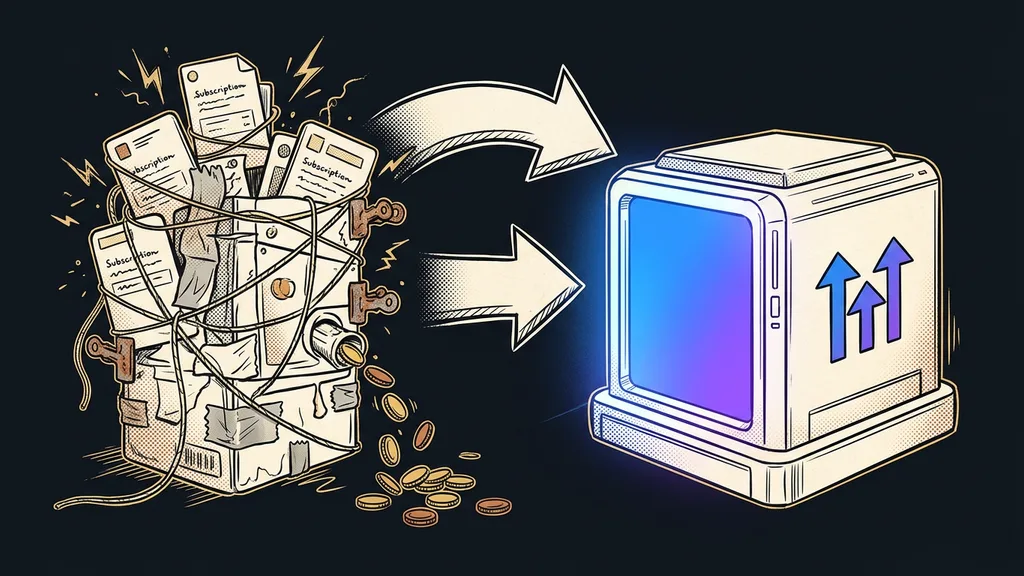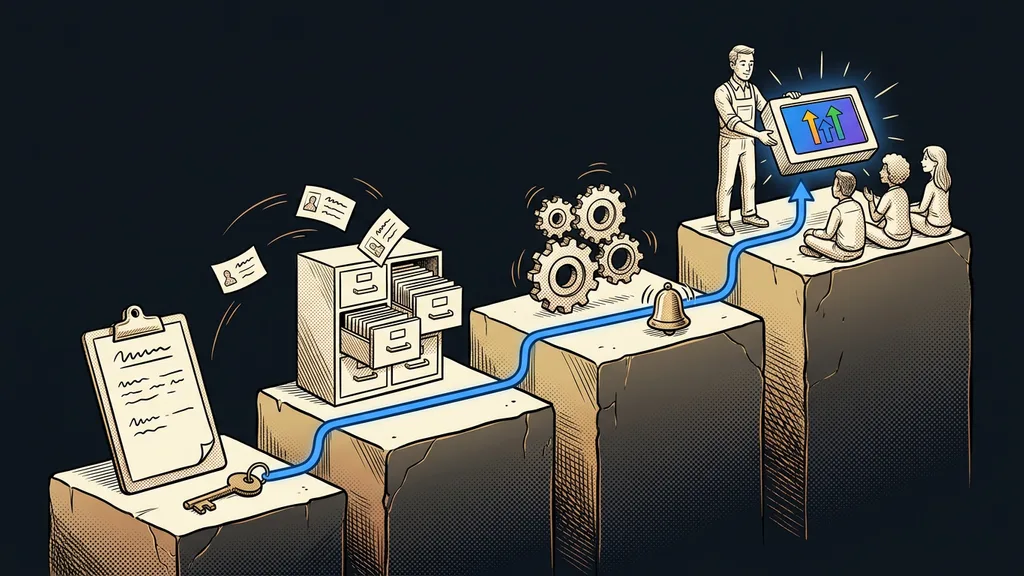
A done-for-you GoHighLevel setup sounds like a ready-made box you order. In reality it’s about a month of work in a fixed order: first you decide, then you migrate, then you automate, and finally you hand over. Flip the order and the account is done fast, and six months later you’re building it again. Usually because the clicking started before it was clear how the business actually sells.
At the first meeting I almost always hear the same wish: make it run by Friday. I get it. The business is paying for a new subscription on top of its old tools, and inquiries keep landing in three different inboxes. But by Friday you can only get an account nobody wants to work in. With me, one person runs the whole month, from the first consultation to training, so nothing gets lost between handoffs.
What exactly do you get when you order a done-for-you GoHighLevel setup?
You get an account your team works in normally right after handover. The contacts are migrated, the deals sit in the pipeline, the calendar takes bookings, and the automations reply to inquiries. Plus a written description of what runs where and why.
Almost nothing gets built in GoHighLevel in the first week. What gets made are the decisions that every field, every tag, and every automation will later rest on.
Each of the four weeks ends with something you can check yourself. But the most important moment of the whole month only comes in the last week.
Switchover day
The day when website inquiries, bookings, and customer replies start flowing into GoHighLevel and the old tool is just winding down. Until then, both systems run side by side. Customers don’t notice a well-prepared switchover day at all.
Week one: consultation, proposal, and domain
Week one is about gathering what the business has and how it sells. We start with a consultation where we go through where inquiries come from, who answers them, how a sale unfolds, and which tools you’re paying for today. From that, you get a written proposal: what I’ll build, how it will work, and what it will cost.
In the same week, I add SPF, DKIM, and DMARC records to your domain settings. I rush this on purpose. A new sending domain usually takes four to eight weeks to warm up, and nothing can shorten that, as I explain in the piece on warming up a sending domain. If you set it up just before handover, you end up sending emails from an address inboxes don’t know yet.
The third task of the week is yours: export your contacts from every place they live today. The email marketing tool, the spreadsheet, the salesperson’s phone. For now I don’t upload the exports anywhere. I only read them.
Week two: pipeline, custom fields, and contact migration
In week two, the proposal becomes a structure. I set up the sales stages the way your sales actually happen and build them into a pipeline where every deal sits as one card. Only then do I work out what belongs in a tag and what belongs in a custom field.
Custom field
A field on the contact record that a business adds on top of name, email, and phone: lead source, job type, date of last order. You can ask for a custom field in a form, filter by it, and branch automations on it. A tag can only say yes or no.
Then I migrate the contacts in two rounds. First a small sample, which I use to check that the columns from the export landed in the right fields and that the accented characters didn’t get scrambled. The full import only comes after that check. But migration creaks in places other than contacts too: links that have been out in the world for ages, or payments running in another system. I have those spots listed one by one, and this is the week I go through them with the client.
Before you send your first export
Open the contact export from your current tool and go through the column headers. For how many of them do you know exactly what they mean and who last filled them in? Every column you can’t answer for is a question we’ll settle together before anything gets imported.
Week three: calendar and automations alongside the old system
In week three, the account starts working on its own. I set up a booking calendar with a confirmation and a reminder, Czech copy for emails and text messages, and the first automations that reply to an inquiry within a minute. The GoHighLevel admin stays in English. But everything the customer sees speaks Czech.
Every workflow gets a Goal Event, so it stops the moment the customer replies or books a slot. I test it on my own contact: I submit the form, book a meeting, and let the reminder come through. Meanwhile the old system is still serving real customers, so a mistake in testing doesn’t reach any of them.
Week four: switchover day, handover, and training
Week four is about switching over and learning. I point the website forms to GoHighLevel, and right after the switch I fill one in myself to see that the inquiry landed on the right card. I leave the old tool on for a few more weeks so the sequences already in motion can finish.
I run the training by role, not for everyone at once. The salesperson needs the pipeline and the mobile app. Whoever takes bookings needs the calendar and Conversations. The owner mostly wants an overview. Shorter recorded sessions work better than one all-day training. At handover you get a written overview of the automations, and the main access to the account stays with you. A few weeks later, I look into the account myself to see whether people are really working in it.
What doesn’t fit into the first 30 days
A warmed-up domain doesn’t fit into the first month. By the end of week four, confirmations, reminders, and replies to inquiries are already going out, but a mass campaign to your entire old database isn’t yet. That comes once the volume has grown gradually over the following weeks.
A done-for-you month doesn’t pay off for a business that wants a single calendar or form out of GoHighLevel. For that, the trial version and an afternoon with the help docs are enough. It also doesn’t pay off where nobody has time during the week for the consultation and training, because an account built without people from the business ends up unused. And if you run GoHighLevel as an agency and set up accounts for clients over and over, you’re dealing with a different discipline: client onboarding in an afternoon.
The month in a nutshell
- Week one: consultation, a written proposal with pricing, domain records, and contact exports from everywhere.
- Week two: pipeline stages, custom fields and tags, a test import on a sample, then the full one.
- Week three: calendar, Czech copy, and automations with a Goal Event, tested on my own contact.
- Week four: switchover day for the forms, role-based training, and a written handover.
- The weeks after: the domain keeps warming up, and the first campaign to the whole database only comes after that.
By Friday you can get an account. In a month you can get a system where an inquiry from your website arrives in the morning, gets a reply on its own, and your salesperson finds it on a card in the pipeline before they’ve poured their coffee. If you want to go through a month like that with your business, see how my done-for-you setup for GoHighLevel works. I’ll send you the scope and the price in writing before I take the first step in your account.