Claude Code without coding sounds like a contradiction. Most business owners skip a tool with “code” in its name. They don’t write code, after all. But most of a small business’s work lives in files: an export from your online store or accounting software, a folder of contracts and invoices, a recording of a meeting. And files are exactly what Claude Code handles better than a chat window.
I work with Claude every day and set it up for clients on their own computers. I’ve covered installation and the first steps separately. This piece is about what comes next. We’ll go through eight tasks from an ordinary business. For each one, you’ll find a sentence to type, the result, and the spot where you should stay alert.
What does Claude Code have that chat doesn’t?
Claude Code can see into a folder on your computer and save the result right there. With chat, you upload files by hand, no more than twenty per conversation according to Anthropic’s help center as of October 11, 2026, and then download the finished result. According to Anthropic’s documentation, Claude Code reads and edits files and runs commands on its own. With a hundred invoices, that’s the difference between an afternoon of clicking and one sentence.
Folder task
Work that starts with a file on your drive and ends with another file. The input is usually an export, a folder of PDFs, a recording, or materials for a job. The output is a spreadsheet, a summary, or a transcript. This is exactly where Claude Code beats chat, because it goes through the folder itself and you don’t have to upload anything.
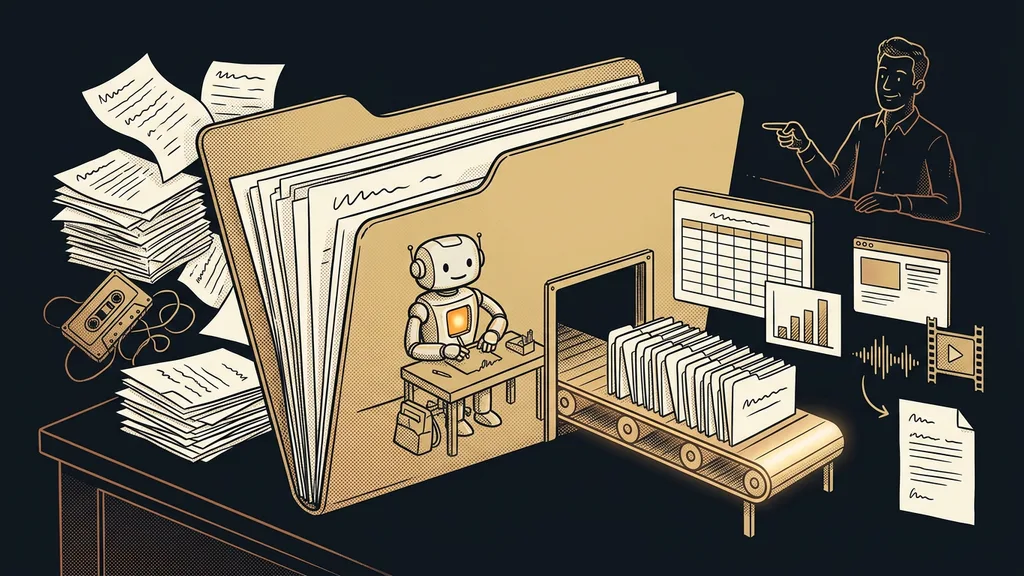
For Claude Code, code is just a tool. What you get from it is a finished file: a spreadsheet, a summary, a tidied-up folder, or a meeting transcript.
You need a paid plan for this. According to Anthropic’s pricing as of October 11, 2026, Claude Code starts with the Pro plan. In the Claude desktop app, you’ll find it on the Code tab, and you don’t need to install it separately.
Eight tasks: what to type and what you’ll get
Each of the eight tasks starts with one plain-English sentence and ends with a file you can open.
| Task | What to type | What you get | What to check |
|---|---|---|---|
| Spreadsheet from an export | “Total the sales in this export by month and by customer.” | a new spreadsheet next to the export | how many rows it loaded |
| Bulk work with PDFs | “Pull the date, amount, and deadline from every contract.” | a spreadsheet, one row per document | scanned paper documents |
| Cleanup and renaming | “Rename the invoices by date and supplier.” | a tidy folder | plan first, work on a copy |
| Report from data | “Turn the export into a September summary with a chart.” | a page with a summary and a chart | recalculate two totals |
| Simple website | “Build a one-page website from the text and photos in this folder.” | a page that opens in your browser | publishing it is a separate step |
| Short videos | “Put together short captioned videos from these images and five sentences.” | finished video files | needs a video editing tool, uses up your limit |
| Transcribing a recording | “Transcribe the meeting and list the tasks with deadlines.” | a transcript and a task list | names and numbers |
| Meeting prep | “Go through the client’s folder and prepare a one-page brief for the meeting.” | a one-page brief | old versions of documents |
The sentence in the table is just the skeleton. A good brief adds how much care the task needs and how you’ll know it’s done.
Spreadsheets, PDFs, and folders: plan first, changes second
The first three tasks save you the most time. They’re also where it’s easiest to break something, because Claude Code is working on your actual files. With an export, have it tell you how many rows it loaded and compare that with the count in the original file. I’ve covered bulk PDF reading and the trouble with scans separately.
Renaming and sorting is the trickiest, because it changes what you already have. Yet nobody has to do it by hand anymore. You just have to give the task in the right mode.
Plan mode
A permission mode in which Claude Code only reads files and proposes what it would do. It doesn’t rename or overwrite anything until you approve the plan. In the terminal, you switch modes with Shift+Tab. In the desktop app, you use a toggle.
But keep the default setting in mind. According to Anthropic’s documentation, the default mode in the terminal is Auto: a second model reviews actions on your behalf, and Claude doesn’t ask you about most things. That’s why the first thing I check after every installation is the permission mode.
Before you start a rename
Copy the folder and work on the copy. First, have it list a table with the old and new name of every file. Check ten rows, and only when they’re right, type “go ahead.”
Reports, websites, and short videos: you can see the result
The next three tasks produce something you look at: a summary with a chart, a web page, or a video. You can often spot a mistake by eye, but check the numbers and text anyway. With a report, recalculate two totals by hand. Claude Code builds a one-page website as a page you open in your own browser. Getting it online with your own domain is a separate step and a separate decision.
Claude Code won’t shoot videos. But with a video assembly tool installed, it can put short videos together from images and short texts. One client made dozens of short videos with it as her very first task and hit the limit on the cheapest paid plan. According to Anthropic’s help center, paid plans have two usage limit windows: a five-hour one and a weekly one. Claude Code draws from them the same way chat does. For routine work, the help center recommends the Sonnet model, because Opus uses up noticeably more of your limit.
Meeting transcripts and meeting prep: what stays on your computer
Both tasks deal with sensitive content, so it matters where each part of the work runs. According to an Anthropic help article from July 23, 2026, Claude accepts documents and images, and audio files aren’t among the supported formats. So the recording first goes through a separate speech-to-text program. You can download one to your computer, and Claude Code can run it. A local transcription happens entirely on your machine, and the audio never leaves your drive. Only the text goes out, and Claude then pulls the tasks and deadlines from it.
Meeting prep depends on what’s actually in the folder. Claude Code goes through the latest proposal, notes from last time, and saved emails, and prepares one page. If there are three versions of the proposal in there, have it note which file each detail came from. That way you’ll catch an old price before the client does.
When a regular chat is enough
For one-off work with a few files, you don’t need Claude Code. Summarizing three contracts or rewriting one email is a job for chat, which holds up to twenty files per conversation. Claude Code pays off once a folder task repeats or there are dozens of files. If you don’t know yet what keeps repeating in your business, start by mapping your admin. Claude Code can wait.
The whole catalog in a nutshell
- Pick one task from the table that comes up for you every week.
- Copy the folder the task works with and run Claude Code on the copy.
- Type one plain-English sentence and add how you’ll know it’s done.
- For changes to files, have it show you a plan in plan mode first.
- Check the result on a sample, then keep using the finished workflow.
Chances are at least one of the eight tasks is waiting for you this week, like that folder of invoices you’ve been putting off for a month. If you’d like to get your first tasks going with someone sitting next to you at your own computer, I offer a 1:1 Claude setup. Otherwise, all you need to start is a copy of that folder and one plain-English sentence.