Moving a domain looks like one item on a to-do list. The website switches to a new place, the address stays the same, and nobody notices a thing. But the same domain almost always carries your business email, bookings, and links in emails too. And unlike the website, email doesn’t make a sound when it breaks.
I know that feeling by heart. The switch takes a minute, and then you spend two hours just watching to see if everything came back up. The website is running, so you’re done. And the next week, someone asks why you never got back to them about the proposal you know you sent.
Websites fail loudly, email fails quietly
You spot a broken website within a minute. You open the address, it doesn’t load, and you’re on the phone getting it fixed. With email, that moment never comes. The error message goes to the sender on the other end rather than to you, or the message doesn’t even bounce and quietly lands in spam.
Silent email outage
A state where messages stop going out or coming in, but nothing turns red. The inbox looks normal; it’s just suspiciously quiet. You usually find out only from the outside, when someone gets in touch another way, and that tends to be two days later.
This difference is exactly what determines how you plan the move. You can check the website after the switch just by looking at it. Email has to be tested deliberately, in both directions, ideally with a mailbox outside your company.
With a website, you spot a failure because something doesn’t happen. With email, a failure looks exactly like a quiet day.
A domain is a signpost, not a website
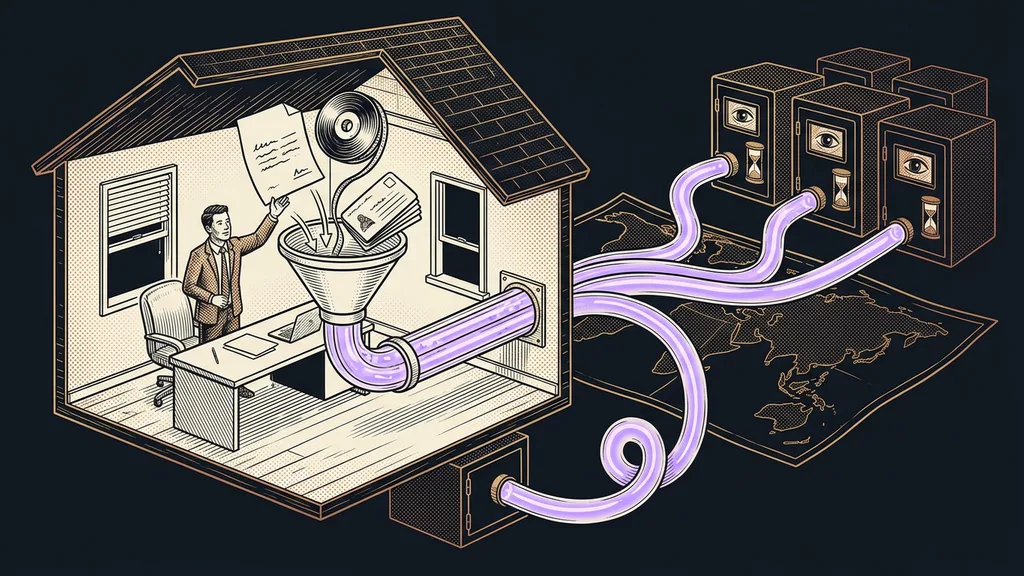
A domain has no content of its own. It’s a signpost: a short public list of notes saying where to go for what. One line says where the website lives. Another says where email gets delivered. Others say who’s allowed to send messages in your name and what those messages are signed with.
So moving the website concerns just one line in the whole list. The other lines have nothing to do with the website, but they live in the same table. And because the whole table moves, email, short links on your own domain, and booking pages all ride along with it.
Sending permission
A public note on the domain that says which servers may send email in your name. The recipient’s mailbox reads it and rejects a message from any other server or sends it to spam. It protects your name from scammers, but it also means every change of sender has to be reflected in the note.
This single line carries your business email deliverability, and during a move it’s the most sensitive of all. When it falls out of step with reality, messages keep going out but stop arriving, which is worse, because for a while nobody notices.
Transfer and compare, never retype
A safe move rests on one rule: nothing gets retyped from memory or from a screenshot. The whole list is transferred at once, and then both sides are compared line by line.
And the comparison is the important half of the job. When you ask both the old and the new side about each item separately and the answers match, you know nothing got lost along the way. The last move I did involved 41 records, and the comparison found zero differences. If I’d retyped them by hand, I’d have mistyped two and found out a week later.
The comparison itself takes minutes, not hours. It’s a boring check that a machine handles better than a tired person at 10 p.m. And above all, it does it the same way every time, even on the fortieth line.
Try it now
Don’t wait for the move. Send yourself a message right now from your business address to a personal mailbox at a big provider and see where it lands. If it already ends up in spam today, the move will only make things worse, and it’s better to fix it first.
The trap that quietly takes down your email
One trap is sneakier than the rest, and it has nothing to do with how careful you are. The new domain management can switch on a protective shield for your records on its own, hiding your server’s real address behind its own. That benefits the website, because it makes it faster and protects it.
But it shuts the door on your email. The recipient reads the sending permission, compares it with the address the message came from, and they don’t match. The message goes out and never arrives anywhere. No error lights up, so you only find out after the fact.
So the rule is simple. For everything related to email, the shield stays off, and you switch it on only where the website runs. Moving your whole business to a new platform calls for the same caution, because there, too, the domain is the one real risk.
Who shouldn’t do the move themselves
So when is it better not to do it yourself? If your domain carries only a website and email with a big provider, you can handle the switch in an afternoon and nothing will go wrong. As soon as your domain carries business email, email campaigns, and bookings, it’s worth having someone there who has done it many times.
And one more honest piece of advice. Don’t move your domain on a Thursday afternoon, the day before a vacation, or in a week when a big email campaign is due to go out. It can be done, but you want two calm days on hand for checking.
The whole move in a nutshell
- List everything that hangs on the domain: website, email, signatures, bookings, short links.
- A day ahead, shorten the validity of the records so the world starts asking more often and the change spreads quickly.
- Transfer the whole list at once, then ask both sides about each line separately.
- Leave the protective shield off for everything related to email.
- Test email in both directions with an outside mailbox, not just by checking that the website is up.
- Keep the old side alive for a few days and cancel it only once you’re sure nothing is missing.
And that question a week later about the proposal you know you sent? It comes from checking only the website after the switch, not from carelessness. A machine can deploy a website in a few minutes these days. Deciding everything that has to move along with it is still a job for a person.