GoHighLevel has two levels, and most of the confusion happens between them. The agency account sits at the top, sub-accounts sit below it, and each level holds different settings, different users, and a different invoice. If you don’t know which level you’re standing on, you end up looking for automations where they never were. Or you let a new colleague see every client’s contacts at once.
I see this over and over in consultations. Someone shares their screen, clicks around the left menu, and can’t find their workflows or pipeline. They’re logged in one level up, in the agency view, where none of that exists. One click on the account switcher in the top left, and everything is back.
Things rarely get lost in GoHighLevel. Much more often, you’re just looking from the wrong level.
What an agency account is, and what a sub-account is
Think of the agency account as the management layer above all the businesses, and a sub-account as one business’s workspace. HighLevel always sells the license to the agency account, which then creates sub-accounts under it. The agency doesn’t do business in them, it just manages them.
All the actual business happens one level down. Contacts, conversations, pipelines, calendars, workflows, and websites always belong to a specific sub-account. That’s why GoHighLevel can handle an agency with a hundred clients without any of them seeing the others’ data.
Sub-account
A separate workspace for one business inside GoHighLevel; parts of the help center call it a location. It has its own contacts, calendars, automations, websites, and users, and neighboring sub-accounts can’t see into it. The business spends almost all its time there; the agency only goes in when it’s working on something for the client.
What lives at the top, and what lives below?
The split is fixed and can’t be reconfigured. According to the permissions table in HighLevel’s help center (last updated in May 2026), it looks like this:
| Where it lives | What you’ll find there |
|---|---|
| Agency account only | creating and deleting sub-accounts, snapshots, SaaS Mode, white label (domain, logo, colors), license billing and rebilling, global connections for email sending and telephony. |
| Sub-account only | contacts and smart lists, conversations, pipelines and opportunities, workflows, calendars, websites and funnels, review management. |
| Both levels | user management, dashboard reports, the media library, the audit log. |
The table gives you a simple rule. Whatever concerns customers is set up in the sub-account. The brand, the license, and other businesses are handled in the agency account. In accounts I take over, the mistake is usually a little to the side: the right level, but the wrong sub-account. Typically, the live automations sit in a test sub-account that should have been deleted long ago, and half the team works somewhere other than the other half.
Who sees what: user type and role
Two settings on each user decide how far a person can reach: type and role. The Agency type gets into all of the agency’s sub-accounts; the Account type only into the ones you explicitly assign. The role then says whether they can manage the account (Admin) or only work in the modules you allow (User).
Two things from the help center are worth remembering. When someone has a role in both the agency and a sub-account, the permissions add up, and the broader agency one always wins. And only an agency admin with permission to do so can log into a sub-account as another user (the Login As feature).
Five minutes in your user list
In the sub-account, open the settings and the user list (My Staff in older accounts). For each name, ask two questions: does this person need to see all the contacts, and do they need to be able to change automations? Wherever the answer is no twice and the role still says Admin, you’ve got your task for this afternoon.
Only Assigned Data
A setting for a sub-account user that limits them to the records assigned to them: their contacts, their opportunities, and their appointments. A salesperson works with their own people instead of the company’s entire database. It’s useful wherever commissions get split or the contacts include sensitive clients.
Who pays for the license, and who pays for usage
The license is always paid by the owner of the agency account. As of early October 2026, the Starter plan costs $97 a month, and you can create three sub-accounts under it. Unlimited, at $297, has no limit, and it can rebill clients for email, SMS, and AI usage at cost. Agency Pro, at $497, adds SaaS Mode on top, meaning resale at your own prices, including a margin on usage.
Without rebilling, the agency pays for usage itself; with rebilling, it goes on the client’s tab. I’ve broken down how the license, the wallet, and add-ons add up to a monthly amount in my overview of GoHighLevel pricing and plans.
If you get GoHighLevel through a white-label reseller, the reseller itself is the agency account. A business gets a sub-account for a monthly fee and tops up credit for its actual usage. It doesn’t deal with the agency level at all. Whether this route or your own license pays off comes down to a single question. I go through it in my comparison of a reseller sub-account and your own GoHighLevel license.
What a business needs, and what an agency needs
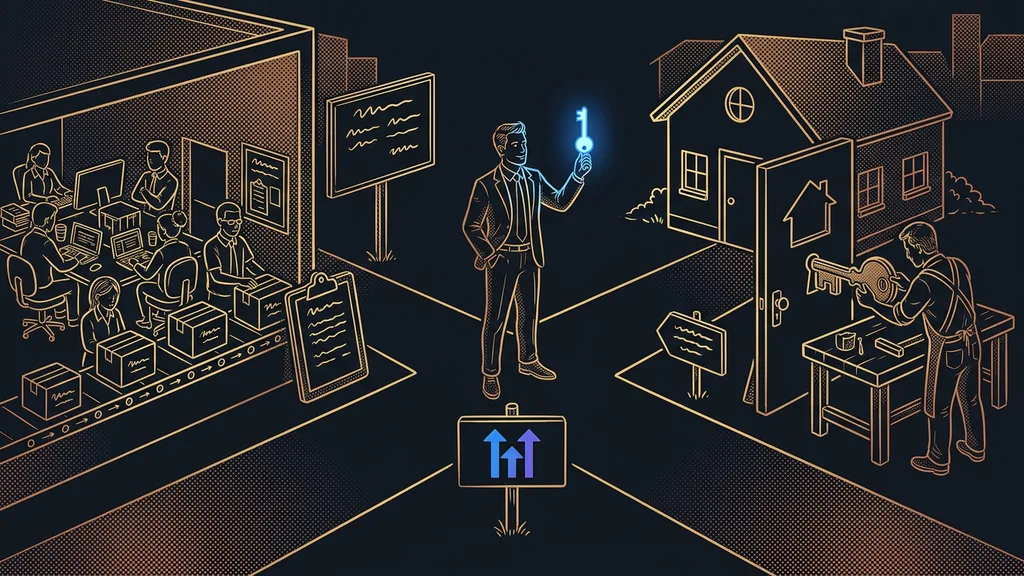
A business needs one well-configured sub-account; an agency needs an agency account. If you only sell your own services, you’ll hardly ever set foot on the agency level. In practice, for a business it looks like this: the owner has the Admin role, colleagues have the User role with the modules they need, and salespeople also get Only Assigned Data. If a company runs two businesses, each one gets its own sub-account so contacts and campaigns don’t get mixed up.
But one thing from the agency world affects businesses too: moving. A sub-account transfers between agencies as a whole: contacts, conversations, calendars, websites, and automations all go together. According to the help center, the request comes from the owner of the agency you’re leaving, so you can’t take the account with you on your own. Smart lists, SaaS Mode settings, and custom email sending don’t transfer. Active add-ons like WhatsApp have to be canceled beforehand.
On top of that, the only users who move with the transfer are Account-type users assigned exclusively to that sub-account. So it pays to set the user type right from day one. Whose license the account should run on from the start is a separate decision. I cover it in the choice between an agency and a solo freelancer.
When you don’t need to worry about account structure
If you run one business on GoHighLevel and work in it alone, you don’t need to deal with any of this. You have one sub-account and one user, and you’ll rarely need to touch the agency level. All you need to know is where the account switcher is. Structure only starts to hurt with a second person in the account or a second business. Until then, a plan for your first seven days in the account will help you more than studying permissions.
The whole structure in a nutshell
- The agency account buys the license, holds the brand and snapshots, and creates sub-accounts.
- A sub-account is one business’s space: contacts, pipelines, calendars, workflows, and websites.
- The user type decides which sub-accounts a person can enter; the role decides what they can do there.
- The agency account pays for the license; usage is paid by the agency, or by the client with rebilling.
- A company needs one sub-account per business; an agency needs its own license.
- A sub-account moves as a whole, and the transfer is requested by the agency you’re leaving.
Next time someone on your team messages you that the automations have vanished from GoHighLevel, you’ll know where to look first. The name of the account they’re in is right there in the top left. If you want to set up your sub-account, users, and roles with someone who works in GoHighLevel every day, take a look at my done-for-you GoHighLevel setup. I build and hand over everything myself, so in our first meeting we’ll go through your user list name by name.