These days the vocabulary around AI is a bigger barrier than the technology itself. Someone says prompt, agent, token, or model in a meeting, you nod, and you google it when you get home. Yet a vendor’s proposal depends on whether you understand those words the same way they do.
I run into this in almost every consultation. The business owner knows their field better than I do, but with AI they don’t want to ask and look behind the times. Most of these words can be explained in one sentence, though, and people who can’t explain them are usually just repeating them.
Seven pairs people mix up most often
First, the differences that really matter. These pairs get confused in conversations more than any others, and each one changes both the price and what you walk away with.
| Term | Confused with | The difference |
|---|---|---|
| Chatbot | AI agent | a chatbot answers, an agent does the work |
| Automation | artificial intelligence | automation follows rules, AI composes the answer |
| Model | tool | the model is the engine, the tool is the car built around it |
| Prompt | skill | a prompt works once, a skill works every time |
| Training | knowledge base | training changes the model, a knowledge base is a source to look things up in |
| Token | credit | a token measures text, a credit measures the tool’s work |
| Hallucination | error in the data | a hallucination sounds right but has no source behind it |
The rest of the glossary is below the table, split into five groups. You don’t have to read all of it. Feel free to jump straight to the group that matters to you right now.
You can’t tell a good vendor by how many acronyms they use. You can tell because they don’t need them.
Four terms you can’t get by without
This is the foundation. Remember just these four and you’ll get through 90% of conversations about AI without losing the thread.
Artificial intelligence (AI). A program that composes its answer instead of looking it up in a predefined list. That’s why you get a slightly different answer to the same question every time. Nothing is broken. That’s just how it works.
Model. The engine that produces the text or image. There are many models, and they differ in performance, price, and how well they handle your language. The tool you buy is just a wrapper around a model.
Prompt. The sentence you use to tell the tool what to do. The more specific the prompt, the more usable the result, and that’s the strongest lever you have. Nine out of ten bad results start with the prompt, not the model.
Hallucination
An answer that sounds convincing but has no basis in any source. A model composes text, so it can fill a gap in its information with something that looks just as confident as a fact. The only way to catch it is to check. That’s why, for anything important, you always want a link to the source the tool took it from.
Hallucinations are also why, for facts, you build a database that falsehoods can’t slip through. The tool then answers from verified sources instead of off the top of its head.
Five terms for the work AI does for you
The second group is about the work itself. The differences between these terms affect the price of a proposal more than the tool’s brand does.
Chatbot. A window that answers questions. It works with whatever you make available to it, and what it produces is an answer. It doesn’t do anything else.
AI agent
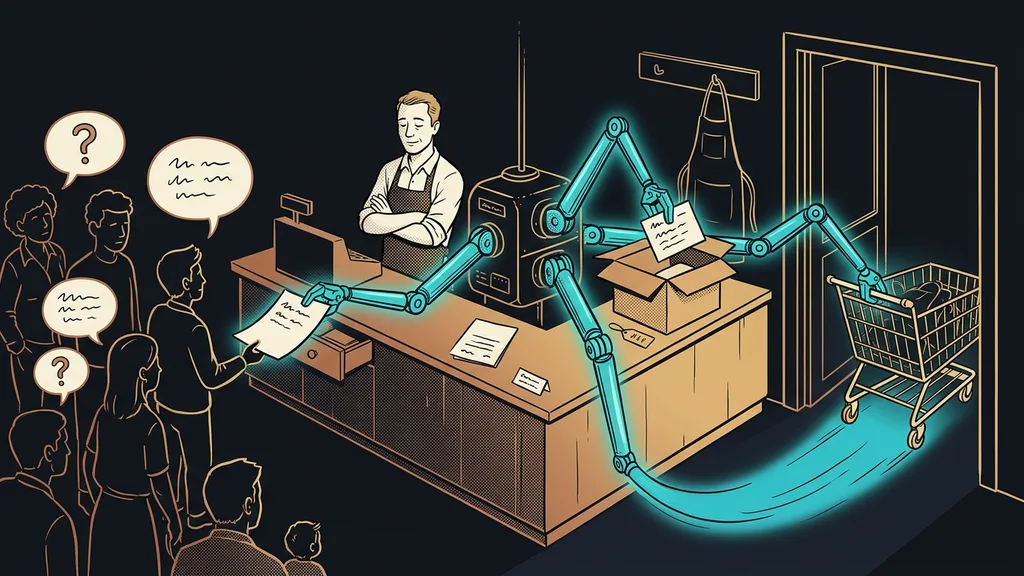
One level up from a chatbot. It can reach into your files, email, or calendar and see a task through to the end. The difference is what’s left on your desk: with a chatbot, advice; with an agent, finished work to review. That’s also why, with an agent, you settle what it is and isn’t allowed to touch.
Agents usually work in roles rather than solo. If you have a team of several agents built for you, each one has its own piece of the work and they pass results to each other.
Automation. A process that runs on fixed rules. A form comes in, a confirmation goes out. There’s no intelligence involved, and that’s exactly what makes automation reliable and cheap.
Workflow. The path from a trigger to a result, written out step by step. It’s the word you’ll hear most often in proposals, and it simply means “what happens after what.”
Integrations and APIs. The way two programs pass data to each other with no human in between. Think of an API as a service counter: it handles a fixed list of requests and nothing else. When people talk about connecting tools to each other, this is exactly what they mean.
How to spot a good proposal
Ask the vendor a single question: what exactly will be left on my desk, and what do I have to do with it? Whoever answers straight, without acronyms, knows what they’re building. Whoever starts explaining the technology will probably still be explaining it next year.
Four terms for where AI gets its information
The third group determines the quality of the answers. This is where a nice demo and a tool you can trust part ways.
Context window. How much text the tool can hold in its head at once before the beginning starts to slip. For a short question, it doesn’t matter. For a 100-page contract, it decides whether the answer makes sense.
Knowledge base. The store of your own materials the tool answers from. Your price list, service descriptions, FAQs, and procedures all belong here. The quality of the answers depends on how tidy this store is, not on how clever the model is.
Document retrieval. Before answering, the tool finds the right spot in your documents and answers only from there. In practice, you can tell because the answer shows its source. It’s the cheapest way to cut down on hallucinations.
Training on data. When your data is used to teach the model. That’s not the same as storing your data or keeping a knowledge base. Whether the vendor does it belongs in the contract, not in a chat.
Three pricing terms that cost you the most extra
The fourth group is short and the most expensive. These three words tell you whether a proposal will grow with your usage or stay the same.
Token. A chunk of text, roughly part of a word. Tools use tokens to measure how much text went in and out. The longer the materials you send, the more tokens you use, which is why long attachments cost money.
Credit. A unit of the tool’s work that every vendor defines in its own way. One credit can be one operation, one second of video, or one answer. That’s why you can’t compare two credit-based price lists without converting them to your own usage.
Per-user license. A price charged for every person on your team. Vendors also charge per channel, per conversation, or for the whole account. It’s the billing model, not the amount, that decides what you’ll pay over a year.
One exercise is worth doing before you sign. Work out the price on last year’s volume, not on the example from the vendor’s website. The gap between the two numbers tends to be surprisingly large.
Four terms about who answers for the result
The last group usually sits in the smallest print of a proposal and matters most once the system is running. The responsibility stays with you even when a machine did the work.
Human in the loop. A way of building where the system prepares everything, but a person confirms the decisive step. Sending, paying, publishing. In practice, it’s the only difference between an automation you trust and one you’re afraid of.
Skill. A rule the tool learns once and then follows for good. You write a prompt from scratch every time, but a skill is handed over once and sticks. This is where playing around turns into a system.
No-code. A label for tools you set up by clicking. It doesn’t mean nobody has to think the work through. It only means you don’t need a programmer for it.
AI content labeling. The rule that people should be able to tell they’re talking to a machine and not to you. For chatbots and voice assistants in the EU, it has applied since August 2026. It goes hand in hand with output checking, which the tool does on its own before it puts the work on your desk.
Who this glossary won’t help at all
So who isn’t it worth learning the terms for? If you’re only trying AI in your spare time, the first four are enough. You can learn the rest when you’re about to sign something, and you won’t need it before then.
It also won’t help if you want to learn the terms just to hold your own in a conversation. A vendor can tell within two minutes whether you understand the words or are just repeating them. It’s better to ask dumb questions, out loud.
And then there’s the most common case. A company knows every term and still hasn’t moved an inch, because nobody decided which work to hand over first. A glossary is a tool, not a decision.
The whole glossary in a nutshell
- The model is the engine, the tool is the car around it. You’re buying the car.
- A chatbot answers, an agent does the work. That’s the main difference in price.
- Automation follows rules, AI composes the answer. Each has a different use.
- The quality of the answers rests on your materials, not on how clever the model is.
- In a price list, look for the billing model, not the amount.
- For anything that goes out, the last click has to stay with a person.
Next time someone says token, agent, or model in a meeting, you won’t have to google it when you get home. Not knowing the vocabulary is nothing to be ashamed of, because these words appeared last year and half of them will disappear again. What’s embarrassing is buying a system without knowing what it will leave on your desk. For that, the 20 terms above are enough, and you don’t need to know any more.