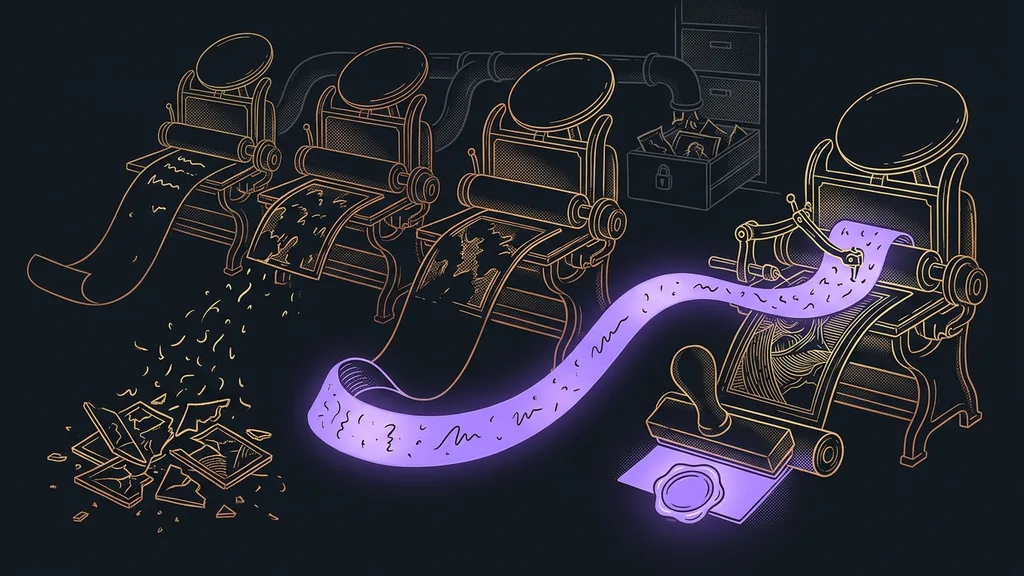
An image generator can make almost anything today. Almost. The moment the image needs Czech text, most tools trip over the diacritics, the little hooks and accents above Czech letters. And with business graphics, there’s a second question in the air that nobody asks in time: what was this model actually trained on?
I see it again and again in consultations. A company generates a nice visual for a flyer, sends it to print, and only at the print shop does someone notice an accent missing from the headline. The image is pretty, and it’s unusable.
They all do images. The differences are text, price, and licensing
Don’t look for the difference between generators in image quality anymore. For everyday business graphics, all six are good enough. Where they differ is whether they can handle Czech text, how much you’ll pay, and where their training data comes from.
| Tool | Best for | Czech text in the image | Price (Sept 19, 2026) | Main weakness |
|---|---|---|---|---|
| Ideogram | Text as part of the image | English yes, Czech risky | pricing not verified | Often mangles diacritics |
| Canva | Flyers, posts, presentations | Yes, you set the text yourself | Free $0, Pro $144/year | The templates show |
| Midjourney | Mood and illustration | No | pricing not verified | No free version |
| Adobe Firefly | Print and ad graphics | Don’t rely on it | pricing not verified | You pay for peace of mind, not beauty |
| Leonardo.ai | Trying out styles | No | pricing not verified | Quality varies by model |
| ChatGPT | Illustrations right in the chat | Don’t rely on it | pricing not verified | Not enough for a campaign |
One note on that price column. On September 19, 2026, I couldn’t open the price lists for five of the six tools from an official source, and a guessed number is worse than none. Look them up yourself right before you buy. It takes two minutes. With generators you also pay in credits, so the monthly rate alone doesn’t tell you much anyway.
Generated image
An image made not by a camera or a designer’s hand but by computation from your description. Rather than piecing together ready-made bits from a stock library, the tool calculates every pixel from scratch. That’s also why you never get exactly the same result twice, even if you type the same prompt.
Don’t generate the text in an image. Have the AI generate the background, then set the text on it afterward, in a tool where you can still fix it.
Ideogram: the only one that dares to put text in the image
Of these six, Ideogram is the only tool built specifically to write inside the image too. In English, it works surprisingly well.
Best for: English lettering, simple logos, posters, and banners where a short line of text really does need to sit inside the image.
You tell it what the sign should say, and it writes it there. Give the same prompt to the other generators and you get something that looks like text at first glance and turns out to be clumps of letters at second glance.
Where it falls short: Czech. The accent marks vanish or slide onto the next letter, and an ordinary word suddenly turns into gibberish. Read every Czech caption it produces character by character.
Price: I’m not listing one. On September 19, 2026, I couldn’t open its price list from an official source.
Canva: the safest route to an image with Czech text
Canva isn’t a pure generator, and that’s exactly why it’s the safest choice for business graphics. You generate the image in it, but you set the headline with an ordinary text box.
Best for: flyers, presentations, and social media posts, meaning anything where the text has to look exactly the way you wrote it.
It’s the very process I just described: background from the AI, text from you. Accents then come down to picking a font, not to luck. Canva also keeps brand colors and fonts in one place, so visuals from three different people look like they came out of one studio. I aim for the same consistency wherever a hundred images need to share one style without a designer.
Where it falls short: the templates show. Grab the prettiest one, and there’s a fair chance the business two streets over has the same flyer.
Price: verified as of September 19, 2026. The free version costs zero dollars, the Pro plan $144 a year.
Midjourney: the prettiest image, the least convenience
Midjourney delivers the strongest visuals of the six. You pay for that with an awkward start.
Best for: visuals that need to carry a mood. An article’s header image, atmosphere for a website, an illustration for a presentation.
Describe the light, the materials, and the composition in your prompt, and you get something that looks like studio work. That’s exactly what I use it for, and never for text.
Where it falls short: there’s no free version, you control it through the website or Discord, and prompts are written in English. Don’t ask it for text in the image at all.
Price: not listed, for the same reason as Ideogram. As of September 19, 2026, its price list remained unverified.
Adobe Firefly: you pay for peace of mind, not beauty
Firefly answers the question a company always gets to too late: what was this model trained on? Adobe builds on its own licensed sources and makes that its main selling point.
Best for: graphics headed for print, advertising, or product packaging. That’s where arguing about origins later would cost more than the whole visual.
Commercially safe model
A model trained on images its maker holds the rights to, typically from its own stock library. Its results are no prettier. What it gives you is the certainty that nobody comes knocking a year from now. For business graphics, it’s a spec that’s hard to judge up front and expensive to pay for after the fact.
Responsibility for a published visual stays with the company, not with the tool’s vendor. The same rule applies everywhere an AI employee works for you under human oversight: a person makes the call and signs off.
Where it falls short: looks. Firefly makes a correct image that few eyes will linger on.
Price: not listed. I couldn’t verify its price list from an official source on September 19, 2026.
Leonardo.ai: lots of styles and a free daily allowance
Leonardo is a tool for experimenting. It offers a large number of models and styles, and you can switch between them for the same prompt.
Best for: finding a visual direction when you don’t yet know what the result should look like.
You generate the same scene in five styles and only then decide. That’s more useful than trying to describe a style in words up front. Once you find the direction, take it to a tool that handles repetition. Experimenting and production are two different jobs, and the same tool rarely does both well.
Where it falls short: quality varies with the model you pick, and the differences are big. The interface is in English, and don’t ask it for text in the image.
Price: not listed. As of September 19, 2026, its price list remained unverified. According to its own website, the tool offers free daily credits; check the exact allowance with them directly.
ChatGPT: an image right in the conversation
ChatGPT is the most convenient route to an illustration, because you don’t have to open anything else. You can also write the prompt in Czech.
Best for: an image for an article, a presentation, or a quick post, where you need an illustration rather than a campaign.
You describe what you need and refine it right there in the chat window. This way of working is comfortable mainly for one-off things that don’t have to match anything else. But you pay for the convenience elsewhere. The image doesn’t live in any library, and next time you start from scratch, because the same prompt gives a different result.
Where it falls short: it’s not enough for a campaign. The style drifts from image to image, and don’t count on it for text in the image.
Price: image generation is part of the ChatGPT plan, and I didn’t verify that pricing from an official source on September 19, 2026, so I’m not giving a number.
How I choose
First I ask whether the image needs text. If it does, the generator only makes the background and I set the lettering separately. Then I ask where the visual is going: for social media, anything will do; for print and ads, I want the licensing clear. Looks come third.
Who none of these tools will help
For some people it’s not worth it, and it’s only fair to say so. If you need three images a year, a subscription won’t pay for itself, and a stock photo site will cost you less than months of hunting for the right prompt.
It also won’t help if you expect a finished document from a generator. A proposal, a price list, or a one-page overview isn’t an image, even if it looks like one. The text in it has to be readable, copyable, and free of typos, so these get made differently, as I describe for on-brand company documents.
And then there’s the last group: people looking for one tool that does everything. It doesn’t exist. A combination of two, one for the image and one for setting the text, is cheaper and faster than searching for a miracle.
The whole choice in a nutshell
- Decide whether the image needs text. That one question cuts your options in half.
- Never generate the text. Have the AI make the background and set the lettering in Canva.
- For mood and illustrations, reach for Midjourney; for finding a style, Leonardo.
- For print and ad graphics, ask about licensing before you ask about price.
- Check each tool’s pricing yourself right before you buy. Credit rates change within weeks.
- Before publishing, read the finished visual character by character, especially the diacritics.
Next time you send a flyer to the printer, that accent will be where it belongs. What failed last time was the process, not the tool. An image generator isn’t a typesetter and never will be, because it draws letters instead of writing them. Once you accept that limit, mangled Czech stops surprising you. And the images that come out of it finally become usable. A premium PDF price quote is made the same way: graphics separately, text separately, and a result that looks like it came from a studio.