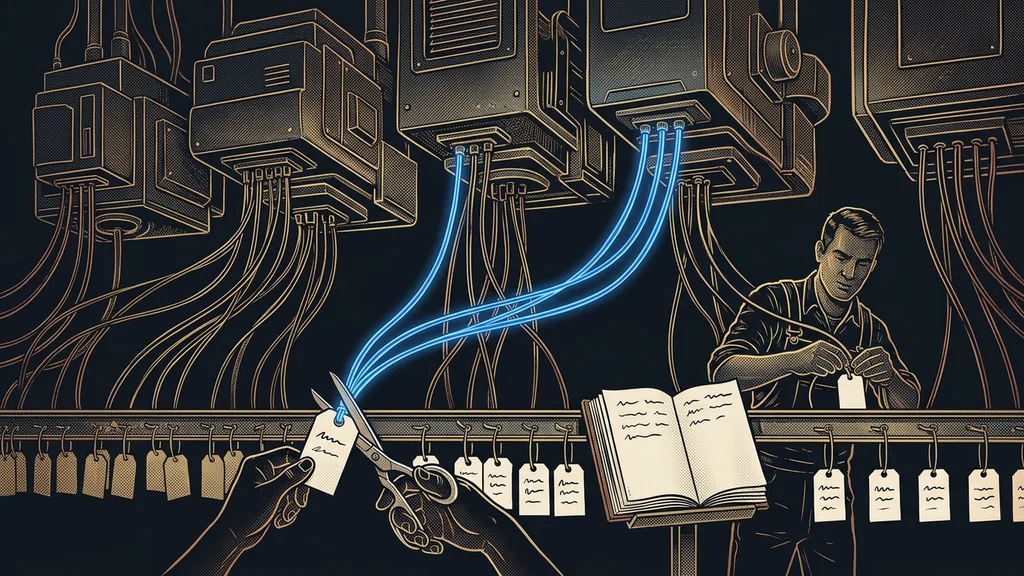
An AI audit starts where most businesses finish. They usually buy a tool first, hand out logins, and only then look for what to actually use it for. The audit goes the other way: it looks at where the time in your business goes and deals with the tool last. All it takes is an hour with your last week.
Business owners usually come to me with the name of a tool. They heard about it from someone they know, paid for it for the whole team, and now they want to know what to do with it. When I ask which work held them up the most last week, they almost never have an answer ready. Yet they know their business inside out. That work just never gets written down anywhere.
What an AI audit is and what you get out of it
An AI audit is a one-hour breakdown of one ordinary week that produces a list of tasks sorted by who should do them. At the end, you’re holding three things: a task map, a range of time you can get back, and one first step.
Task traffic light
A way of sorting where every recurring task gets one of three colors. Green: AI does all of it on its own. Amber: AI prepares it and a person approves. Red: it stays with a person. The color marks who has the last word on a task, however hard or easy the work itself is.
I run the audit myself, on your real week, not on a questionnaire. Everyone fills in a questionnaire the way they wish their week had looked. Your calendar and sent mail show what it was really like. And with me, you’re always talking to the same person, so whoever draws the map is also the one who builds from it.
Until you know which work you want to stop doing, every tool looks like a good idea.
How the hour goes
The hour has three parts of twenty minutes each: traces, sorting, and the range. You don’t need to write anything down in advance.
Traces. We open your calendar, your sent mail, and the list of invoices you issued last week. Every meeting, every email, and every invoice left behind manual work nobody counts: notes, a reply, copying data into a spreadsheet. We build the task list from those traces. If you’d rather map your week yourself, there’s a thirty-minute exercise for that. The main difference is that the audit doesn’t wait a week for notes.
Sorting. Each task gets a traffic-light color and two numbers from you: how often it repeats and how many minutes it eats up. An estimate is enough; precision to the minute doesn’t matter here.
The range and the first step. We add up the minutes and pick a single task to start with. The order follows the same logic as handing off work when there’s no one to hand it to: data first, then templated communication, and decisions last.
What AI takes over and what stays with people
Green and amber go to AI; red stays with people. The only difference between green and amber is whether the result can go out without a check.
| Color | What it means | Typical task | Last word |
|---|---|---|---|
| Green | AI does all of the work | meeting notes, an internal overview, sorting email | the system, with a person spot-checking |
| Amber | AI prepares, a person approves | a reply to an inquiry, an invoice, a reminder to a client | a person, with one click |
| Red | stays with a person | a pricing exception, a complaint, negotiating a deal | a person |
For an instructor running online courses, it typically looks like this: an overview of new sign-ups is green, a reply to a question about dates is amber, and a conversation with a client who wants a refund is red. Red tasks are the work your customers pay you for, so keeping them is no defeat. If you’re not sure whether something belongs with a person or the system, six questions about a single task will help you decide.
Three windows from last week
Before you come to the audit, open your calendar, your sent mail, and the invoices you issued last week. For each item, ask yourself one question: what did I have to do by hand afterward because of it? A keyword per answer is enough. With a list like that, the audit fits into an hour even after a hectic week.
For amber tasks, I ask one more thing: where are the materials AI would build the work from? If the price list exists only in the owner’s head, the first step won’t be building anything but writing the price list down. A finding like that is valuable, because without it you’d be building blind.
Context
The materials AI needs to do the work your way: your price list, sample replies, rules for exceptions, the tone you use with clients. Without context, AI answers in a generic, grammatically correct way, just not like your business.
Why the audit gives you a range, not a single number
You get a range because a precise number would be made up. The lower bound is just the green tasks: their minutes times the number of times they repeat each week. The upper bound adds the amber ones too, but only the prep time. Approving stays with you, and even though it gets faster, it still takes a while.
How much time you really get back only shows after the first month of running it. For a reality check, an outside number helps: according to a Tech.co survey from April 2026, roughly one in five small-business leaders (22%) save six to ten hours a week thanks to AI. If your audit comes out much higher, you’ve probably put something in green that belongs in amber.
Then it’s worth converting the hours into money. You can work out the cost of one manual hour in two lines. And if you want to see what those hours look like in everyday operations, there’s a sample set in the article about six tasks you no longer have to do by hand.
When the audit isn’t worth it
The audit won’t help a business that does something different every week. A construction company where every job is different, or a consultant with a few big projects a year, will get a colorful list without a single green.
The second group is businesses where manual work doesn’t add up to even two hours a week. There, an hour of auditing won’t pay you back, and a plain to-do list will serve you better. The third case is the one I see most often: the audit happens, but nobody in the business is given the job of seeing the first step through. The map then ends up in a drawer next to last year’s plan.
The whole audit in a nutshell
- Open your calendar, sent mail, and last week’s invoices.
- Next to each item, write down the manual work it left behind.
- Give each task a color: green, amber, or red.
- Add up the minutes for the green and amber tasks, and you have your range.
- Pick a single green task and name the person who will see it through.
The tool you’re paying for right now might be a pretty good choice. It just doesn’t know yet which work to take over. An hour with your last week will find that work for it, and it costs less than months of trial and error. If you’d like to go through your week with me, see what working together on rolling out AI involves. The first consultation is free and online. You’ll leave with a sheet of paper showing one green line, with the name of the person who’ll see it through right next to it.