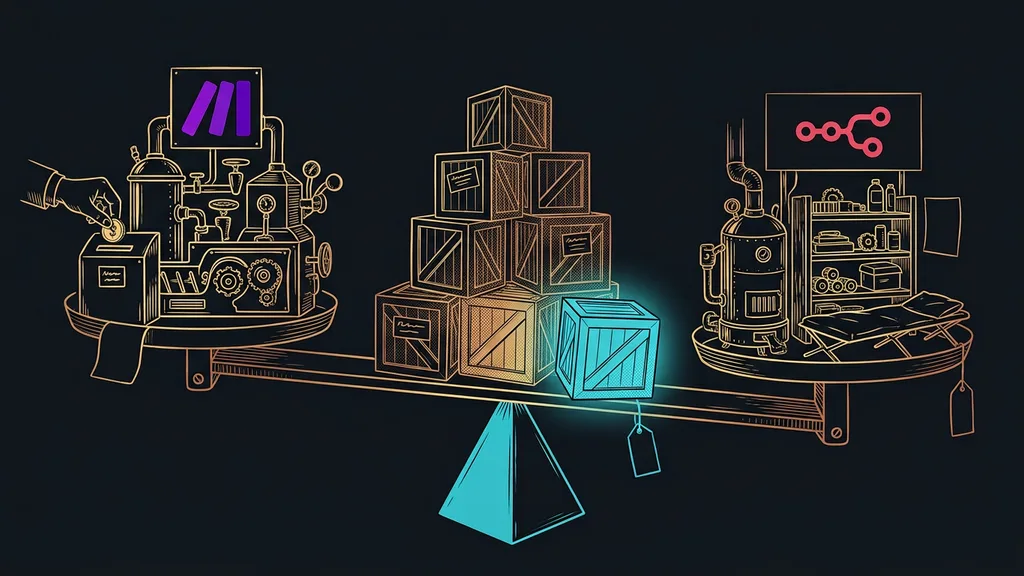
Make or n8n: that question comes up with almost every other automation. Both can connect apps, both are point-and-click, and both have a version that costs nothing. The difference lies in who’s going to look after the tool, more than in what it can do.
I usually hear it when a business gets its third invoice from Make. Meanwhile, someone on the team has read that n8n is free, and from then on it looks like an obvious saving. But only the software is free, not the whole operation.
Who looks after the server decides the tipping point, not the price
The decision turns on operations rather than on the price list. Make handles operations for you and charges for it; n8n hands them over to you, with everything that comes with them. I took both sets of prices below from the official pricing pages on September 19, 2026.
| Tool | Where it runs | What you pay for | Cheapest paid plan (September 19, 2026) | Who handles operations |
|---|---|---|---|---|
| Make.com | with the vendor | credits | Core, $9 a month | the vendor |
| n8n (cloud) | with the vendor | executions | Starter, €20 a month | the vendor |
| n8n (self-hosted) | on your server | nothing for the software | Community Edition, free | you |
In short: the first two rows differ mainly in the unit they count. The third row is a different discipline altogether, and price isn’t the argument that decides it.
Self-hosting
Running a program on a machine you pay for and manage yourself. You don’t have to pay anything for the software, because the license allows it. You pay for the machine, for updates, and above all for the time of the person who looks after it.
“I heard n8n is free. So why would we pay for Make?”
That’s the question I get most often. The answer is honest and unpleasant at the same time: the license is free, the operation isn’t. You notice the difference six months later, usually at the worst possible moment.
Price: Make is cheaper until the executions pile up
At low volume, Make is cheaper and creates no extra work for you. With self-hosted n8n, you don’t pay for a license, but you pay for the machine and your time, and that only pays back past a certain amount of work.
Best for: a business with up to about ten scenarios that doesn’t want to deal with anything operational at all.
In this range, a paid plan costs less than the hour you’d spend on a server. You can work out the exact number yourself: take the hourly rate of the person who would look after the server and compare it with the monthly plan.
Where it falls short: once you add scenarios, credits run out faster than you expect. Along with that grows the temptation to simplify scenarios to fit the plan, and that’s a bad reason to build something worse.
Pricing as of September 19, 2026: Make has a free plan for up to 1,000 credits a month, then Core at $9 a month, Pro at $16, and Teams at $29, each for 10,000 credits a month. n8n has the free Community Edition on your own server, the cloud Starter plan at €20 a month billed annually for 2,500 executions, and Pro at €50 a month for 10,000 executions.
One-minute self-test
Open the plan you pay for today and find how much of your monthly allowance you actually used last month. Then convert the same number into executions. If you come out under half, you don’t need to deal with this question yet. If you’re over three quarters, the decision will make itself within a year either way.
What your own server involves, added up honestly
A server is a small, ongoing operation rather than a one-time purchase. The software is free, the work around it isn’t, and that work never makes it onto a price list.
Best for: a business where someone already manages a server, or one with an outside person who does it for them.
Specifically, it comes down to four things. Someone has to pay for the machine it all runs on. Someone has to keep up with updates, which arrive every few weeks. Backups need making, and at least once a test restore, so you know it isn’t just a file. And someone has to watch whether it’s running, so your customers aren’t the first to learn about an outage.
Where it falls short: the deployment itself takes moments these days, much like launching a website with its domain in a single prompt. But the work starts the day after the installation, and it never ends.
Price: I won’t put a number on the machine itself here. It varies by provider and performance, and any figure would be out of date within a month. The only verified facts are these: the n8n Community Edition costs nothing, and the paid cloud starts at €20 a month billed annually.
Tested backup
A backup you’ve restored onto an empty machine at least once, as a test. Until someone has tried that, it’s just a file you hope contains something. With your own server, it’s the only safety net that really holds.
Customer data: a reason that settles it on its own
When sensitive personal data flows through your automations, the decision is made without any math. Your own server is the only way to be certain where that data lives.
Best for: medical practices, law and accounting firms, and anyone with a contract stating that data won’t leave their systems.
This also covers connections to Czech tools the big platforms don’t support, such as bridges between your CRM, invoicing, and bank. That’s usually exactly where the most sensitive numbers flow.
Where it falls short: your own server guarantees nothing by itself. If you send data from it to a third-party service, you’re right back where you started. The whole route counts, not just the first stop.
Price: this is the one place where price plays no role at all. If the data can’t leave, it can’t leave for nine dollars a month either.
Build speed, and finding a bug six months later
Make is faster to build in, and errors are easier to track down. n8n gives you more freedom, but also more chances to get yourself into a mess.
Best for: a team where automations are built by someone for whom it isn’t part of the job description, on top of their regular work.
In Make, you see a scenario as a picture, and for each step you can tell what passed through it. So six months later, you remember why you built it that way. You can build the same things in both, say, a helper that works directly in your business accounts.
Where it falls short: n8n’s freedom only pays off for complex things. For a simple integration, it’s just a longer road to the same result, and nobody pays for the extra time.
Price: the prices don’t differ here; the hours do. They belong in the comparison even though nobody invoices them.
When it crashes at night and nobody’s around
Outages are a difference you only notice in production. With Make, the vendor deals with them; with your own server, you do, even at 3 a.m.
Best for: a business whose automations run only during working hours, where a delay of a few hours doesn’t hurt.
But if you have routines running overnight that are supposed to have a finished overview ready by morning, silence on the server is expensive. Worse than the outage itself is that nobody finds out about it until morning.
Where it falls short: you can set up monitoring on your own server too; it just isn’t free, and nobody does it unprompted. That makes it one more item that’s usually missing from the decision.
Price: monitoring isn’t on n8n’s price list, and I don’t have a verified number for it. Count it as an extra cost, not as zero.
How I decide
First, I ask about the data: does it have to stay with you? Then it’s decided, and price doesn’t come into it. If it doesn’t, I ask about an administrator: is there someone in the company who already manages a server? If not, we stay on the paid plan until its price starts hurting more than a person’s hours. Only then does it make sense to do the math.
When neither option will help
You don’t need to make this choice at all if you have two integrations and nobody to look after a server. The difference between nine dollars and zero is so small it isn’t even worth thinking about.
The second case is trickier. A business with its data spread across six tools and glued together with bridges won’t fix anything with its own server. There, it pays to bring things under one roof first and only then figure out who will connect the rest.
And then there’s the third case: a business that wants its own server mainly because it sounds more serious. That’s a bad reason, and it’s easy to spot. Ask which specific requirement the server will meet, and if no answer comes within a minute, there is no such requirement. Your own server should be the consequence of something, not a way to prove you can handle it.
The whole choice in a nutshell
- First, ask whether your data may leave your systems. If not, it’s decided.
- Find out whether you have someone who manages a server today. If not, plan on someone from outside.
- Count your executions per month and convert them into Make credits and n8n plans.
- For your own server, add the machine, updates, backups, one test restore, and monitoring.
- Up to ten scenarios and with no special data requirements, stay on a paid plan.
- Check the prices right before you decide, since the numbers in this article are as of September 19, 2026.
All this thinking started with that third invoice from Make. The question that mattered was whether someone in the company is willing to look after a server every month, even when something else is on fire, rather than whether n8n is better than Make. Your own server pays off when it gives you something no license can buy. The license fee you save won’t do it on its own.