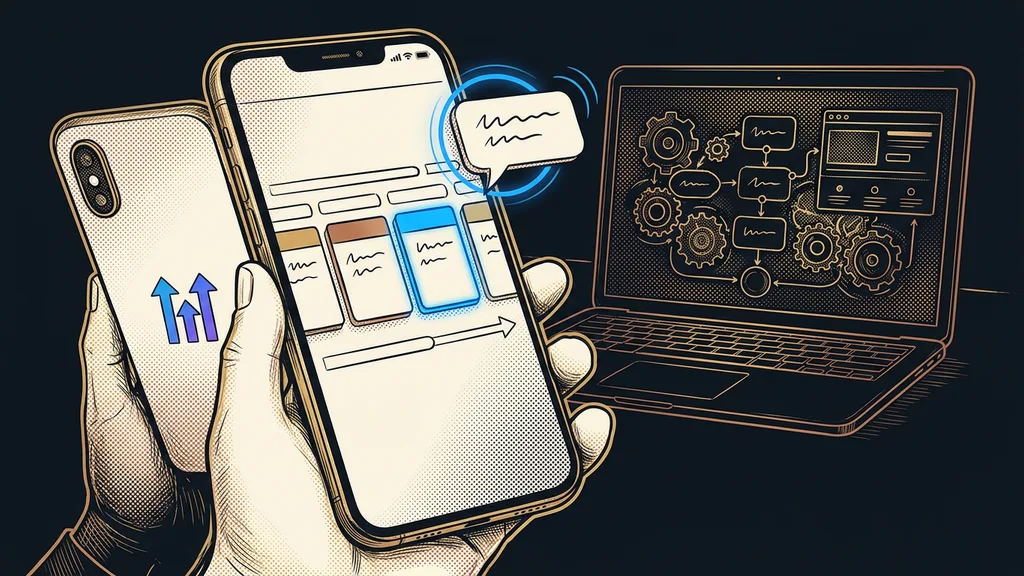
The GoHighLevel mobile app can do more than people think. From your phone, you can reply to a message, move a deal along the pipeline, book an appointment, send an invoice, and ask for a review. But you won’t build the system in it: workflows, websites, and settings stay on the computer. If you know that up front, you’ll set it up for what it’s for, which is reacting fast.
With the companies I set up GoHighLevel for, I see two extremes. Some never download the app and answer inquiries in the evening from their computer. Others have it on their phone from day one and silence it after a few days, because it beeps at every new contact. Both have the same cause: nobody set the app up for them.
LeadConnector: the app included in every plan
Don’t look for the app in the store under the name GoHighLevel. It’s called LeadConnector, you can download it for free on iPhone and Android, and according to GoHighLevel’s pricing, it’s part of the standard features of every plan.
LeadConnector
The neutral name GoHighLevel uses publicly. The mobile app carries it, as do services like LC Email and LC Phone. For you, it means just one thing: if you have LeadConnector on your phone, you have your GoHighLevel account on it.
What you see in the app depends on the user’s permissions. A salesperson without access to invoices won’t find them on their phone either. So it pays to set permissions before you hand the app out to your team. Otherwise, a week later someone will ask you where half their menu went.
The app on your phone is there so you can reply while the customer is still waiting. You build the system at your computer.
What can you really handle from your phone?
Almost everything that concerns one specific customer. According to HighLevel’s guide, last updated October 6, 2026, the app has these sections:
| App section | What you do there |
|---|---|
| Conversations | read the history, reply by SMS or email, send photos and files, insert templates, and request payment |
| Opportunities | browse deals by pipeline stage, move them, sort, and filter |
| Calendar | see appointments, create new ones, and block off time |
| Contacts | search the database and add new contacts |
| Invoices | issue one-time and recurring invoices |
| Reviews | send a customer a review request by SMS |
| Tasks and dashboard | keep track of tasks and see pipeline value and activity for a chosen period |
The biggest time-saver is the quick actions under the lightning bolt icon. A call, an SMS, a new contact, a booking, or a review request are two taps away from there, with no clicking through menus. In Conversations, just swipe a message: you can mark it as unread, add a task, or check the contact’s tags.
But two things have to be in place first. The review request goes out based on the template set up in your account, so the system for Google reviews has to be built beforehand. And invoices and payment requests only work with a connected payment gateway.
The pipeline in your pocket: move a deal between two meetings
People who sell out in the field open the pipeline more than anything else in the app. They see the cards on the board of open deals by stage, and they move them right after a meeting, while they still remember how it went.
A real estate agent is a typical example. They leave a showing knowing exactly where things stand: the prospect wants a second showing, or wants nothing more. While still in the car, the agent moves the card one stage further. The workflow waiting on that stage then sends the prospect a link to book the next appointment. The article on GoHighLevel for real estate agents shows what the whole system looks like.
So the deal gets recorded the moment it happens. Nobody has to type up meeting notes into the CRM in the evening anymore.
Notifications: only beep for what you need to act on
Notifications decide whether the app helps you or bothers you. Without any setup, the phone beeps at everything, so after a few days people mute it all.
In-app notifications (push notifications)
A message the app shows on your lock screen even when you don’t have it open. In GoHighLevel, it’s triggered by things like a new message from a customer or an upcoming appointment. Set up well, it only alerts you to what you specifically need to act on.
Appointment notifications are set for each calendar separately, in the browser. In the calendar settings, you’ll find the Notifications tab and, in it, the In-App section, where you choose who gets notified and how far in advance. According to HighLevel’s help center, for regular calendars they go to the assigned user, and for event calendars to the account admins.
Before you hand the app to your team
Give each user permissions only for what they actually do. For calendars, turn on notifications only for whoever is going to the meeting. And agree on who answers which conversations, so one message doesn’t beep on five phones at once.
The most valuable notification comes when a chatbot hands a conversation over to a person. At night, the bot answers a question about opening hours, but on price or scheduling it stops and leaves the answer to you. Draw that line in advance, as I describe in the article on when the bot answers and when you do. An app update from late September 2026 also added internal comments, so colleagues can coordinate right in the conversation without the customer seeing any of it.
What the app is missing, and when your own brand pays off
The app lacks everything that gets built: workflows, websites and funnels, forms, email campaigns, and calendar and pipeline settings. Nobody would enjoy doing that on a small screen anyway. For account admins, the app is an add-on; the main work stays on the computer.
The second question is the name on the icon. An agency that sells GoHighLevel under its own brand as subscription software can have its own app too. That app then carries the agency’s name and logo in the App Store and on Google Play. According to GoHighLevel’s official pricing, as of October 8, 2026, this add-on costs $497 a month, the same as the entire Agency Pro plan. On top of that, the branded app is published under the agency’s own developer accounts with Apple and Google and goes through their review processes.
For a company that uses GoHighLevel for itself, a branded app doesn’t pay off. Its people download LeadConnector, and they don’t care what the icon is called. It doesn’t pay off for an agency with a few clients who don’t open the app every day, either. A logo on the icon won’t make them.
The whole app in a nutshell
- Download LeadConnector and log in with the same account as in your browser.
- Give each user permissions only for what they actually do.
- For calendars, turn on notifications only for whoever is going to the meeting.
- From your phone, reply, move deals, and book appointments, and leave the building to the computer.
- Consider a branded app once you, as an agency, have clients who open it daily.
Then your phone only beeps when someone is really waiting for you. You reply from the parking lot, move the card one stage further, and drive to your next meeting, with nothing left to write up in the evening. If you don’t want to set up the app yourself, I’ll set up GoHighLevel for you, from permissions to notifications, and you’re talking to me the whole time. You can start today: download LeadConnector and see what beeps first.