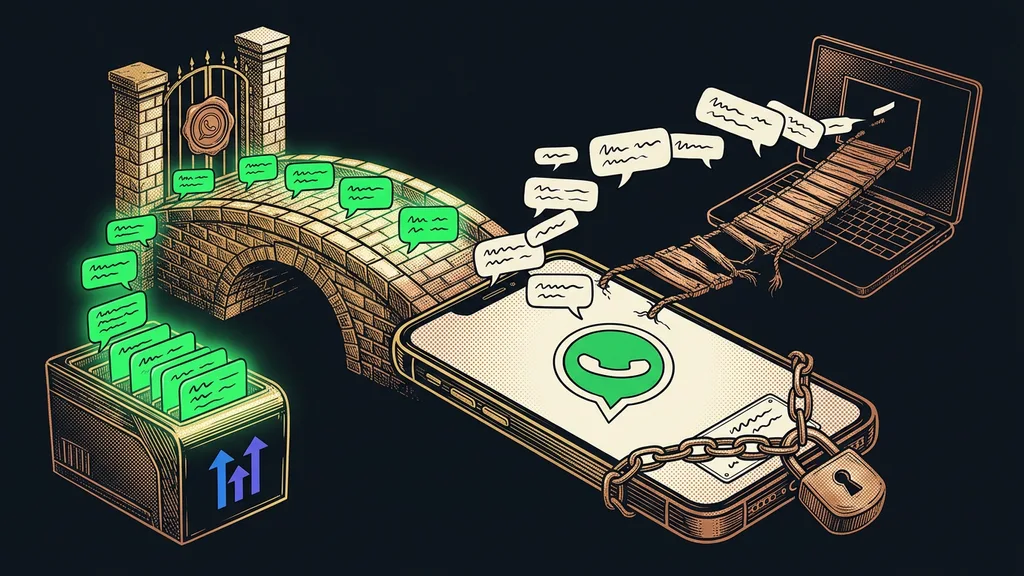
These days you can get a Claude Code course as a video, a workshop, or a community. Picking one is the easy part. The hard part comes after the last lesson: you close the video, open your own computer, and Claude Code still can’t do any of your work. It doesn’t know your tasks, has no access to your tools, and doesn’t know what it’s allowed to do on its own.
I work with Claude every day and set it up for clients directly on their computers and in their accounts. Along the way, I run into things no video can include, because they only exist on your machine: program versions, toggles that are switched on, the tools that hold your customers and invoices.
What do you actually take away from a Claude Code course?
From a good course, you take away an overview and some courage. You know what Claude Code can do, how to give it work, and where to be careful. What you don’t take away is a configured computer, because the course works with the instructor’s practice folder, not yours.
A video shows you someone else’s computer where everything works. Your computer was never in that video.
And an overview is worth a lot. If you can write a good AI prompt and understand the difference between the chat and Claude Code, you have a head start. You also know what a skill is: a set of instructions Claude follows the same way every time. But you’re missing the other half.
A configured environment
Claude and Claude Code installed on your computer and signed in to your account. Plus standing instructions, Projects, skills with your procedures, connectors (links to your email, calendar, or CRM), and sensibly set permissions. An environment you already work in, not one you’re still learning in.
Six learning formats side by side
The formats differ mainly in whose work you learn on: a practice example or your own.
| Format | How you learn | Price | A good fit when |
|---|---|---|---|
| Video course | on your own, with practice examples, anytime | from free courses to just under CZK 5,000 (about €200) | you want an overview and like exploring on your own |
| Open workshop | in a group of strangers with an instructor | CZK 2,500–12,000 (about €100–490) per person | you want to ask a live person |
| Community | ongoing, from lessons and discussions | from free to CZK 3,750 (about €150) a month | you want to keep up with what’s new |
| Team training | the whole team with an instructor | CZK 24,900–40,000 (about €1,020–1,640) a day for a group of up to 15 | the whole team needs to learn |
| Personal mentoring | one-on-one with an instructor | the survey found no public price | you want regular guidance |
| 1:1 setup | one-on-one, on your tasks and your computer | with me, €200 an hour, usually starting at five hours; the total depends on how it goes and how much you want done | you want to leave with a configured environment |
The trainers’ prices come from a survey of 29 websites on October 10, 2026, and some of them don’t say whether VAT is included. Add a subscription to the price of the course. According to Anthropic’s pricing as of October 11, 2026, Claude Code is only available on paid plans, and the cheapest of them, Pro, costs $20 a month (US price, excluding tax). I describe what Claude training for teams built on a team’s real tasks looks like in a separate article.
Why does your computer stay unconfigured after a course?
Because you can’t learn a setup just by watching. It has to be done, on a specific computer, in specific accounts, and on work the course knows nothing about.
The course ends with the last lesson; the work starts on Monday at your own desk. In between, you have to find an evening, install everything, write up instructions, and decide what Claude is allowed to do on its own. That kind of evening easily gets pushed to next week.
On your own computer, things also pop up that the instructor couldn’t address: program versions, features that are switched on, or a mode in which Claude doesn’t ask about anything. For one client, Claude found during a computer check that her Python version wasn’t verifying secure connections. It got fixed before it could do any harm.
Permission mode
A Claude Code setting that decides what Claude may do without asking you. In Manual mode, it asks before it edits a file or runs a command. In Auto mode, a second model reviews its steps and Claude works without asking. According to Anthropic’s documentation as of October 11, 2026, Auto has been the default mode in the terminal (the text window for commands) since version 2.1.283.
A course will explain the modes, but which one belongs on your computer gets decided at your desk. The same goes for the jagged frontier, the places where Claude excels at your tasks and where it fails. Only a test on real data reveals them.
Three tasks for next Monday
Write down three tasks Claude Code should handle starting next week. For each one, add where the source material lives, what Claude may do on its own, and what it should only prepare for your approval. If you know the answers, a course will probably be enough, and you’ll set up the rest yourself. If you’re fumbling for them, you’re looking for a person more than another video.
A course, a setup, or both
A course and a setup don’t rule each other out. Each of the two fills a different gap. Choose the order based on what you’re missing more: an overview, or time and your own environment.
If you lack an overview, start with an inexpensive video and try setting up one task yourself. Whatever doesn’t work, you’ll fine-tune later with a person, and you’ll ask sharper questions. If you lack time, go the other way around. Have a few tasks set up first, and add a course or community once the environment is already running.
A community makes sense even after the setup, because Claude changes fast. Since October 6, 2026, new Cowork tasks (Cowork is the version of Claude for office work) on the Pro and Max plans run on Anthropic’s servers instead of on your computer. A video shot over the summer doesn’t know that yet.
A 1:1 setup is a scaled-down version of what a forward deployed engineer does for the big AI companies: working directly with the client’s data and tools, not with a practice example. If you don’t yet know whether you want to learn on your own or have the work built for you, start by choosing between three kinds of help.
Who a course is plenty for
A course is enough for anyone who wants to understand Claude Code first and decide afterward. It’s also enough if you like exploring the setup on your own, have free evenings, and have one or two tasks you want to build. And it’s enough where no work repeats every week yet, because then there’s nothing to tailor. A whole team belongs in team training. And if you need a certificate, you won’t get one from a setup.
The whole choice in a nutshell
- Write down three tasks Claude Code should handle starting next week.
- Missing an overview? Start with a video or a workshop and set up one task yourself.
- Short on time or confidence? Have the environment set up on your own computer and learn on top of it.
- Is the whole team learning? Choose team training built on real tasks.
- After the setup, keep up with what’s new, for example in a community, because Claude changes fast.
A closed video and a computer that doesn’t know your work yet are half the journey. You’ve covered the other half on the day your first task runs on your data and all you do is check the result. If you don’t want to do that part alone, we’ll go through it together as a custom setup on your computer. Whichever format you choose, write down those three tasks today: they’ll show you whether a video is enough.