GoHighLevel
Moving an online challenge off Mioweb: custom sales page, GoHighLevel course
A 14-day challenge’s Mioweb sales page had no button on mobile. The challenge now has its own site, a GoHighLevel course, and automated access, not yet live.
 Honza Silar
In this article
- 01A sales page without a single button
- 02Why the sales page got its own site and the course went to GoHighLevel
- 03What moved over
- 04From payment to the last challenge email
- 05The migration, step by step
- 06Before and after, and where the challenge stands today
- 07Six traps that show up late in a migration like this
- 08Sources
- 09Frequently asked questions

What you’ll take away
You sell a course or a challenge on Mioweb and suspect the old sales page gets in your way more than it helps. A real migration shows what gets built from scratch and what simply moves over. You’ll also understand why a challenge like this waits for a final check before it goes live, even after the last setting is clicked into place.
- The first screen of the old and the new sales page, side by side.
- Why the course went into GoHighLevel while the sales page didn’t.
- The whole move in seven steps, from saving the old site to launch day.
- Six traps that surface late in a move like this one.
A sales page on Mioweb (a Czech website builder) collects layers over a few years: expired offers, countdown timers stuck at zero, counters from the days when the challenge was new, and buttons that only work thanks to a paid add-on. On a computer it more or less works. On a phone, a customer simply never scrolls far enough to reach the order form.
One of my clients had a page just like that. She sells a paid 14-day online challenge, and her Mioweb subscription ends at the end of the year. Together, we moved the challenge: the sales page to her own website, the course and the automation to GoHighLevel. It isn’t live yet, so what follows is the process step by step and where things stood on November 11, 2026. There are no sales numbers yet.
A sales page without a single button#
In mid-October, the old sales page was roughly 17,900 pixels tall on a phone and didn’t show a single button. The only way to buy was the order form of FAPI (a Czech payments and invoicing tool) at the very bottom, and the price didn’t appear until you got there. The top of the page still showed an expired offer with its countdowns at zero, along with counters from the challenge’s early days. The review turned up 14 outdated elements.

Paid website add-on
An extension that gives a site extra elements, such as buttons or collapsible blocks. It works only with a valid license. When the license runs out, those elements disappear from the site, and so does the content inside them.
Both the buttons and the collapsible blocks in the lessons depended on an add-on like that, and its license had expired. When the client paid for it again on October 15, the buttons came back on the old sales page, but the blocks in the courses stayed empty. In the members’ area, lessons unlocked day by day, and access after payment was granted by hand, based on the order email. On top of that, the client’s email also ran on Mioweb, because mailboxes come with the plan.
She had three reasons to leave. Her Mioweb subscription runs until December 31, 2026, and she doesn’t want to pay for another year. The site depends on a paid add-on, and without it even the buttons stop working. Above all, she wanted a sales channel for the challenge that runs by itself and keeps the contacts, the course, and the emails in her own account, so the whole operation doesn’t depend on me.
Why the sales page got its own site and the course went to GoHighLevel#
The course, contacts, emails, and automation went to GoHighLevel, where all four live together. The sales page ended up somewhere else: as a standalone static site on Cloudflare Pages, in the client’s account.
I originally built the sales page in GoHighLevel too. That same evening, I changed my mind. The client cares a lot about her sales page, and GoHighLevel’s page editor wouldn’t have let me build it exactly the way she pictured it. A static site is also fast and independent of any platform, and Cloudflare Pages hosts it for free on the base plan with unlimited bandwidth [2]. There’s a downside: the client has no visual editor, so I make the text changes for her. Each one takes a few minutes. I wrote up how to get a site like this online with a prompt, domain included.
A sales page can live anywhere. The contact, the payment record, and course access have to be in one system.
Payments stayed in FAPI, which the client already knew and which handles cards, bank transfers, and invoices. The new sales page sends buyers to fresh copies of the order forms, which lead to a new thank-you page. My GoHighLevel page lists everything I build there for clients.
What moved over#
The course came over from Mioweb almost unchanged, while the sales page was built again from scratch. Most of the work happened in a single day on October 15, and the rest was fine-tuned in later meetings.
The challenge migration by the numbers
The course. The lesson texts moved word for word, typos included. I’ve prepared the corrections separately, and they’ll go in once the client approves them. The videos stayed on YouTube, unlisted, and two PDFs and the lesson thumbnails moved over as well. Both PDFs and every lesson thumbnail in GoHighLevel’s storage match the originals byte for byte.
The sales page. New copy, six buttons that scroll down to the order form, the price and guarantee right on the first screen of a phone, and ten reviews. Everything that no longer applies is gone from the text. The site has four pages: the sales page, a thank-you page, an access extension page, and the extension confirmation. The whole site weighs 2.3 MB.
Emails. Nine emails accompany the challenge, from the welcome to a goodbye after it ends. The members’ area system emails, such as the ones about access or passwords, are now in Czech and in the brand’s colors.
From payment to the last challenge email#
This part is the core of the job. Once the customer pays, everything after that should happen by itself. For now, the whole chain is built as a draft and gets switched on only when the client says so.
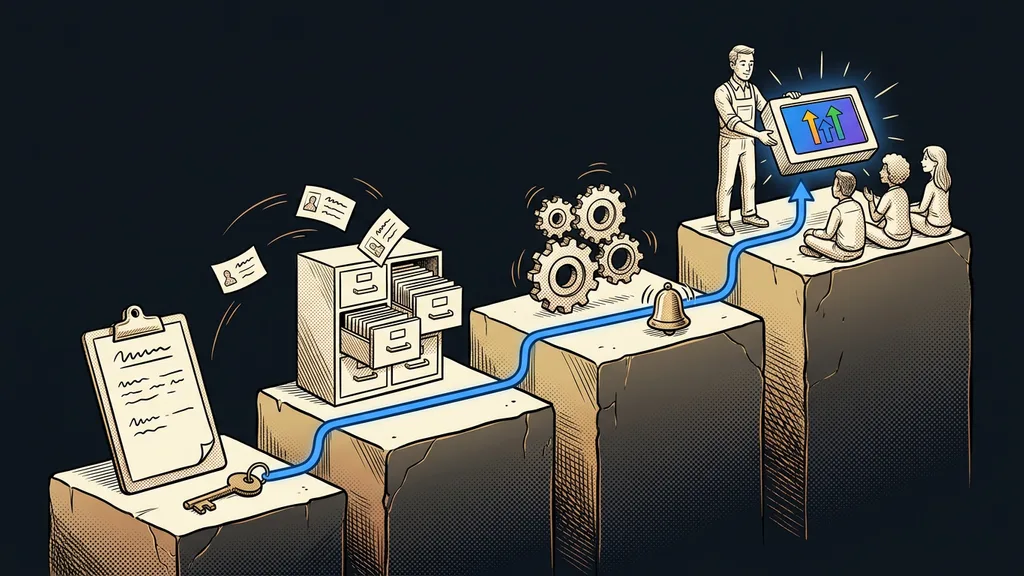
The customer’s path after payment
- She pays for the challenge in the FAPI form on the new sales page, by card or bank transfer.
- An automation in the client’s account that links the systems finds or creates her contact in GoHighLevel, records the invoice, and adds a tag.
- The tag triggers a workflow that grants her the course pass and adds her to the challenge community.
- She gets a welcome email in Czech with a button into the course.
- On days two, five, eight, and fourteen, an email reminds her about the lesson.
- Five days before her access ends, she gets an offer to extend it by 30 days.
- On day 30, access closes, and the next day an email asks how she’s doing.
Course pass
A hidden course offer in GoHighLevel that isn’t for sale anywhere. The only people who get it are the ones the automation grants it to after payment. It enforces one rule: if you haven’t paid, you don’t get into the course.
On the old site, the client did all of this by hand: an order email arrived, she found the name, and she let the customer into the course herself. That works for a handful of orders. During a campaign, it turns into a night shift.

The automation that links FAPI to GoHighLevel will run in the client’s own account, not in mine. We still haven’t picked between n8n and Make (I’ve compared when each one makes sense). What happens if the instant signal from FAPI gets lost along the way? The automation checks once an hour and fills in whatever is missing. It only picks up payments from the new forms, so anyone who bought on the old site in the past won’t get access twice. A refund closes access and stops the challenge emails.
If the automation goes down
There’s a fallback for that too: add the tag to the customer by hand in GoHighLevel. The workflow then starts the same way it would after a payment. It takes about two minutes per order.
The migration, step by step#
The whole move breaks down into seven steps. For each one, I’ve added how you can tell it’s really done. Menu and button names match what you’ll see in GoHighLevel’s interface.
1. Save the whole old site while your subscription is still active
Go through the sales page, the thank-you pages, every lesson, and every download, and save them somewhere outside Mioweb. Also make a list of your FAPI order forms and the emails that go out after a purchase, because those get rebuilt too.
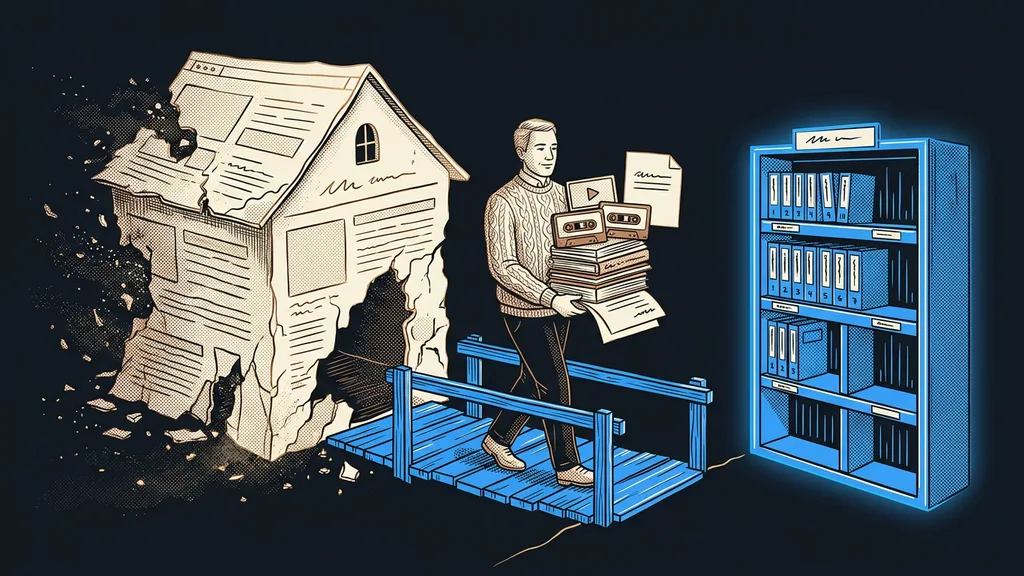
Content usually comes in two forms. Visible content you can download as it is. Content hidden in an add-on, meaning in collapsible blocks or behind buttons, needs a separate check: open every block and see whether the text is really there. In our case, the blocks stayed empty even after the license was renewed, and the texts turned up in the client’s documents. It’s done when you know where the text of every lesson and page lives and no block is left unopened.
2. The course: one section for each day
In GoHighLevel, create a course under Memberships → Courses → Products [3] and build it so every day of the challenge has its own section. Move the texts over without changing a word, and prepare typo fixes separately for the course author to approve.
We set unlocking per section, counted from the moment of purchase. Each new day unlocks 24 hours after the previous one, whatever time that happens to be. But the intro lesson on Mioweb promised a new lesson “every morning.”
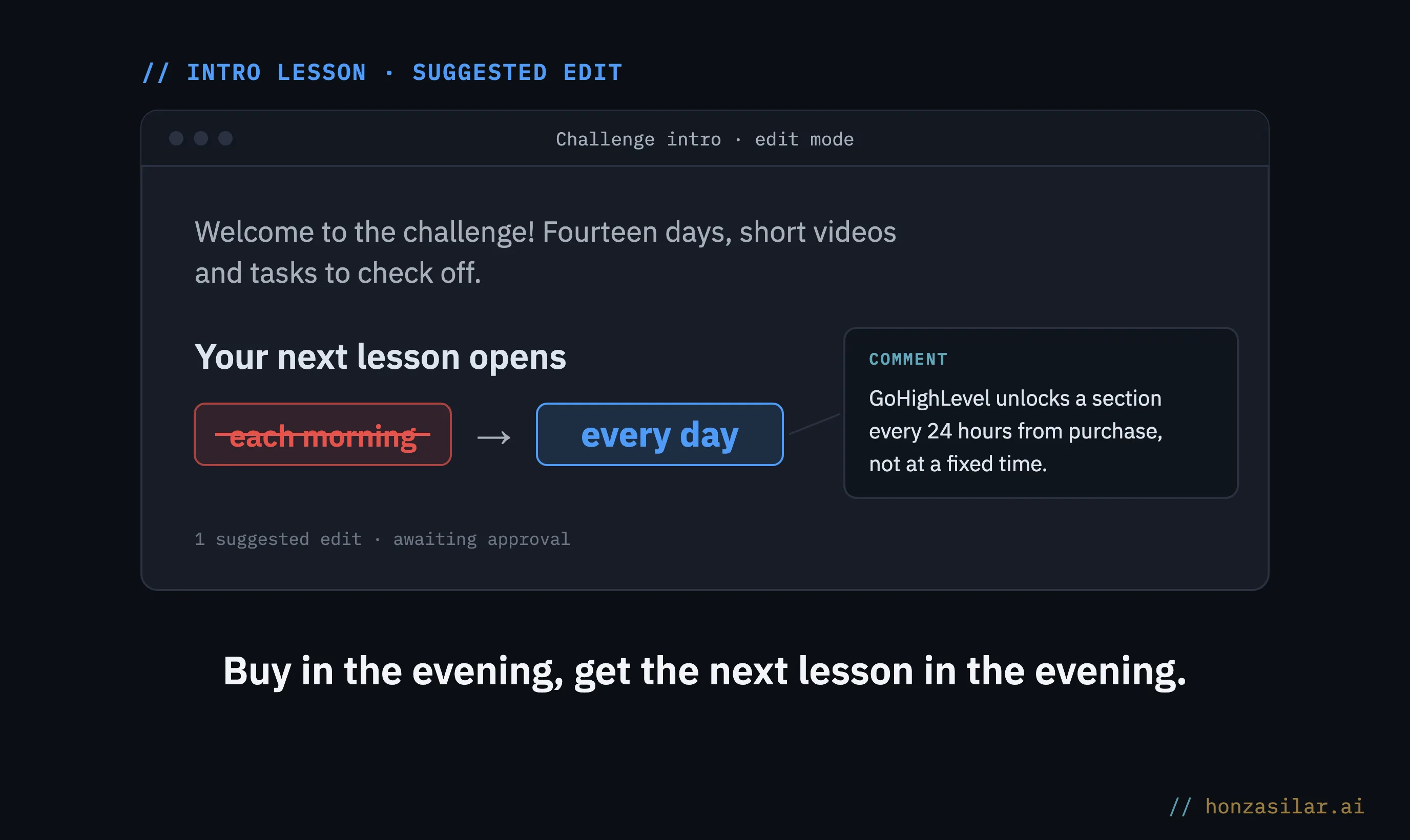
It’s done when reading everything back confirms that every lesson was saved in full and the texts no longer promise anything “every morning.” In our case, all 17 lessons checked out.
3. The sales page: in GoHighLevel or on your own site
A sales page in GoHighLevel suits you if you want to edit it yourself in a visual editor and don’t mind it looking the way the editor allows. A sales page on your own site suits you when the look matters a lot and someone else can handle text changes. We went with the second option.
Either way, the same rule applies: the first screen on a phone has to show what the challenge is about, a button, the price, and the guarantee. Delete everything that no longer applies, even if it sat on the old site for years. It’s done when you see a button on the very first screen of your phone and every button leads to the order form.
4. Payments: new copies of the FAPI forms
In FAPI, create new copies of the order forms and point them to the new thank-you page. Leave the old forms as they are while sales on the old site are still running. The original form would send a customer to the old site’s thank-you page after payment.
It’s done when a test order in the new form ends on the new thank-you page and FAPI creates an invoice.
5. Automation: from payment to access
The automation takes the payment notification from FAPI, finds or creates the contact in GoHighLevel, records the invoice, and adds a tag. The tag triggers a workflow in Automation → Workflows, and its Course Grant Offer action gives the customer the course pass [3].
You create the pass, which is technically an offer, under Memberships → Courses → Offers. For a challenge like this you don’t sell it anywhere, since payment happens in FAPI. Finally, switch it from Draft to Published [3]. An offer still in draft didn’t show up for me in the Course Grant Offer dropdown, so I publish it ahead of time.
It’s done when a test payment opens the course for a test contact within a few minutes and the welcome email arrives in your customers’ language. Test a refund too: access should close and the challenge emails should stop.
6. Emails: the challenge sequence and system emails
The emails that accompany the challenge sit in a workflow with waits between the steps: the welcome, lesson reminders, the extension offer, and a goodbye. You’ll find the members’ area system emails under Memberships → Client Portal → Settings → Email Settings, on the Courses tab. Replace the default English templates there with your own in your customers’ language.
Before you launch, send each email to test addresses at different providers and see where it lands. In our case, the platform’s default English email ended up in spam. It’s done when your own email reaches the inbox in every test.
7. Pre-launch check and launch
Everything goes live at once: the sales page, payments, automation, and emails. So before launch, go through the whole list: what’s done, what’s pending, and what would break the launch.
Pre-launch check as of November 5: 53 items
On launch day, the automation gets switched on, the sales page moves to the domain, and the old URLs start pointing to the new ones. Sales on the old site have to end before the site itself does, in our case by December 1 at the latest, and email has to move before the plan runs out. It’s done when the first real order makes it all the way from payment to welcome email without anyone stepping in.
Before and after, and where the challenge stands today#
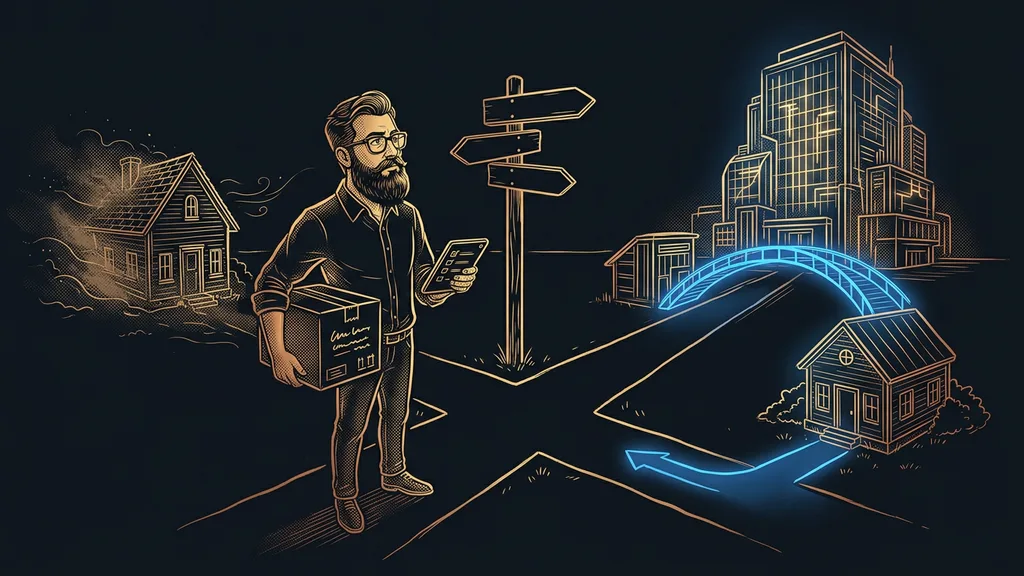
The client shouldn’t be recognizable in the images. So the first two are illustrative mockups based on the real pages, and the third is a neutral crop of the new members’ area.
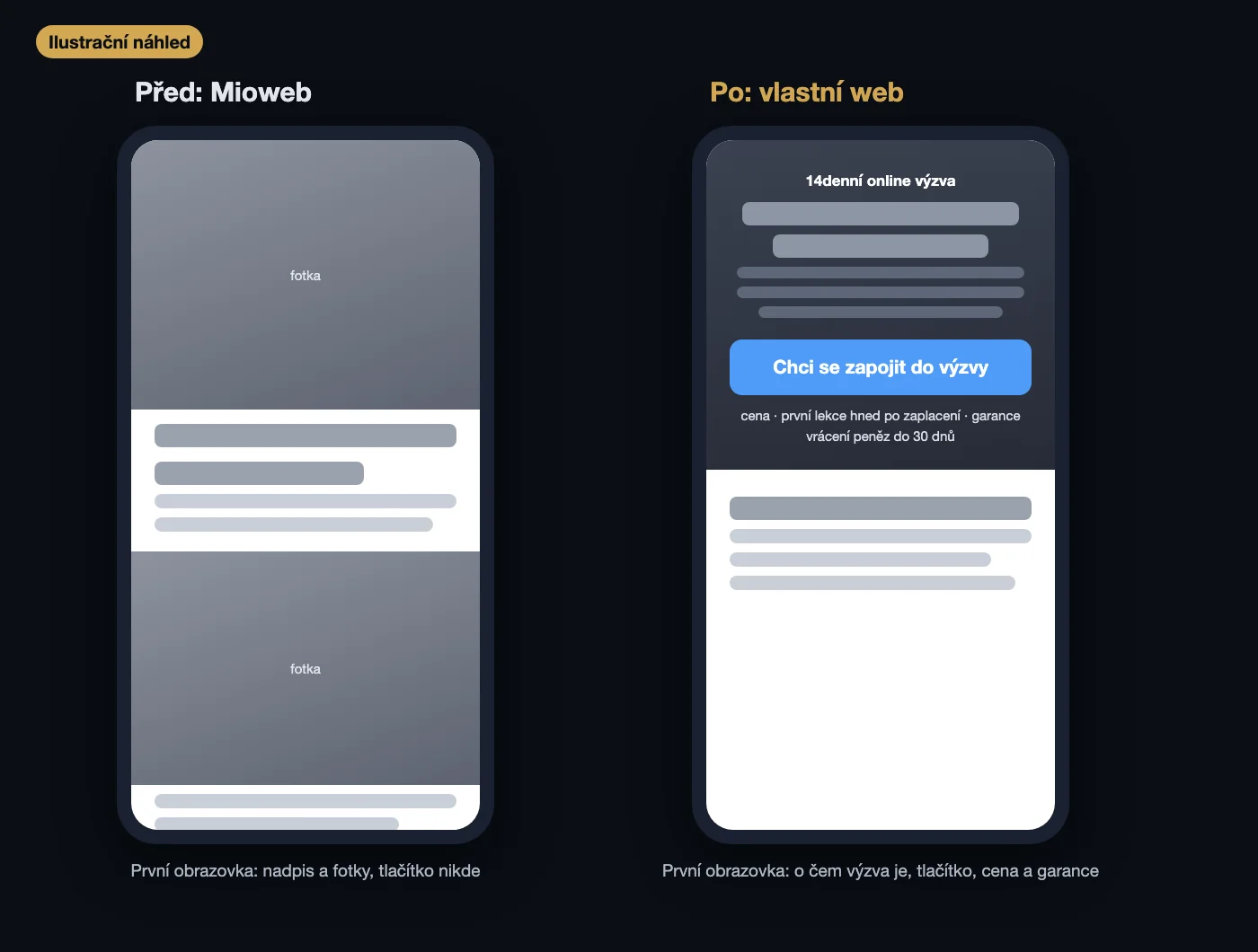
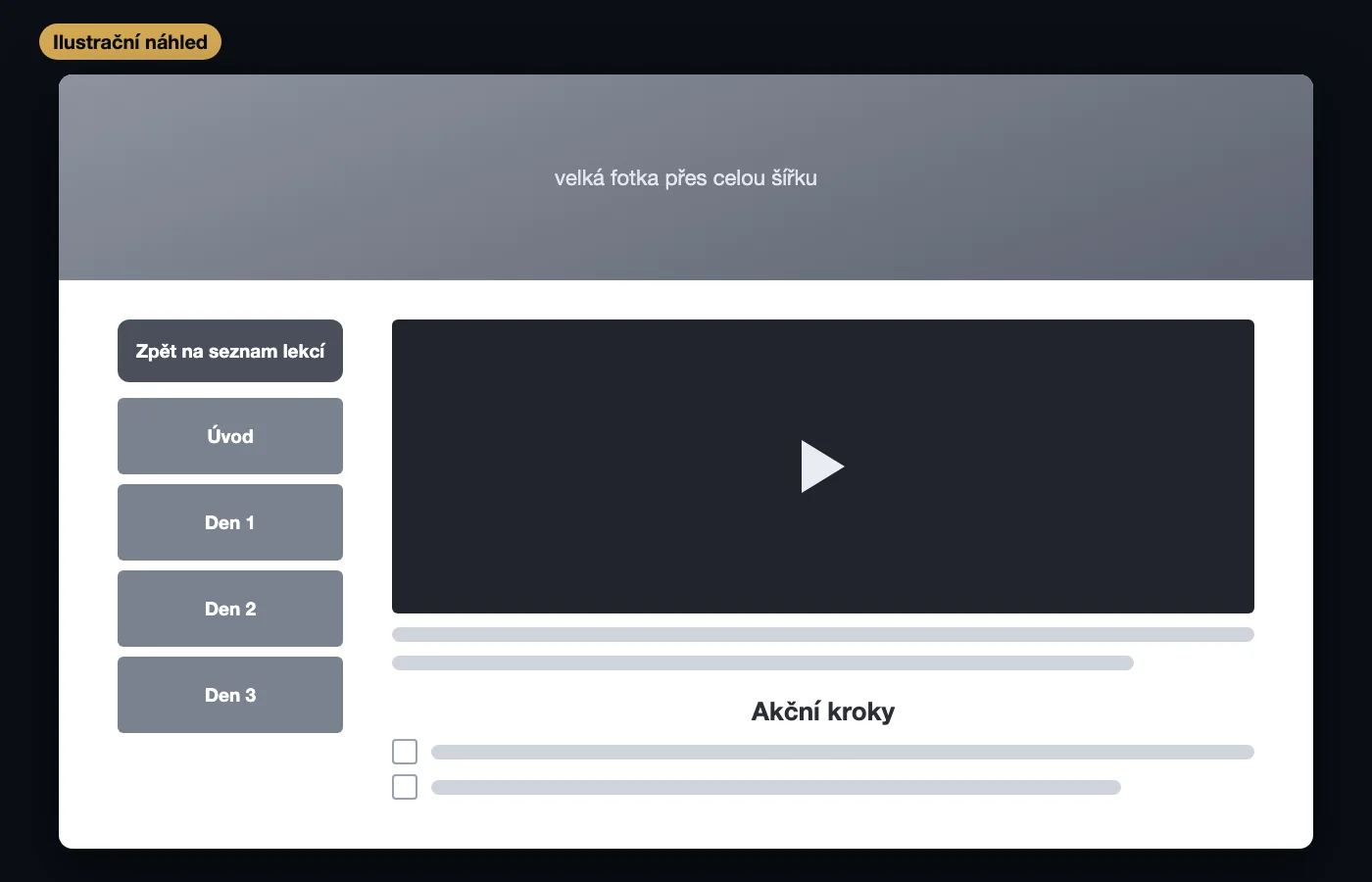
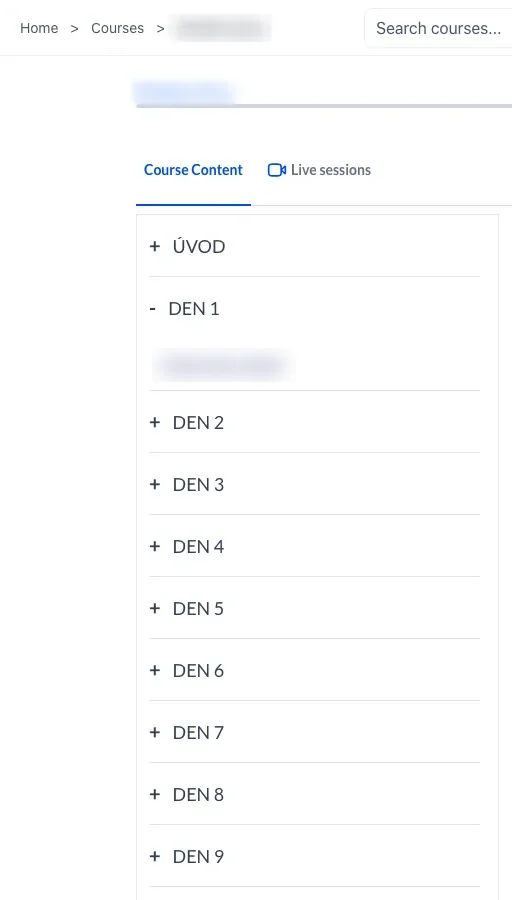
The course is published, but for now only a test member can see it. Since November 5, the members’ area has been running on a subdomain of the client’s domain. The new sales page is still on a private preview, and the emails and automation are waiting as drafts.
No launch date has been set yet. On the client’s side, we’re still waiting on an account for the automation that links FAPI to GoHighLevel, plus a few decisions about the copy.
Six traps that show up late in a migration like this#
None of them did any harm, because we caught them in time. On a similar migration, though, I’d watch for them from day one.
- Content hidden in a paid add-on. The collapsible blocks in the courses stayed empty even after the license was renewed. Their texts eventually turned up in the client’s documents, and the content behind the old sales page’s buttons turned up in an internet archive.
- Copy that promises the old system. The intro lesson promised a new lesson “every morning” and pointed people to links for calls and to a membership end date in the menu. None of that applies in the new course, so the text needs one more pass.
- The old form and the old thank-you page. After payment, the original form would have sent a customer to the old site’s thank-you page and offered an add-on product the new system had no course for. Hence the new copies of the forms.
- The English email in spam. In Gmail, the platform’s default welcome email, in English, landed in spam. Our Czech email announcing that access was open reached the inbox in three tests. I explain why landing in the inbox matters so much in a post about emails that end up in spam.
- Email on the website plan. If your mailboxes run on the Mioweb plan, canceling the site without moving your email means losing the mailbox and the invoices in it.
- When sales stop on the old site. Anyone who buys there too late gets access that outlasts Mioweb. Sales there have to end before the site does.
The lessons took a day to move. Building the new path around them, from the first click on the sales page to the last email, is taking longer.
I can help with this
I’ll move your challenge or course off Mioweb
I’ll handle the Mioweb move for you too: the sales page, the course, payments, and the automation that opens access by itself after payment and sends emails in your customers’ language. In a consultation, we’ll go through what you sell on Mioweb and agree on what moves where, and in what order. I take care of the whole thing, start to finish.
Sources#
- Mioweb: Pricing, FAQ section (“Will I keep my website if I stop using Mioweb?”), checked November 11, 2026. mioweb.cz
- Cloudflare Pages: service overview (“All plans come with unlimited sites, seats, requests, and bandwidth”), checked November 11, 2026. pages.cloudflare.com
- How to Build Courses and Membership Sites. HighLevel help center: course, offer, and Course Grant Offer. help.gohighlevel.com
Frequently asked questions
Why not build the sales page in GoHighLevel?
You can, and for plenty of businesses it’s a sensible choice. Here, though, the client wanted a sales page that looked exactly the way she pictured it, and GoHighLevel’s page editor couldn’t deliver that. A static site on Cloudflare Pages is also fast, free on the base plan, and independent of any platform.
How does a FAPI payment turn into access to a GoHighLevel course?
An automation in the client’s own account that links the two systems picks up the payment. It finds or creates the contact in GoHighLevel, records the invoice, and adds a tag. The tag triggers a workflow that lets the customer into the course and sends her a welcome email in her own language.
Can GoHighLevel unlock a new lesson every morning?
Not at a fixed hour. In a challenge people can join any time, unlocking counts from the moment of purchase, so each new day unlocks 24 hours after the previous one. That’s why every day of the challenge has its own section and the copy says “every day” where it used to say “every morning.”
Why isn’t the challenge live yet if the course is finished?
The course, the emails, and the members’ area are done, but the launch covers the whole thing at once: sales page, payments, automation, and emails. As long as the pre-launch check flags something that would break the launch, the challenge waits.
What happens to the old Mioweb site after you leave?
According to Mioweb’s pricing page, the site disappears once the service ends. So you need to stop selling on the old site in time, redirect the old URLs to the new ones, and move your email if it runs on the website plan.