GoHighLevel
Leaving Mioweb: GoHighLevel, your own site, or both? How to decide and in what order
A Mioweb site disappears when the plan ends, and its export skips courses, members’ areas, and campaigns. I compare three ways out and the order to leave in.
 Honza Silar
In this article
- 01What you can take from Mioweb and what you can’t
- 02Three places to go
- 03When GoHighLevel, when your own site, and when both
- 04Payments and FAPI: what gets reconnected
- 05Leaving step by step, without losing anything
- 06When staying on Mioweb makes more sense for now
- 07Your exit in six points
- 08Sources
- 09Frequently asked questions

What you’ll take away
You pay for Mioweb and you’re wondering whether to leave. By the end, you’ll know what to move where and in what order, so you don’t lose a course, customers, or email along the way.
- What you can take with you from Mioweb and what has to be rebuilt.
- Three places to move to, compared side by side with prices.
- A nine-step exit plan from inventory to cancellation, with the Mioweb menu paths.
- Who is better off staying on Mioweb for now.
You can leave Mioweb (a Czech website builder) any time, since the plan is billed monthly with no commitment. The catch is that the site itself disappears when your subscription ends, and you only get to take part of it with you. If you don’t plan the move, you lose course lessons, the URLs Google has indexed, or your email.
This year I moved two things off Mioweb: my own course with 48 lessons, which by then existed only in a backup of my old site, and a paid online challenge for a client. Both moves ended up split the same way: the website or sales page on its own, the course and the automation in GoHighLevel. Is that the right route for you too? It depends mainly on what you sell.
What you can take from Mioweb and what you can’t#
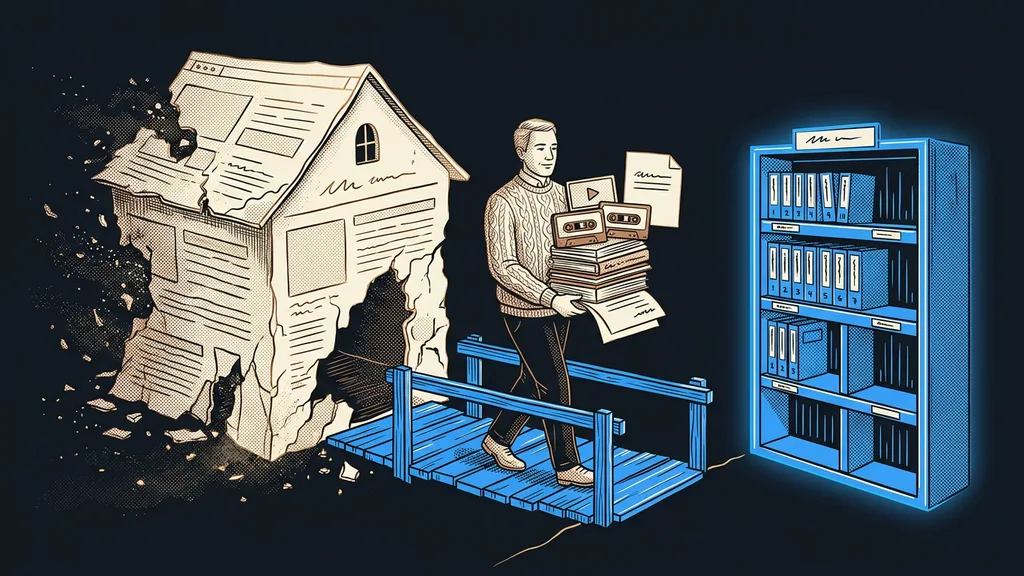
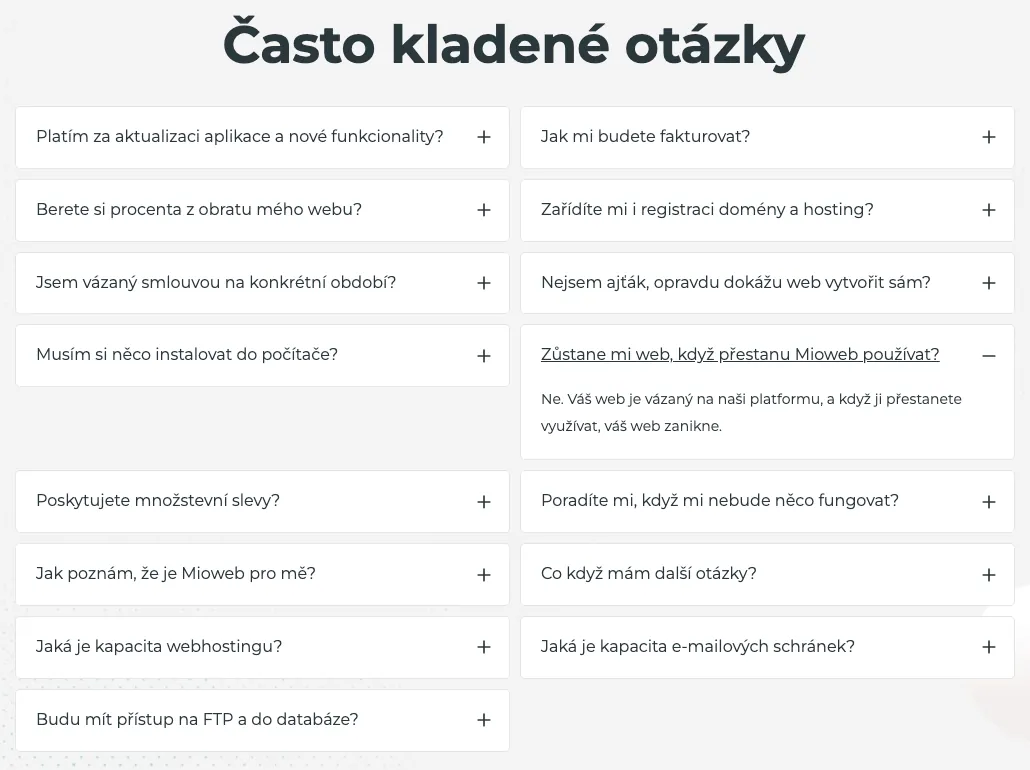
Mioweb runs on WordPress. Even so, you can’t get at your site the way you would with a regular WordPress install, because it gives you no FTP or database access [1]. Its own pricing page also states that the site ceases to exist when the service ends [1]. The terms of service add that Mioweb deletes the content without undue delay once the contract ends [2].
Platform lock-in
Your content and settings live in one service only, and you can’t take them out in a usable form. Leaving such a service takes real work, and no single Export button will do it for you.
From Mioweb: take it with you, or rebuild it?
You take with you
- the member list with areas, levels, and access end dates
- orders and invoices (CSV, XML, PDF)
- blog posts, through WordPress
- the domain, once you transfer it to your own registrar
- videos hosted on YouTube or anywhere else outside Mioweb
You rebuild
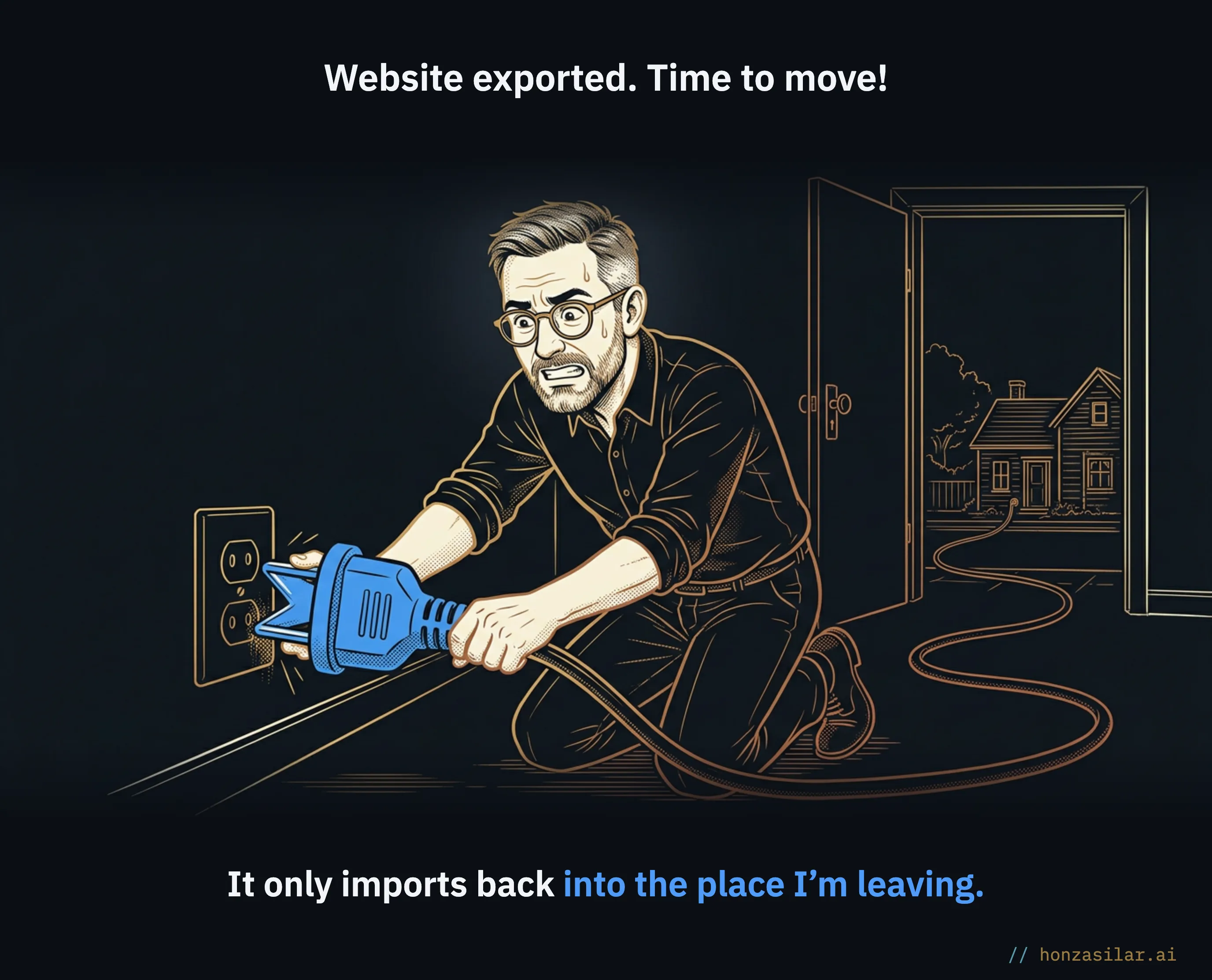
- the site’s pages: the export only imports back into Mioweb
- members’ areas and courses
- campaigns and the online store
- files stored at Mioweb addresses
- email, if it runs on your plan
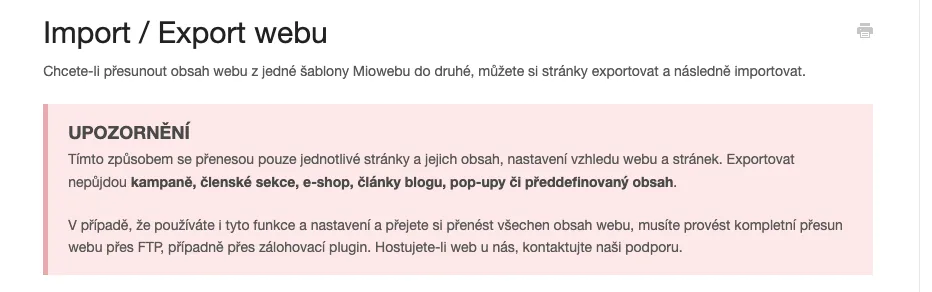
According to the help center, a site export only carries the pages, their content, and their design. It won’t export campaigns, members’ areas, the online store, blog posts, or pop-ups, and whatever it does export can only be imported back into Mioweb [3]. You can pull the blog posts out separately through the WordPress admin. The member list does export, including which areas and levels each member belongs to and when their access ends [4]. Orders and invoices from Mioweb’s sales module come out as CSV, XML, or PDF [5]. For a complete transfer of a site Mioweb hosts, the help center points you to support [3], and the pricing page offers a move to your own hosting only to owners of the older lifetime license [1].
In practice, you have to download the course lessons, files, and pages and rebuild them while the site is still up. In both of my moves I only downloaded content and never touched the old site.
Three places to go#
I see three places your site and course can go. They differ in what runs where, who makes changes, and what it costs each month.
Three ways out of Mioweb (prices as of November 11, 2026)
| Route | What runs where | Per month | Keep in mind |
|---|---|---|---|
| Everything in GoHighLevel | site, course, contacts, emails, and automation in one account | from $97 + usage | admin in English and about ten other languages, but not Czech; you build the site in its editor |
| Your own website | a fast static site, the course has to live elsewhere | hosting on Cloudflare Pages: free | no point-and-click editor; course and payments are separate jobs |
| A combination | your own site or sales page, with the course and automation in GoHighLevel | from $97 + usage | two places to manage, one for content and one for customers |
Every GoHighLevel plan includes courses, communities, websites, payments, email, and automation [6]. The Starter plan costs $97 a month (price as of November 11, 2026), comes with a 14-day free trial, and runs on a monthly contract. What GoHighLevel costs breaks down the usage fees on top of that.
Your own website is the cheapest option to run today. Cloudflare Pages hosts a static site for free on its base plan (as of November 11, 2026), with no bandwidth limit and 500 site builds a month [7]. The trade-off is that every change takes work, because you don’t have a point-and-click editor.
When GoHighLevel, when your own site, and when both#
It comes down to what your website does for you. Is it a storefront, or a cash register with your client files behind it?
Everything in GoHighLevel makes sense if you sell courses, consultations, or services and want your contacts, bookings, emails, course, and automation in one place. Your site is then mostly there to sell, and you don’t mind building it in the GoHighLevel editor. For how a site like that brings in leads, see GoHighLevel websites.
Your own website suits you if the site is mostly content: articles, testimonials, a showcase of your work. You want it fast and independent of any platform, and you’re fine with someone else making changes for you. Your own site can’t carry a course on its own, though. That has to go on one of the course platforms.
A combination is for people who have a sales page or website they love and want built exactly their way, but who need a system for the course, access after payment, and emails. That’s how both of the moves I mentioned at the top turned out.
A Mioweb site disappears when the plan ends. So anything you want to keep has to be running somewhere else before you cancel.
What to expect from GoHighLevel: the admin comes in English and about ten other languages, but not Czech, and a few labels in the members’ area stay in English even after you translate it. In a course people can join any day, lessons unlock on a schedule that starts at purchase, so each day of a daily challenge opens 24 hours after the previous one, whatever time of day the customer bought it. I didn’t find a Mioweb import tool in GoHighLevel’s help center, so the move is manual work.
Payments and FAPI: what gets reconnected#
If you sold through FAPI (a Czech invoicing and payments tool) on Mioweb, your orders, invoices, and customers are in FAPI itself. That means your payments don’t have to move. The only thing that changes is what happens after someone pays.
Payments through FAPI: what changes when you leave
On Mioweb
The customer pays for an order through FAPI.
FAPI sends a message to the address of the Mioweb members’ area.
The members’ area gives the customer access.
After you leave
The customer pays through FAPI, just like before.
FAPI sends the message to the new system, for example to a workflow in GoHighLevel.
The workflow adds a tag to the contact, and the tag opens the course.
“The customer won’t notice a thing, apart from a different welcome email.”
On Mioweb, it works like this: after an order is paid, FAPI sends a message to the members’ area address, and the members’ area gives the customer access [8]. Once you leave, that address disappears with the site. FAPI then sends the message to the new system instead. In GoHighLevel, that can be a workflow that receives it and tags the contact, and the tag opens the course.
When I moved the challenge, I created new copies of the order forms for this reason. After payment, the original forms would have sent customers to the old site’s thank-you page, which disappears when the plan ends. Customers who bought the course back on Mioweb get access from your exported member list. Expect them to sign in to the new system again, for example with a one-time code or a new password.
Leaving step by step, without losing anything#
The wrong order does the most damage: canceling before the new site is live, or switching the domain without redirects. The process below worked for me in both moves. I’ve taken the Mioweb menu paths from its help center, which is in Czech, so the labels are my translations. Each step ends with how you’ll know it’s done.
1. Take inventory
Write down everything you have on Mioweb: pages, courses and members’ areas, downloadable files, campaigns, forms, connections to FAPI and your email marketing tool, and mailboxes. Next to each item, note whether you’ll take it with you or rebuild it (see the overview above). You’re done when your list covers every part of the site, including pages that aren’t in the menu.
2. Download whatever you can
While the site is still running, pull out everything that can come out:
- Members under Settings › Members’ areas › Member list › Export, with their areas, levels, and access end dates [4].
- Orders and invoices from Mioweb’s sales module under Settings › Sales › Orders › Export [5]. If you sold through FAPI, they’re in FAPI.
- Blog posts through the WordPress admin: the W icon in the top right, then Tools › Export › Posts [10].
- Pages and lessons by hand, page by page, because the site export only imports into Mioweb [3]. Open any collapsible blocks and check that the text is really there.
You’re done when you have a file with your members, a file with your posts, and the text of every page and lesson saved on your end.
3. A table of old and new URLs
Next to every old URL that people use or Google has indexed, write the new one. Look for URLs you hand out elsewhere too: in emails, on social media, in PDFs, and on printed materials. You’re done when every old URL on your list has a new counterpart in the table.
4. Build the new site and course alongside the old one
Mioweb keeps running while you build the new system next to it. If you’re moving to GoHighLevel, you build both the site and the course there. With your own website, the course goes on one of the course platforms and the site runs separately. Keep the new site hidden from search engines until the move, then switch that block off again when you go live [9].
You’re done when the new site runs on a temporary address and the course has all its lessons, videos, and files.
5. Payments and access
If you sell through FAPI, you don’t need to move your payments. On Mioweb, the FAPI sales form has a Run script action on the Order paid event, which sends a message to the address of the Mioweb members’ area [8]. In the new copies of your forms, you replace it with the new system’s address. If you sold directly in Mioweb, you set up payments again in the new system.
You’re done when a test payment opens the new course for a test contact and a welcome email arrives.
6. Existing customers
Use the exported member list to give your existing buyers access to the new course as well. Expect them to sign in again, and send them a clear email with the new address. Stop selling on the old site well ahead of time, so nobody buys access that would outlast the end of your plan. You’re done when someone from the list gets into the course with a new login.
7. Domain and redirects
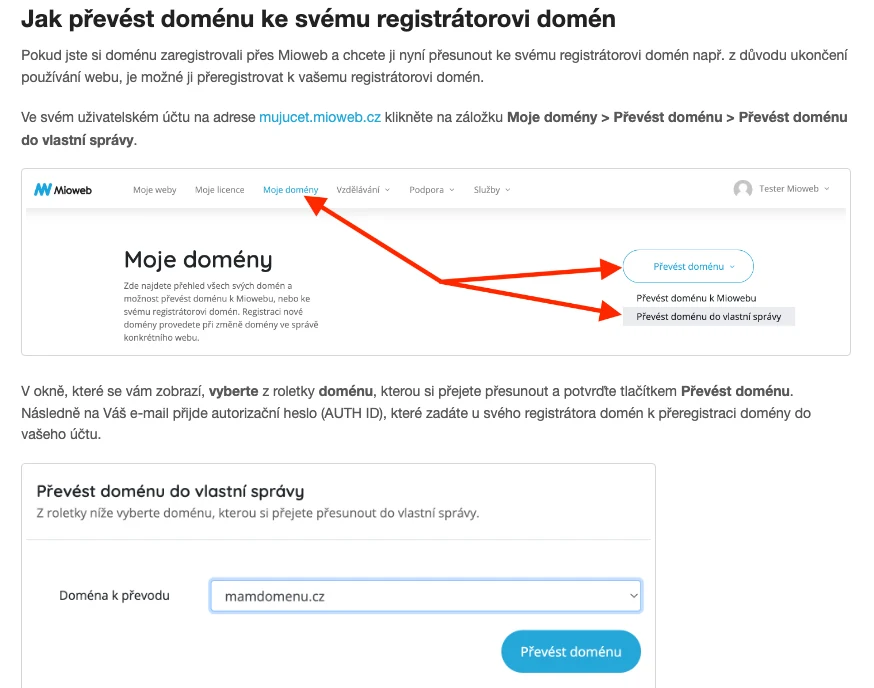
What you do depends on where your domain is. A domain registered through Mioweb gets transferred to your own registrar: in your Mioweb account, click My domains › Transfer domain › Transfer domain to your own management. You’ll get the authorization code (AUTH ID) by email and enter it at your registrar [11]. After the transfer, update the owner and billing details there [11]. The exception is domains that came over from WebSupport.cz (a Czech hosting provider): under the terms of service, Mioweb remains their holder and releases them to your own management only on request, if the registrar allows it at that point [2]. A domain with another registrar only needs to point to the new site, which you do by changing its DNS records.
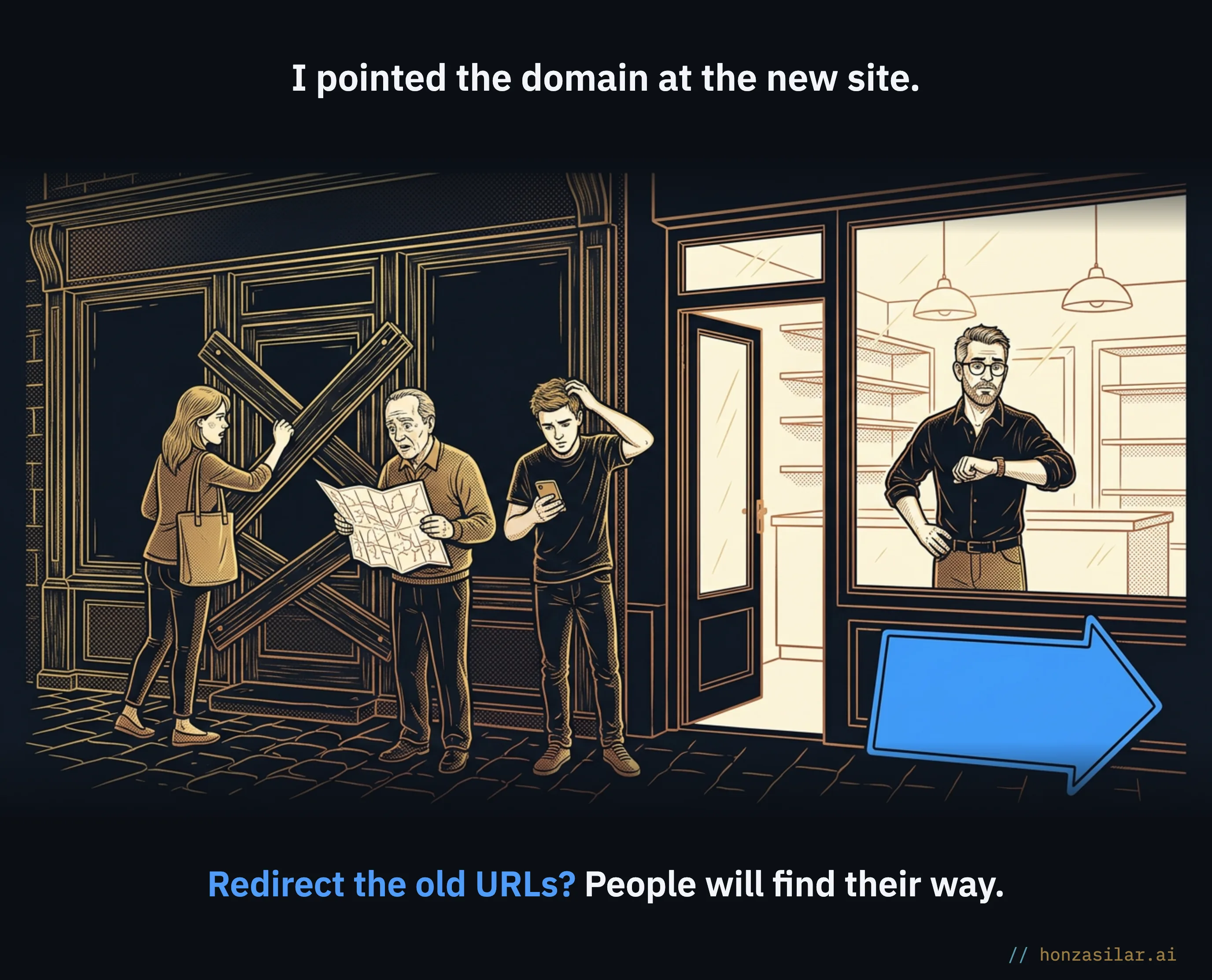
Then turn on permanent redirects from the old URLs to the new ones on the new site, following your table from step 3. There’s no point setting them up in Mioweb, because the old site goes down with the plan. Google recommends keeping redirects for at least a year and submitting a new sitemap in Search Console [9]. If your domain stays the same, you can skip the Change of Address tool [9].
Permanent redirect (301)
An instruction on a website that sends visitors and search engines from an old URL to a new one and tells them the page has moved for good. Google carries what it knew about the old URL over to the new one. Without it, old links lead nowhere.
You’re done when an old URL in your browser lands on the new page and the new sitemap has been submitted in Search Console.
8. Email
Once the contract ends, you can’t use mailboxes that run on your Mioweb plan, and Mioweb deletes their contents [2]. For a domain change, Mioweb itself advises backing up your email first, for example to Outlook [12]. Then create mailboxes with your new provider and point mail delivery to it. You’re done when a test email reaches the new mailbox and your old email is backed up.
9. Cancel last
Under the terms of service, the notice period is one month and starts on the first day of the month after your notice is delivered [2]. After that, Mioweb deletes your content without undue delay [2], so everything you want to keep has to be on your side by then.
Before you cancel
Go through four questions. Have you downloaded every page, lesson, and file? Do the old URLs redirect to the new ones? Is your email arriving somewhere else? And can both a new customer and one who bought on Mioweb get into the course? If the answer to any of them is no, hold off on canceling.
When staying on Mioweb makes more sense for now#
If you have a simple site on Mioweb with a few pages and email and need nothing more, you pay CZK 2,000 (about €80) a month excluding VAT for it, hosting and domain included (price as of November 11, 2026). Leaving makes extra work for you and saves you less than you’d think, because the domain and email then have to live somewhere else. The same goes if you sell a course only now and then and granting access by hand doesn’t slow you down.
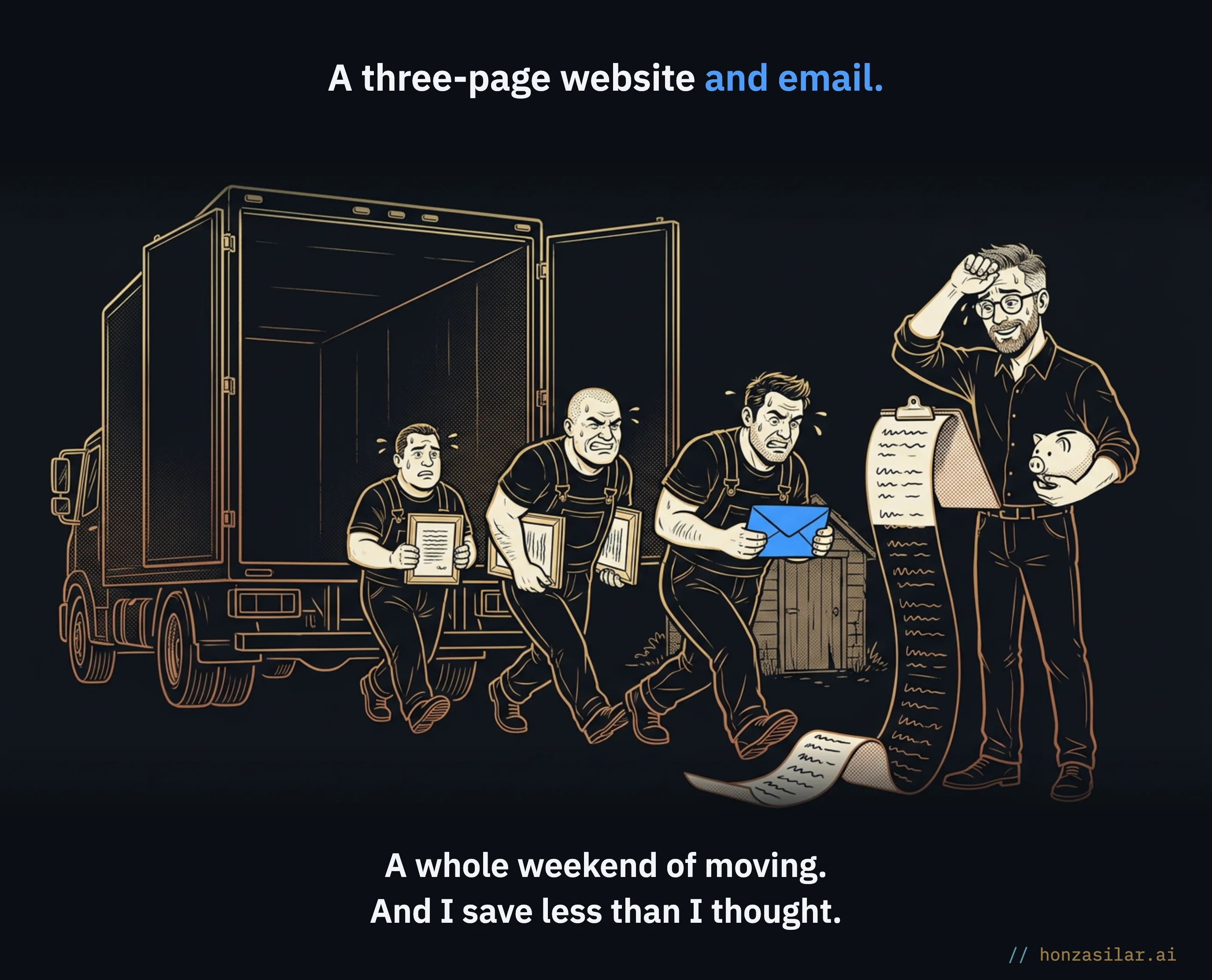
Leaving pays off when Mioweb costs you extra work: you hand out access manually, send emails from yet another tool, keep contacts in three places, or your site depends on an add-on that stopped working. It also makes sense when your subscription is about to run out and you don’t want to renew it. Just don’t leave the move for the last week, because testing and redirects take time. I cover moving to GoHighLevel from other tools in a post of its own.
Your exit in six points#
- A Mioweb site disappears when the plan ends, so anything you want to keep has to run somewhere else before you cancel.
- The export only carries pages, and only back into Mioweb. Courses, campaigns, and files get rebuilt.
- GoHighLevel fits if you want contacts, the course, and automation in one system. Your own website fits if the site is mostly content. A combination fits if you want both.
- Payments stay in FAPI, and you only reconnect what happens after someone pays.
- Switch the domain only once redirects from the old URLs are in place, and keep them for at least a year.
- Cancel last. Leaving Mioweb takes planning, and getting the order right is most of the job.
I can help with this
Leave Mioweb without losing anything
I can handle your move off Mioweb too: the site, the course, payments, the domain, and redirects from the old URLs. In a consultation, we’ll go through what you have on Mioweb and what you sell, and I’ll tell you whether GoHighLevel, your own website, or both suits you better. I do Mioweb moves for myself and for clients.
Sources#
- Mioweb: Pricing and FAQ (plan, “Will I keep my website if I stop using Mioweb?”, move to your own hosting, FTP and database), checked November 11, 2026. mioweb.cz
- Mioweb: General terms and conditions, Articles 8.19, 8.24, 10.1, and 10.3, effective October 1, 2023, checked November 11, 2026. mioweb.cz
- Mioweb help center: Site import and export. napoveda.mioweb.cz
- Mioweb help center: Exporting members from a members’ area. napoveda.mioweb.cz
- Mioweb help center: Exporting orders and invoices. napoveda.mioweb.cz
- GoHighLevel: Pricing (Starter, Unlimited, and Founder plans, 14-day trial, included features), checked November 11, 2026. gohighlevel.com
- Cloudflare Pages: Limits and service overview (500 builds a month on the Free plan, unlimited bandwidth), checked November 11, 2026. developers.cloudflare.com
- Mioweb help center: Signing up for a members’ area through a FAPI form. napoveda.mioweb.cz
- Google Search Central: Site moves with URL changes (redirects “generally at least 1 year”, new sitemap). developers.google.com
- Mioweb help center: Exporting and importing posts. napoveda.mioweb.cz
- Mioweb help center: How to transfer a domain to Mioweb or to your own registrar. napoveda.mioweb.cz
- Mioweb help center: Changing your site’s domain (mailbox shutdown, email backup). napoveda.mioweb.cz
Frequently asked questions
Can I move my Mioweb website to another host?
Not on a regular plan. According to Mioweb’s pricing page, the site ceases to exist once the service ends, and moving it to your own hosting is only possible with the older lifetime license. A site export carries over the pages and their design, but you can only import it back into Mioweb.
Can I export a course or members’ area from Mioweb?
The site export explicitly leaves out members’ areas. You can export the member list and your orders, but lesson content has to move by hand or from a backup, and videos get embedded in the new course again.
How much does Mioweb cost compared with GoHighLevel?
Mioweb costs CZK 2,000 (about €80) a month excluding VAT (price as of November 11, 2026), with hosting and domain registration included. GoHighLevel starts at $97 a month on the Starter plan (price as of November 11, 2026), and you pay for usage on top, such as emails sent.
Do I have to change FAPI when I leave Mioweb?
No. FAPI can keep taking payments and issuing invoices. The only change is where FAPI sends its message after a payment: to the new system that opens the course for the customer, instead of the Mioweb members’ area.
How long should I keep redirects after moving my website?
Google recommends keeping redirects as long as possible, generally at least a year. They have to run on the new site, because the old Mioweb site disappears together with its settings when the plan ends.