Security
He writes books on scams and still got phished. How to spot a fake email or page
Scam emails pose as couriers, banks, or colleagues and link to fake login pages. A habit and a password manager protect you. Computer setup takes 20 minutes.
 Honza Silar 16 min read Nov 11, 2026
- Gmail
- Chrome
- Outlook
In this article
- 01Why even the people who teach it fall for phishing
- 02Three thousand phishing emails for one man
- 03Who got burned and who stayed safe
- 04A habit that keeps fake links from catching you
- 05Step by step: phishing safeguards on your computer, your phone, and at work
- 06What to take back to your inbox
- 07Sources
- 08Frequently asked questions
What you’ll take away
Every day you get emails from couriers, banks, and suppliers, and you answer most of them on the fly. You’ll learn what gives a fake message away even when you’re in a hurry, and above all, what to do if you’ve already typed your password into a fake page.
- How a man who teaches people to spot scams got caught himself.
- What set apart the people who got burned from those who stayed safe.
- A habit that keeps fake links from catching you.
- Plus a plan for the moment after you’ve entered your password.
Christopher Hadnagy makes his living teaching companies to spot scammers, and he’s written several books on social engineering, which means manipulating people. Once, while he was packing for Defcon, the hacker conference, he got an email that looked like it came from Amazon: one of his orders supposedly wouldn’t ship because his card had been declined. He’d just ordered ten or twenty things, so he clicked. A login page opened that looked exactly like the real one [1].
He started typing his password, and just before he hit submit, he noticed that his username, which always filled in on its own, wasn’t in the field. He looked at the address bar. The page was on a Russian domain. When he reread the email later with a clear head, he saw it was about a grill and press-on nails, things he’d never order. By his own count, there were about five ways he could have spotted the scam, and he missed all of them because he was stressed and not thinking [1].
And it’s not just Americans. Figures from the Czech Banking Association tell the same story. In the first three quarters of 2026, customers of Czech banks lost CZK 2.2 billion (about €90 million) to cyber fraud, in more than 75,000 attacks [2]. According to the association’s survey, the messages people run into most are emails promising a prize or an inheritance and messages that look like they’re from a courier or the post office [3]. A business inbox gets more of them than a personal one, because invoices, deliveries, and bank messages land there every day.
What cyber fraud cost Czech bank customers
Hadnagy told this embarrassing story on the Darknet Diaries podcast, and the other stories here come from the same show. I’ll show you what gives a fake message or page away, and above all a habit that saves you from having to spot them at all.
Why even the people who teach it fall for phishing#
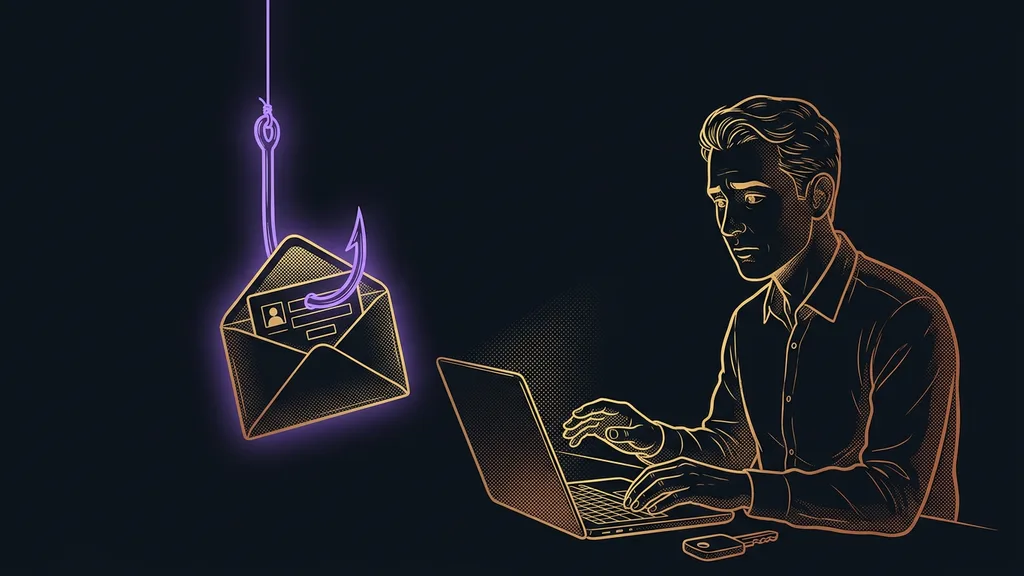
Phishing counts on you being in a hurry and reading the message with half your attention. Hadnagy knows the field inside out, and he still clicked at a moment when his mind was on his suitcase and the conference.
Phishing
A scam in which an attacker uses email, a text, or another kind of message to pose as someone you trust, such as your bank, a courier, or a colleague. The goal is to get you to click a link, open an attachment, or enter your password. Google describes it as an attempt to steal personal information or break into your account using messages and websites that look like ones you already use [4].
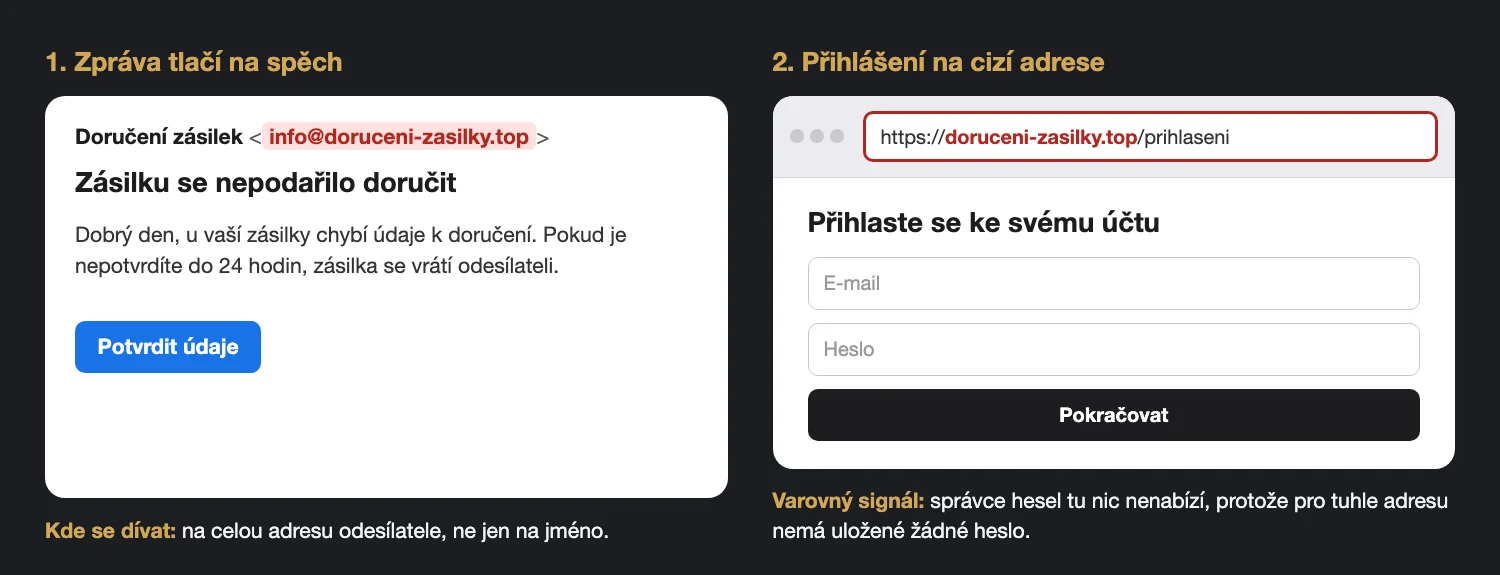
Phishing usually takes one of two forms. The first is a fake login page: the link leads to a copy of the login page for your email, your bank, or an online store, and whatever you type goes to the attacker. The second is an attachment, such as an invoice or an invitation, that installs malware on your computer when you open it. Both put you under time pressure. The package will be sent back, the account will be locked, the invoice is overdue. Google’s help page says scammers try to stir up your emotions to get you to act without thinking [4].
A fake email works when it arrives while you’re in a hurry.
Three thousand phishing emails for one man#
Phishing can also be targeted and persistent. Matthew Earl, a British analyst, makes his money by finding companies with suspicious accounting and betting that their shares will fall. Under a pseudonym, he published a report on Wirecard, a German payments company, in which he laid out what he saw as accounting fraud [5].
Then the emails started. Over three years, he got more than three thousand of them. Some seemed to come from his sister, others looked like a document shared by friends on Dropbox or an article about Wirecard [5]. It later turned out that the attackers knew in advance who was landing on their fake page. The page looked like an ordinary Gmail sign-in and only asked the victim to enter their password again [5].
Earl is convinced he never clicked a single phishing link. He did one more thing, though: in the spring of 2017, he sent the emails to researchers at Citizen Lab in Canada, who were already looking into similar messages received by a Reuters journalist [5]. The researchers found that the attackers had been shortening their links with their own service, which used sequential codes. They went through the codes one by one and found almost 28,000 more links containing the email addresses of the people the attackers were after. They named the group Dark Basin, a hack-for-hire operation that had gone after thousands of people and hundreds of institutions on six continents, and linked it with high confidence to BellTroX, an Indian company [6].
Earl and the others who forwarded their suspicious emails to researchers helped expose an entire phishing factory.
Who got burned and who stayed safe#
Two things decided all four stories: whether all the attacker needed was for someone to believe the message, and whether someone reported their suspicion and someone else took it seriously.
The banks Carbanak broke into paid the price. At one bank, an events coordinator got an invitation to an important event, with the details in an attachment. The Word document exploited a bug that had been patched back in 2012, and the attacks were running in 2015 [7]. According to Europol, as quoted in episode 35, the group got into more than 100 banks and walked away with $1.2 billion. The host dryly adds that with an updated copy of Word, the attack would have gone nowhere [7].
So did Saudi Aramco, the Saudi oil company. The attackers most likely got in through phishing in 2012. The company’s operations center in Houston noticed that 250 devices had suddenly logged in under a single admin account, but the head of the security center decided not to act on the report. That gave the attackers three months to prepare, and in August they wiped the data on about 35,000 computers, 85% of all the company’s machines [8].
Hadnagy came out fine. An empty field on the login page and a look at the address bar saved him. Afterward, he cleaned up his computer, changed his passwords, and told his team, even though he was embarrassed [1].
Matthew Earl came out fine, too. He got three thousand emails, never clicked one, and his report helped uncover the whole group [5] [6].
Who got burned and who stayed safe: four stories
| Story | What made the difference | How it ended |
|---|---|---|
| Carbanak, 2015 | The coordinator believed the invitation and opened an attachment that exploited a bug patched back in 2012 | ✕ The group got into more than 100 banks and, according to Europol, took $1.2 billion |
| Saudi Aramco, 2012 | Nobody acted on the report of 250 devices under a single admin account | ✕ The attackers wiped the data on about 35,000 computers |
| Christopher Hadnagy | Noticed the empty field and checked the address bar | ✓ Cleaned up his computer, changed his passwords, and told his team |
| Matthew Earl | Clicked none of the more than three thousand emails and sent them to researchers | ✓ Helped uncover the Dark Basin group |
A habit that keeps fake links from catching you#
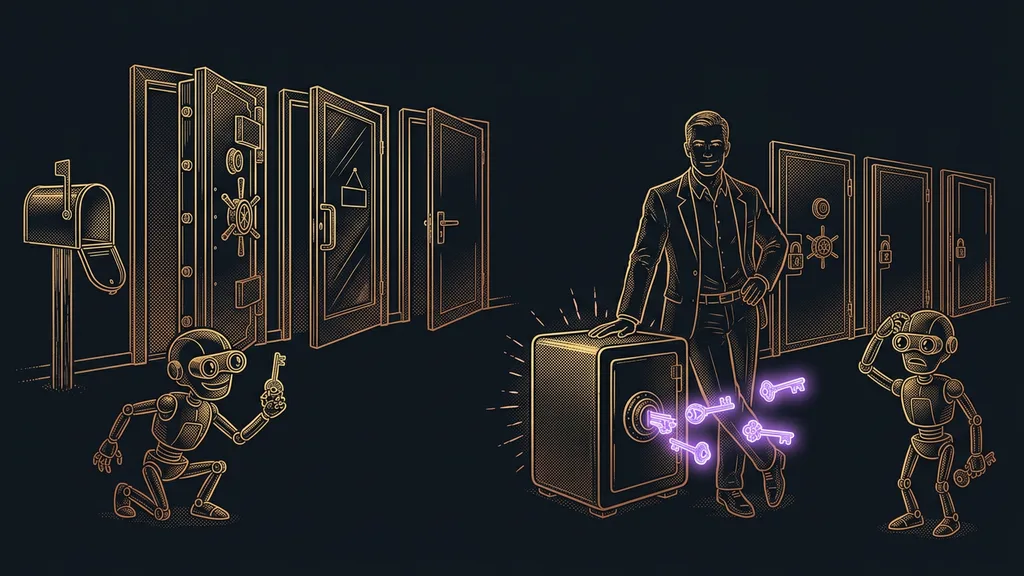
When a page wants your password, open it yourself and leave the link in the message alone. Google gives the same advice: if a link takes you to a page that asks for your password, don’t enter anything, and go to the site yourself [4]. The habit has one big advantage. You don’t need to figure out whether the message is genuine, because you never use its link at all.
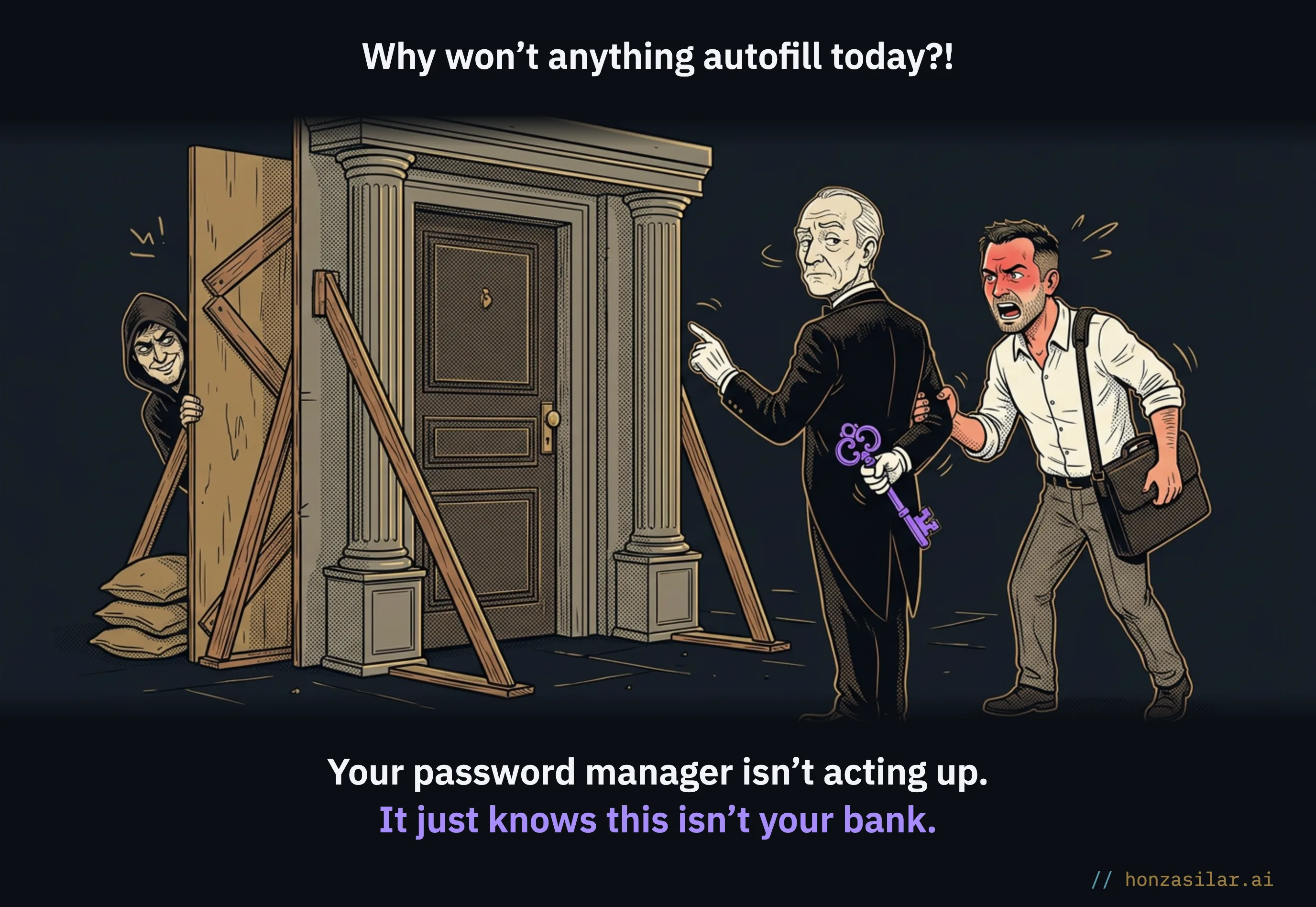
Your second safeguard is a password manager. It stores each password for a specific address [9], so it won’t offer it on a fake domain. That’s what saved Hadnagy, except in his case it was his saved username. 1Password also won’t fill anything in without your confirmation. And if you paste something into a password field on a site you don’t have saved in 1Password, it can warn you [9]. My password manager guide takes you through the switch step by step. Passkeys go further still, and I cover them in the post on two-factor authentication.
Your third safeguard is reporting. It takes half a minute, and as Matthew Earl’s story shows, it can help other people too. In a larger company, simulated phishing is also worth it. One of the things Hadnagy does is send companies test emails every month, and anyone who clicks immediately gets a short explanation of how they could have spotted the scam [1].
Phishing works differently from the fake boss on a video call, one of the scams targeting businesses I’ve written about. In that scam, someone talks you into it live, while phishing needs only one click.
Try it on your own inbox
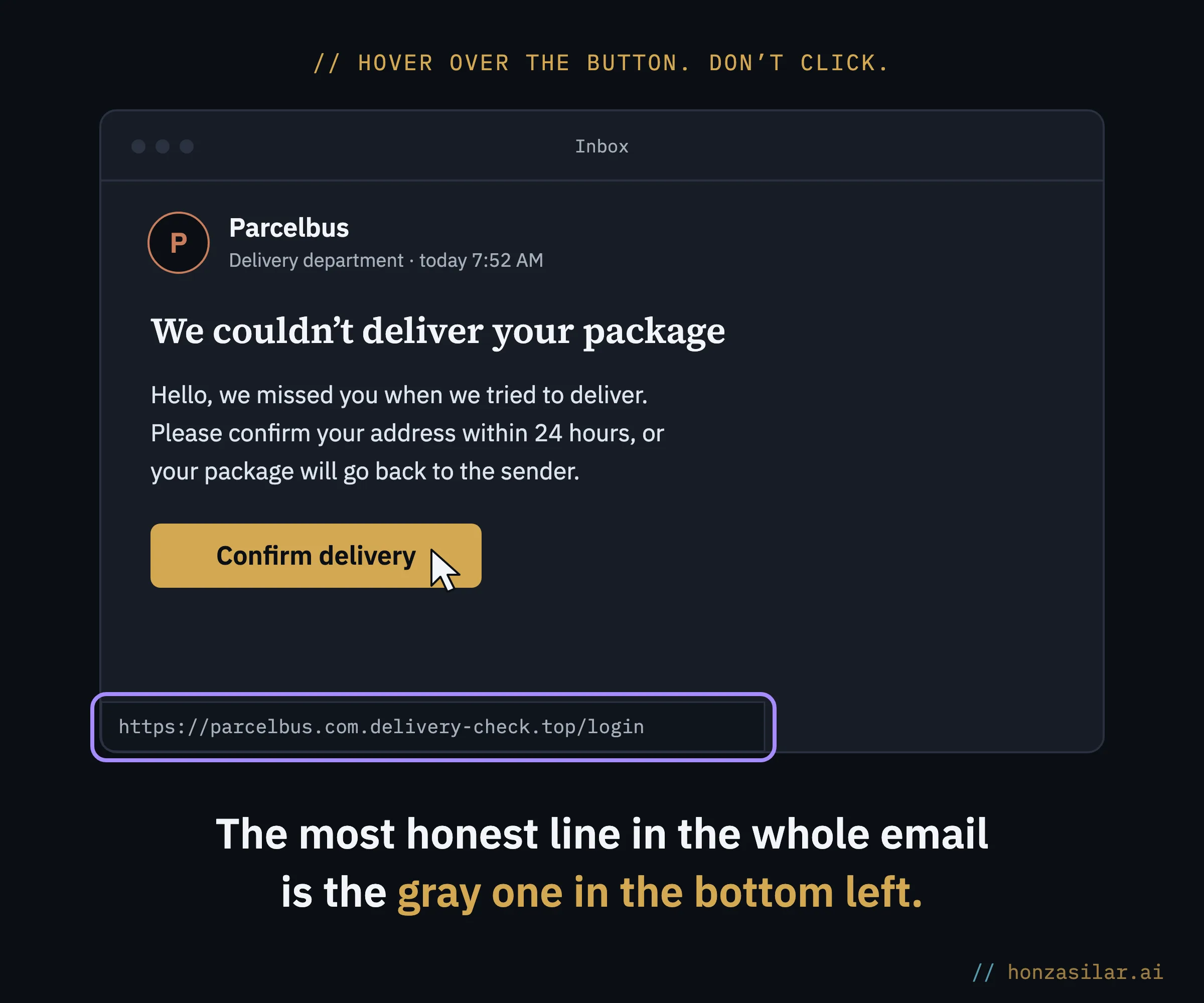
Open your spam folder and find the most recent message pretending to be from a courier, a bank, or an online store. Click the sender’s name to see the full address. Then, on a computer, hover your mouse over the button in the email without clicking: the bottom corner of your browser shows where the link leads. Do both addresses match the company the message claims to be from? Usually they don’t, and now you know where to look.
Step by step: phishing safeguards on your computer, your phone, and at work#
On a computer this takes about twenty minutes, on your phone another ten, and for your company ten more. The steps follow Google’s and Microsoft’s help pages as of November 2026. On a computer they assume Chrome and Gmail, on a phone Chrome and Outlook.
On your computer
- Bookmark every site where you enter a password. Your bank, email, accounting, payment gateway, online store, and domain registrar. In Chrome, open the page and click Bookmark this tab (the star) to the right of the address bar [10]. From then on, sign in to those services only through the bookmark, even when a message offers you a convenient link. You’re done when you can reach each of them in one click, without digging through your email.
- Let a password manager fill in your passwords. As a bonus, you get the warning that saved Hadnagy: on an unfamiliar address, the manager offers nothing [9]. You’re done when you can sign in to your bank without typing your password and your password manager fills in nothing on an unknown page.
- Before you click, check the sender and the link. Gmail advises checking whether the email address matches the sender’s name. On a computer, you can also hover over a link: if the address doesn’t match the link’s description, the link may lead to a phishing page [4]. You’re done when you do this automatically for every message with a link or an attachment.
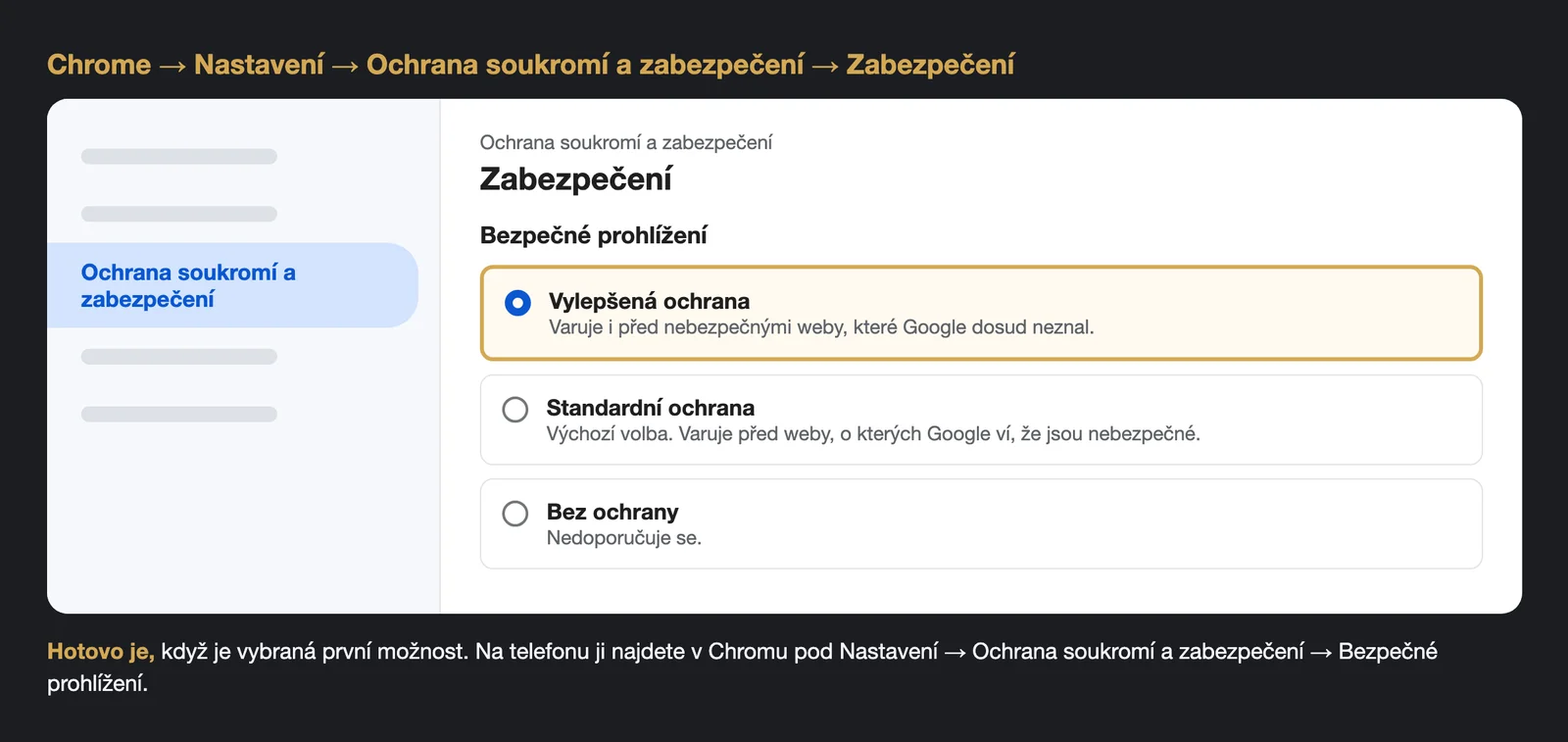
- Turn on Enhanced protection in Chrome. In the top right, click the More icon → Settings, then on the left choose Privacy and security → Security, and select Enhanced protection [11]. The default Standard protection warns you about sites Google knows are dangerous. Enhanced protection also warns you about ones Google hasn’t seen yet. In exchange, when you visit a site, Chrome sends Google its address and a sample of the page’s content. According to the help page, Google uses them only for security [11]. You’re done when Enhanced protection is selected in the Security section.
- Guard your Google sign-in with an extension. If you sign in to your email with your Google Account password, you can turn on the Password Alert extension in Chrome. It warns you when you type that password on a site that doesn’t belong to Google, so you can change the password in time [4]. You’re done when the extension shows up as enabled in Chrome.
- Report phishing right in your inbox. In Gmail on your computer, open the message, click the More icon next to Reply, and choose Report phishing [4]. You’re done when you report the message instead of just deleting it.
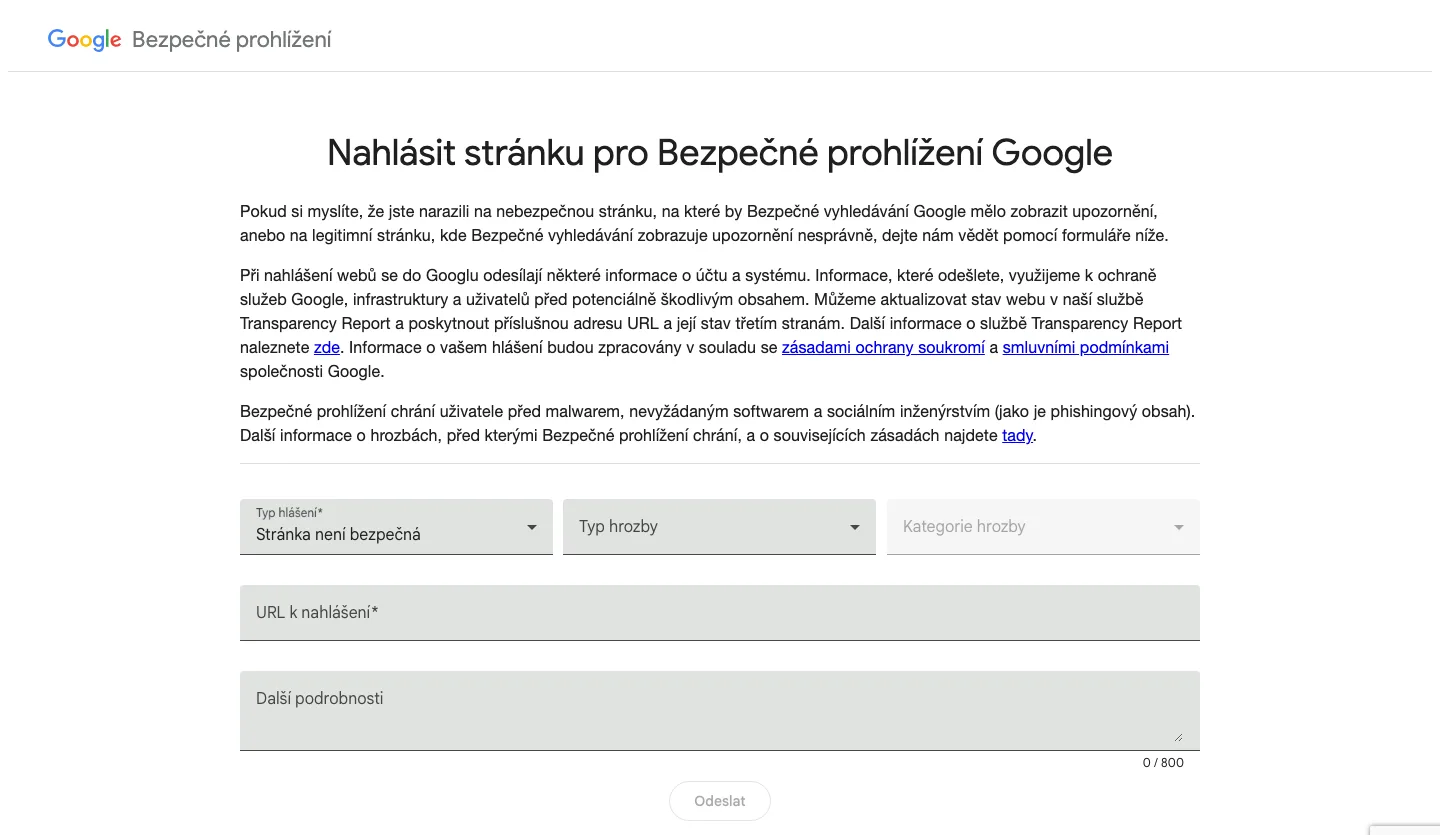
- Report the scam page outside your inbox, too. Copy the scam page’s address from the link with a right-click, and don’t open the page again. In Google’s form for reporting a page to Safe Browsing, leave Report type set to This page is not safe, choose the threat type, paste the address you copied into the URL to report field, and click Submit [13]. You can also report the incident to CSIRT.CZ, the Czech national security team, which serves as a point of contact for the public and takes reports through a form on its website [14]. You’re done when your report has been sent.
On your phone
- Use the app to get into your bank and email. Checking where a link goes is harder on a phone than on a computer. So carry the bookmark habit over to apps: when a message asks you to sign in, close it and open your bank or email app yourself. Google recommends this too [4]. You’re done when your bank and email apps are on your home screen and you no longer sign in through links in messages.
- Switch mobile Chrome to Enhanced protection as well. On Android and iPhone, open Chrome, tap the More icon → Settings → Privacy and security → Safe Browsing, and choose Enhanced protection [11]. You’re done when you’ve selected the same level as on your computer.
- Report phishing from your phone. In the Outlook app for iPhone and Android, tap ⋮ in the top right, choose Report Junk, and then Phishing [12]. You’re done when you know how to report a message from your phone.
At work
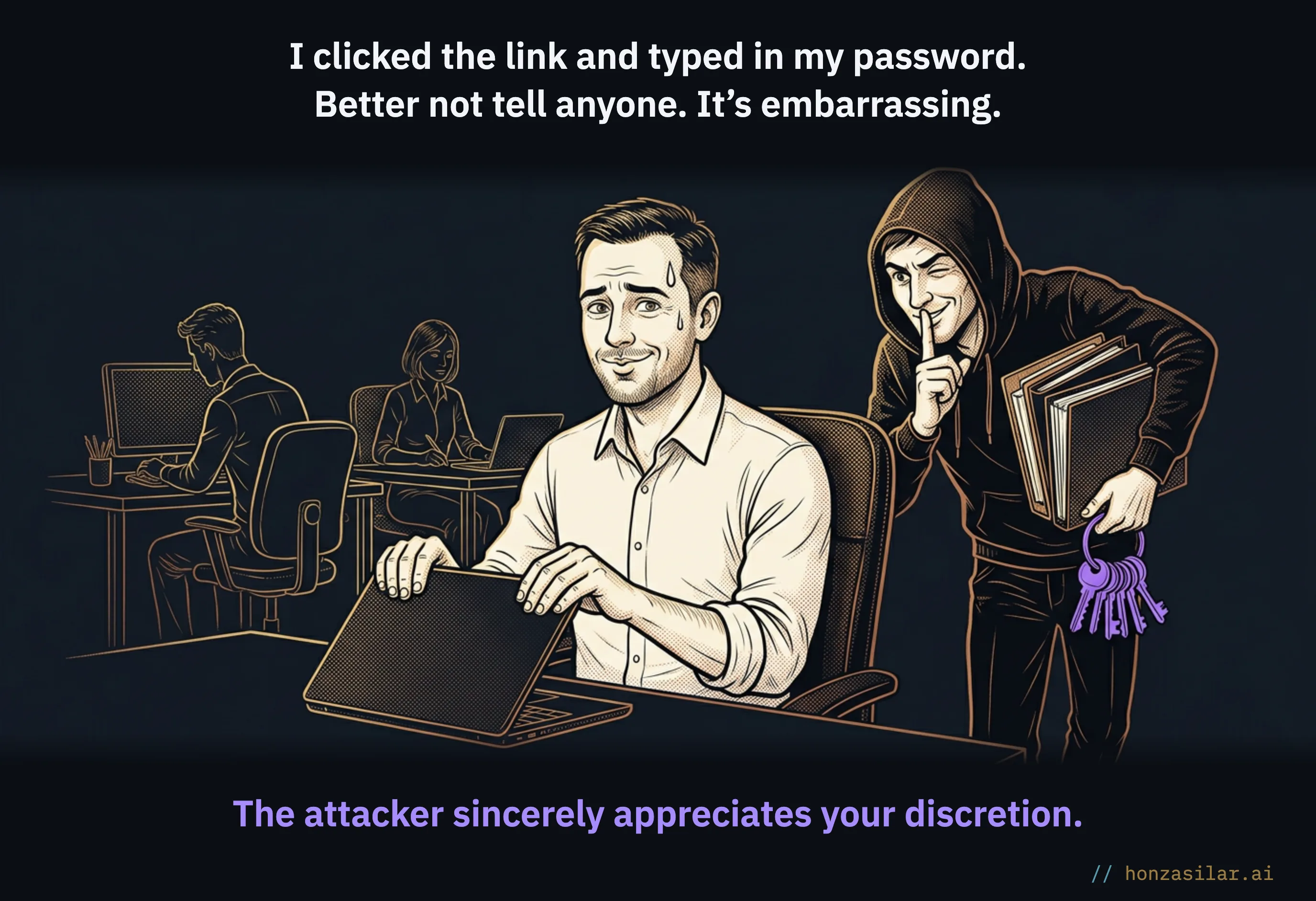
- Agree on what happens when someone clicks. Anyone who clicks or enters a password says so right away, and nobody laughs at them. You’re done when everyone in the company who reads email knows the rule.
- Decide who people report to and who handles it. At Saudi Aramco, the operations center in Houston noticed the suspicious activity, but nobody acted on the report, and the attackers got a three-month head start [8]. You’re done when everyone knows who to forward a suspicious message to, and that person knows what to do with it: change the password, report the page, and warn the others.
- Go through one real scam message with your colleagues. Take a message from your spam folder, run the test from the box above on it (the sender’s full address and the address behind the button), and then show everyone how to sign in through a bookmark. In a larger company, consider regular simulated phishing as well, the kind Hadnagy talks about [1]. You’re done when everyone can find out on their own where a link in a message leads.
You entered your password on a fake page. Now what?
- Open the real site through a bookmark and change your password immediately.
- Use the same password somewhere else? Change it there too.
- In your account settings, review recent activity and sign out any devices you don’t recognize.
- Was it your bank or a payment card? Let your bank know without delay.
- Report the message and the page, and tell your colleagues so the same email doesn’t catch them.
For a Google Account, you’ll find recent security activity at myaccount.google.com/notifications. Google recommends going straight there even when you get a security alert from Google and aren’t sure it’s genuine [4]. Attached invoices, by the way, are a favorite disguise for scammers. If an automated tool reads your emailed invoices, don’t give it permission to open unknown files. The right email deliverability settings also help against emails that scammers send straight from your own domain.
What to take back to your inbox#
- Phishing counts on haste, and it catches even a professional who writes books about scams.
- Go to pages that ask for a password through a bookmark, never through a link in a message.
- Let a password manager fill in your passwords. If it stays silent on a familiar site, stop.
- Don’t open an attachment you weren’t expecting, and check it with the sender some other way.
- Report phishing in your email app, and report scam pages to Google or CSIRT.CZ.
- If you click, say so right away. Silence plays into the attacker’s hands.
Hadnagy was saved by an empty field on a login page, which is to say by luck. A bookmark and a password manager give you that same warning every day, by design.
I can help with this
Make sure no one in your company falls for a fake email
I’ll go through how you and your team sign in. We’ll set up a password manager, bookmarks, and browser protection on your computers and phones, and agree on a simple rule for when someone clicks. I work on phishing protection and secure sign-in in depth, on my own accounts and with clients.
Sources#
- Human Hacker. Darknet Diaries, episode 69, 2020. Darknet Diaries
- Radio Prague International (Czech News Agency): Bank customers’ losses to cyber fraud up by half this year to CZK 2.2 billion, says the Czech Banking Association, November 10, 2026. Radio Prague International
- Seznam Zprávy: Losses are rising. Cyber scammers have already stolen over two billion from people’s accounts this year, November 2026. Seznam Zprávy
- Gmail Help: Avoid and report phishing emails. Google
- Dark Basin. Darknet Diaries, episode 79, 2020. Darknet Diaries
- Citizen Lab: Dark Basin: Uncovering a Massive Hack-For-Hire Operation, June 9, 2020. Citizen Lab
- Carbanak. Darknet Diaries, episode 35, 2019. Darknet Diaries
- Shamoon. Darknet Diaries, episode 30, 2019. Darknet Diaries
- 1Password Support: About 1Password browser autofill security. 1Password
- Google Chrome Help: Create and view bookmarks. Google
- Google Chrome Help: Safe Browsing in Chrome. Google
- Microsoft Support: How do I report phishing or junk email (Outlook for iOS and Android). Microsoft
- Google: Report a page to Google Safe Browsing. Google
- CSIRT.CZ: Incident reporting. CSIRT.CZ
Frequently asked questions
How can I tell if an email is phishing?
Usually the urgency and the addresses give it away. The message pushes you to act fast (a package, a locked account, an unpaid invoice), and the sender’s full address or the link’s destination doesn’t match the company it claims to be. But a habit is more reliable than spotting fakes: never sign in through a link in a message at all.
I entered my password on a phishing page. What should I do?
As soon as you realize it, open the real site through a bookmark and change your password, and if you use the same password anywhere else, change it there too. Sign out any devices you don’t recognize, and if bank details were involved, contact your bank. Report the message and the page, and let your colleagues know.
Can a password manager detect a fake website?
Indirectly, yes. A password manager stores each password for a specific address, so it won’t offer it on a scam domain. If it stays silent on a page that looks like your bank, treat that as a warning and open the site yourself.
Where do I report phishing?
Report the email right in your inbox: in Gmail with Report phishing, in the Outlook app with Report Junk and then Phishing. You can report a scam page to Google through its Safe Browsing form, and the incident to CSIRT.CZ, the Czech national security team, through the form on its website.
Is phishing simulation worth it for a small business?
It makes more sense once a company has more people. One of the things Christopher Hadnagy does is send companies simulated phishing emails every month, and anyone who clicks immediately gets a short explanation of how they could have spotted the scam. In a small business, an agreed rule is enough: whoever clicks says so at once.