Security
Was your password leaked? How to check and what to do this afternoon
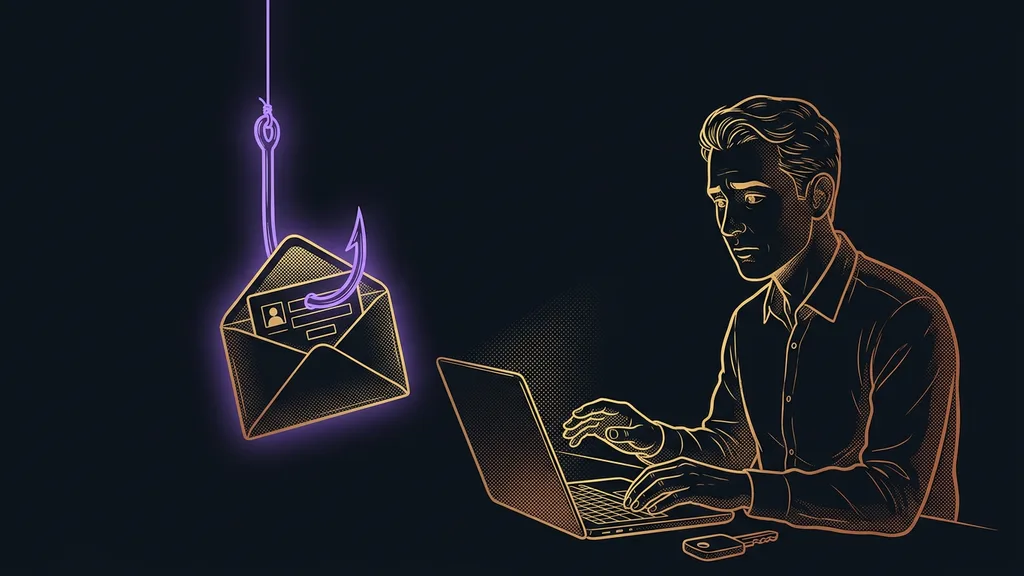
A breached company often tells you late, or never. Have I Been Pwned, a free service, checks in a minute and flags new breaches. The rest takes an afternoon.
 Honza Silar 14 min read Nov 11, 2026
- Have I Been Pwned
In this article

What you’ll take away
Maybe you got an email saying your data was exposed, or you just suspect an old password of yours is out there somewhere. You’ll learn how to check and in what order to act. You’ll also find out whether someone has been reading your email in the meantime.
- I’ll explain why you often hear about a breach late, and who you hear it from.
- What happened to a company whose customers used the same passwords elsewhere.
- A one-afternoon plan for your computer, your phone, and your company domain, step by step and with screenshots.
- Plus a cheat sheet for the first hour after you find out about a breach.
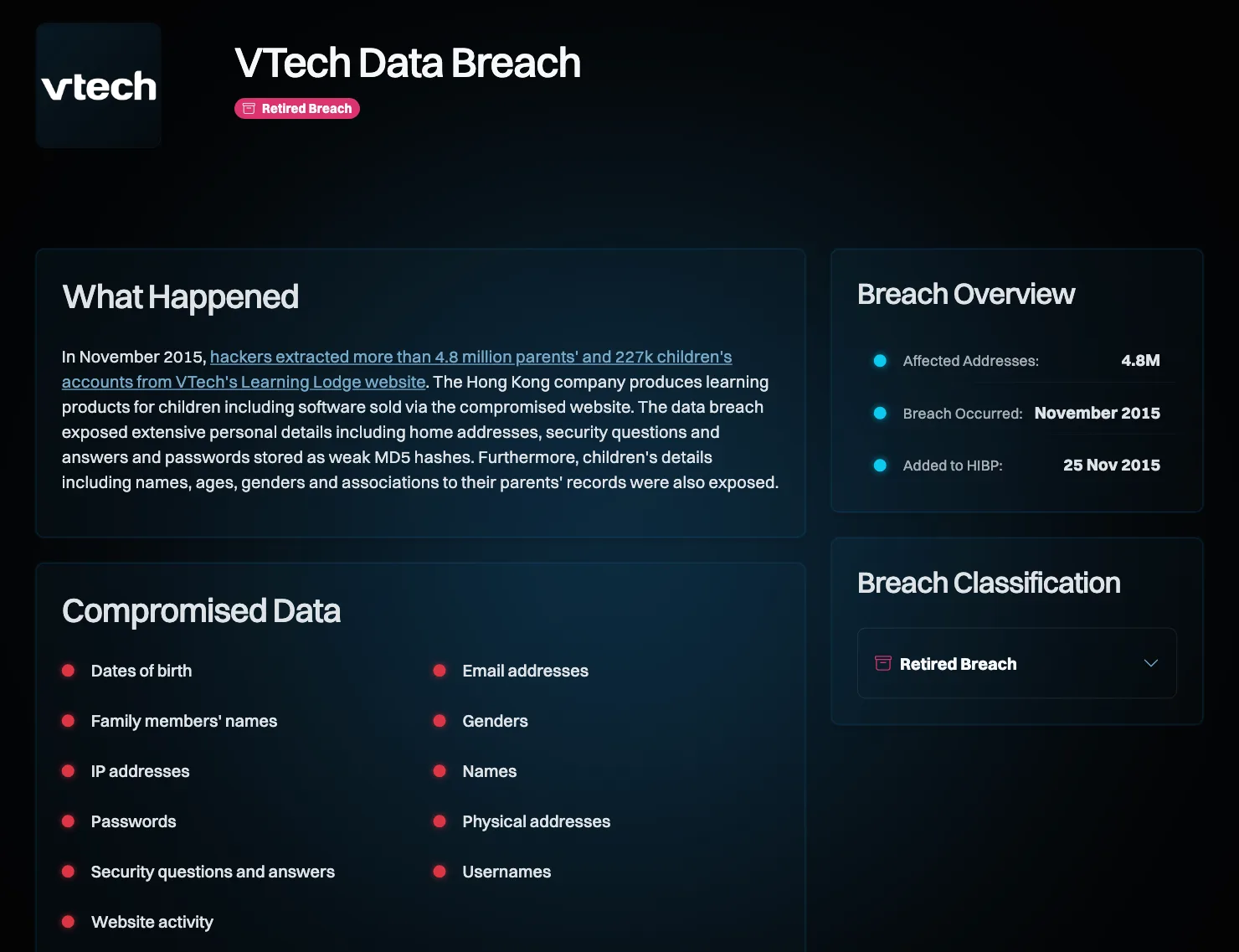
In November 2015, Lorenzo Franceschi-Bicchierai, a journalist at Motherboard, got hold of a trove of data sent to him by an anonymous hacker [2]. It held details from more than 4.8 million accounts that parents had set up with VTech, a Hong Kong maker of educational electronics for kids, along with passwords stored in an easy-to-crack form [1]. Before writing a word about it, he sent the data to Troy Hunt, the creator of Have I Been Pwned, to verify it [2].
The US Federal Trade Commission later stated in its complaint that VTech didn’t know about the breach until the journalist contacted it [3]. So parents had no way of hearing about it from the company before the company itself knew.
That’s the most important thing to understand about password leaks. If you wait for the company to tell you, you may be waiting on someone who has no idea either. Checking whether your password is out there takes a minute, though, and you can deal with the fallout in a single afternoon.
Breached companies often don’t know it#
VTech wasn’t an isolated case. In 2009, a hacker stole 32 million passwords from the website RockYou, and the company only wrote to its customers after the tech site TechCrunch reported the breach. Even then, it didn’t tell them the passwords had been stored in plain text [4]. LinkedIn was breached in 2012, and the data didn’t show up for sale until four years later [5].
How the world found out about these breaches
| Case | Year | Who or what flagged the breach |
|---|---|---|
| RockYou | 2009 | The tech site TechCrunch. The company only told customers about the 32 million stolen passwords after TechCrunch’s article. |
| 2012 | The data didn’t show up for sale until four years later. | |
| VTech | 2015 | A journalist at Motherboard. According to the FTC complaint, the company didn’t know about the breach until he contacted it. |
| Snowflake (data platform) | 2024 | Mandiant, the security firm that investigated the attack. Together with Snowflake, it notified about 165 organizations. |
Data breach
When someone without permission gets into a website’s or app’s database and walks off with it: emails, passwords, addresses, sometimes card numbers. The company often doesn’t find out for a long time, and meanwhile the data circulates among attackers. From the outside, nothing seems to have happened, even though a stranger now knows your details.
A company that doesn’t know about its own breach can’t warn you about it. So don’t wait for a notice. Go and check for yourself.
A leaked password circulates for years#
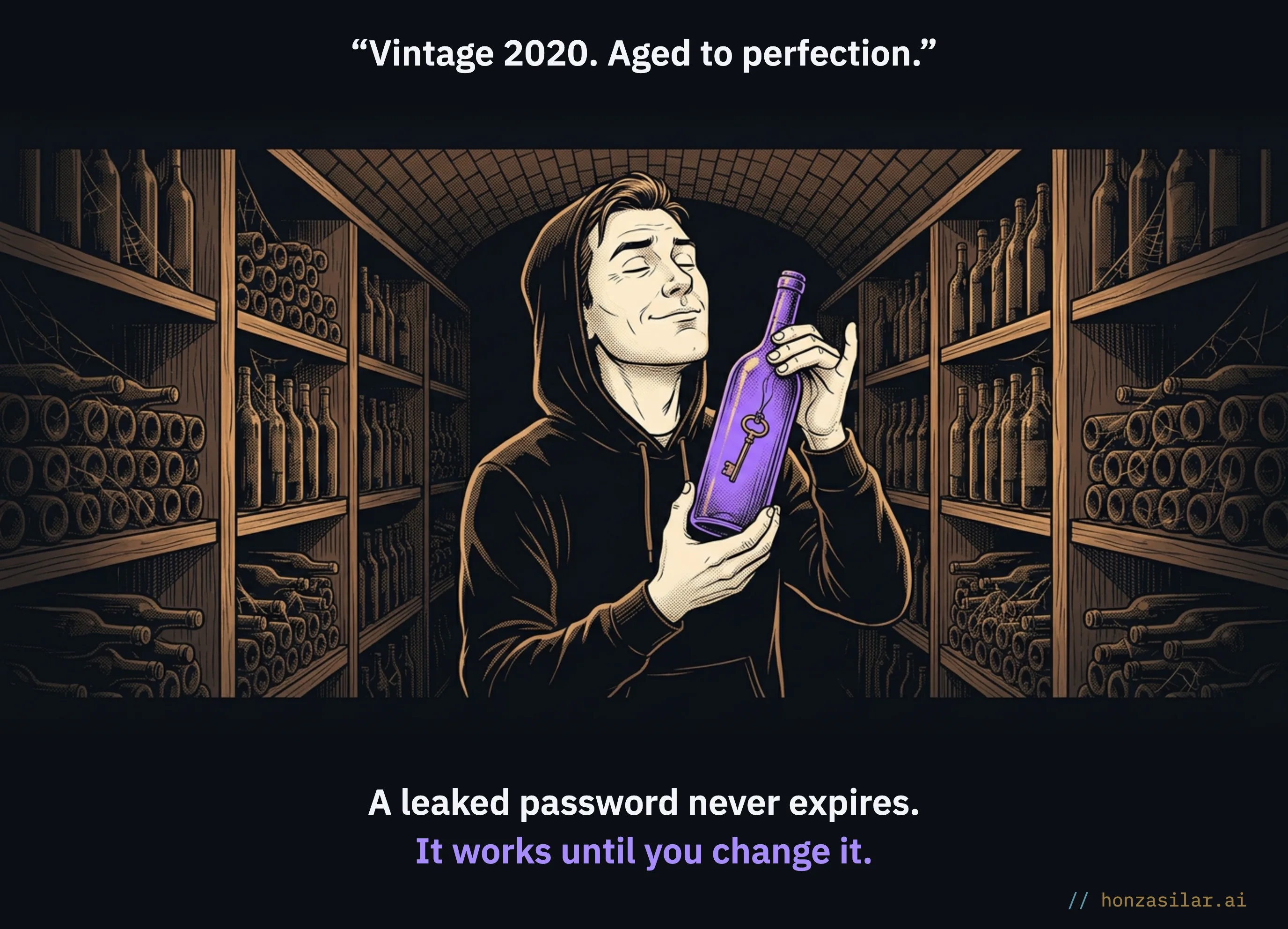
Stolen passwords don’t disappear. Attackers stockpile them and try them again and again. Cloudflare protects the logins of a huge number of websites, and in fall 2024 it found that 41% of successful logins on those sites used a password that had already leaked [6]. With a leaked password in hand, an attacker simply tries it on other sites to see where else it works. There’s more on this in my guide to password managers.
Passwords also leak from places other than breached websites. In 2024, attackers got into the accounts of customers of Snowflake, a data platform. Most of the passwords to those accounts had been stolen earlier by malware on computers that didn’t belong to Snowflake. In several cases, the computers were contractors’ laptops that were also used for gaming and for downloading pirated software. Some of the passwords dated back to 2020 and still worked [7].
Infostealer (password-stealing malware)
A malicious program that gets onto a computer through pirated software or a fake update, for example. It collects the passwords saved in the browser and sends them to the attacker. The passwords then end up in bundles that keep getting resold.
Leaked passwords by the numbers
Who paid the price, and who was spared#
The clearest example is 23andMe, a genetic testing company. In 2023, attackers logged into about 14,000 of its customers’ accounts with passwords from other breaches. Through a feature that finds genetic relatives, they then downloaded data on about 6.9 million people [8].
People who did nothing wrong got burned too. Most of those 6.9 million people may well have used a different password on every site. All it took was one of their genetic relatives using the same password on 23andMe and on a website whose passwords had leaked. The UK data protection authority, the ICO, fined the company £2.31 million. Among other things, it faulted the company for not requiring two-factor authentication at login [8].
The companies in the Snowflake case got burned too. Mandiant, the security firm that investigated the attack, and Snowflake notified about 165 organizations that might have been affected. According to Mandiant, the compromised accounts had one thing in common: two-factor authentication wasn’t turned on [7].
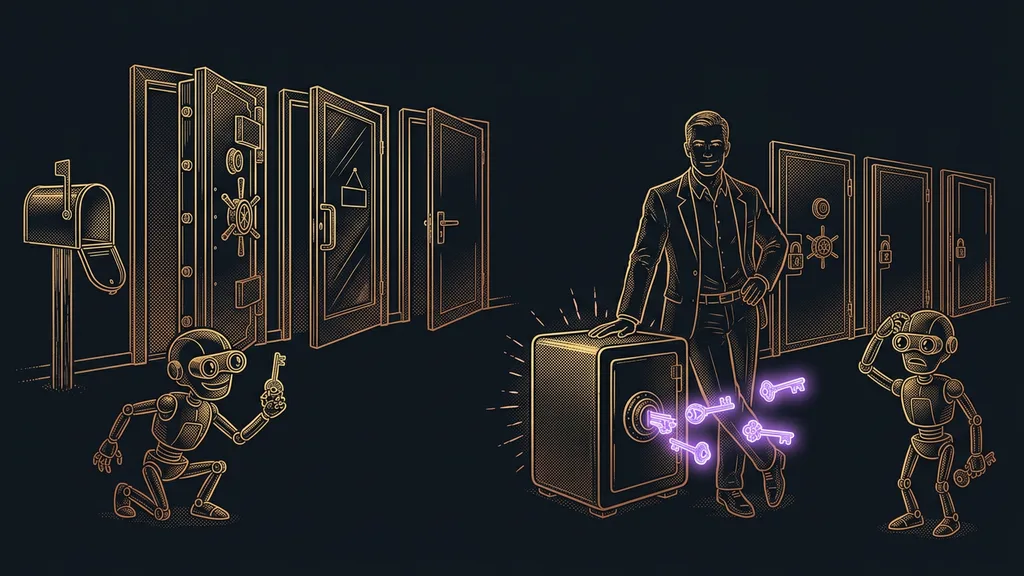
Accounts of people with a different password on every site stayed safe. If your password leaks from one online store, the attacker can use it to get into your account at that one store and nothing else. That follows directly from how both attacks worked. In both cases, the attackers never had to break in. They just logged in.
Have I Been Pwned: a check that takes a minute#
Have I Been Pwned is a free service run by Australian security researcher Troy Hunt. In the Darknet Diaries episode about RockYou, he gives two pieces of advice: use a different password on every site, and check your email address on his site [4].
The service can search breaches for your address for free and email you when it shows up in a new one. It also monitors a company domain for free if no more than ten of its addresses have appeared in breaches (as of November 11, 2026) [9]. The labels below match what you’ll see on screen.
So can you relax if the search comes back empty? The service itself says it holds only a small share of all the records that have leaked over the years [10]. If it finds nothing, that’s good news, but it’s no guarantee.
Cheat sheet for the first hour
1. Open haveibeenpwned.com yourself (never through a link in an email) and enter your email address. 2. Did a password leak? Change it on your email account first. 3. Think of where else you used the same or a similar password, and change it there too. 4. Turn on two-factor authentication for your email account. 5. Check whether someone is forwarding your email. The rest can wait until the afternoon.
One afternoon, step by step#
The process has three parts: your computer, your phone, and your company domain. Plan on two to three hours, depending on how many addresses and accounts you have. These instructions are current as of November 2026. For your Google Account, Gmail, Chrome, and iPhone, I use the names from Google’s and Apple’s help pages.
On your computer
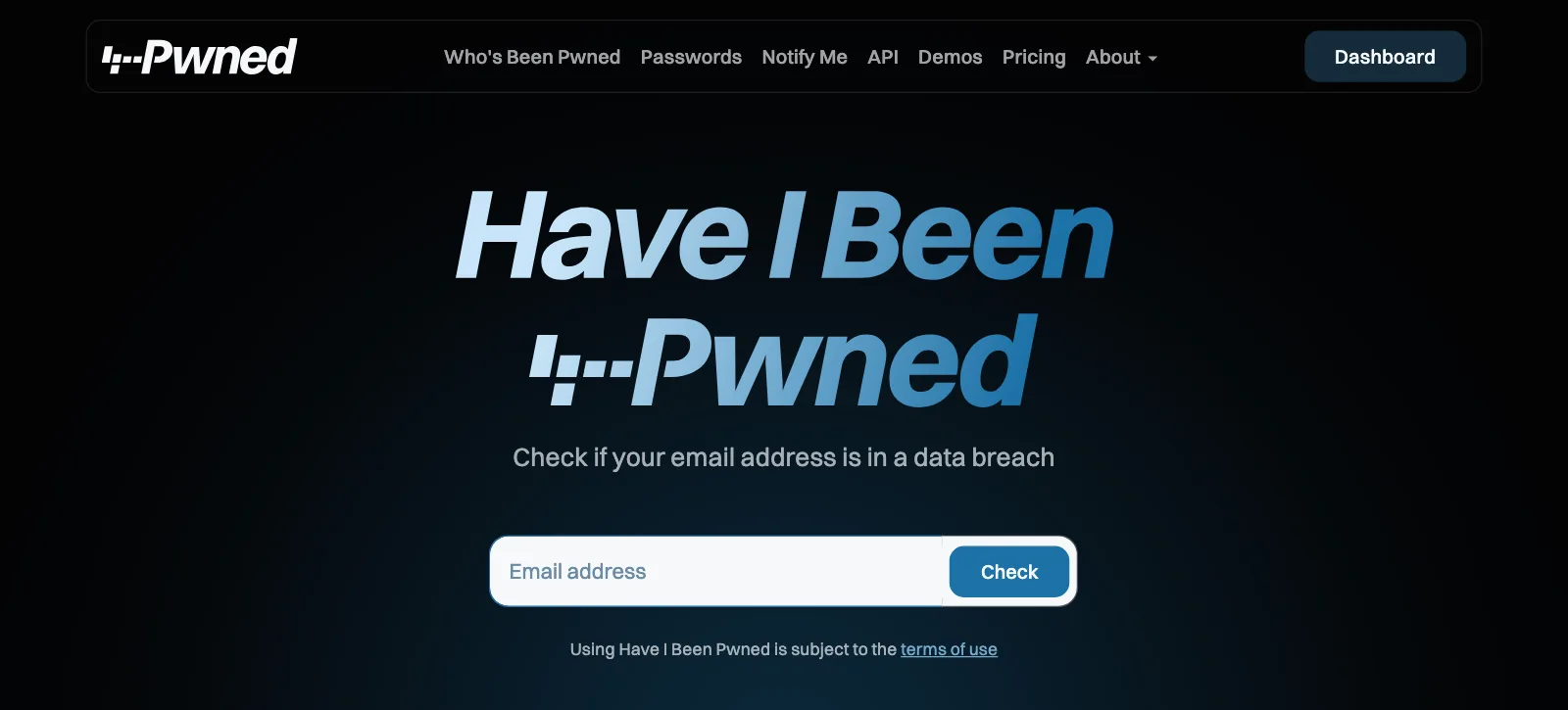
- Check all your addresses. Open haveibeenpwned.com by typing the site name into your browser yourself. Enter your email in the Email address field and click Check. Check both your work and personal addresses, including old ones you hardly use anymore. You’re done when you’ve noted, for each address, which breaches it appears in.
- For each breach, read what leaked. Click the name of the breach and look at the Compromised Data section. If Passwords is on the list, treat the password you had on that site back then as public. You’re done when you know which breaches included your password.
What leaked, and what to do about it
The breach includes passwords (Passwords)
Treat the password you had on that site back then as public.
Change it everywhere you used it or a variation of it.
Start with your email and turn on two-factor authentication there.
Only your email leaked
You don’t need to change your password if Have I Been Pwned doesn’t list it for that breach.
Expect scam emails that may mention other leaked details too.
Don’t click links that promise to “secure your account after the breach.”
- List everywhere else you used that password. Include variations with a different number at the end. Cloudflare points out that after a breach, people often keep using variations of the old password [6]. In Chrome, the saved-password check helps: Passwords and autofill → Google Password Manager → Checkup on the left. It shows you passwords that have leaked or are weak [11]. You’re done when you have a list of accounts to update.
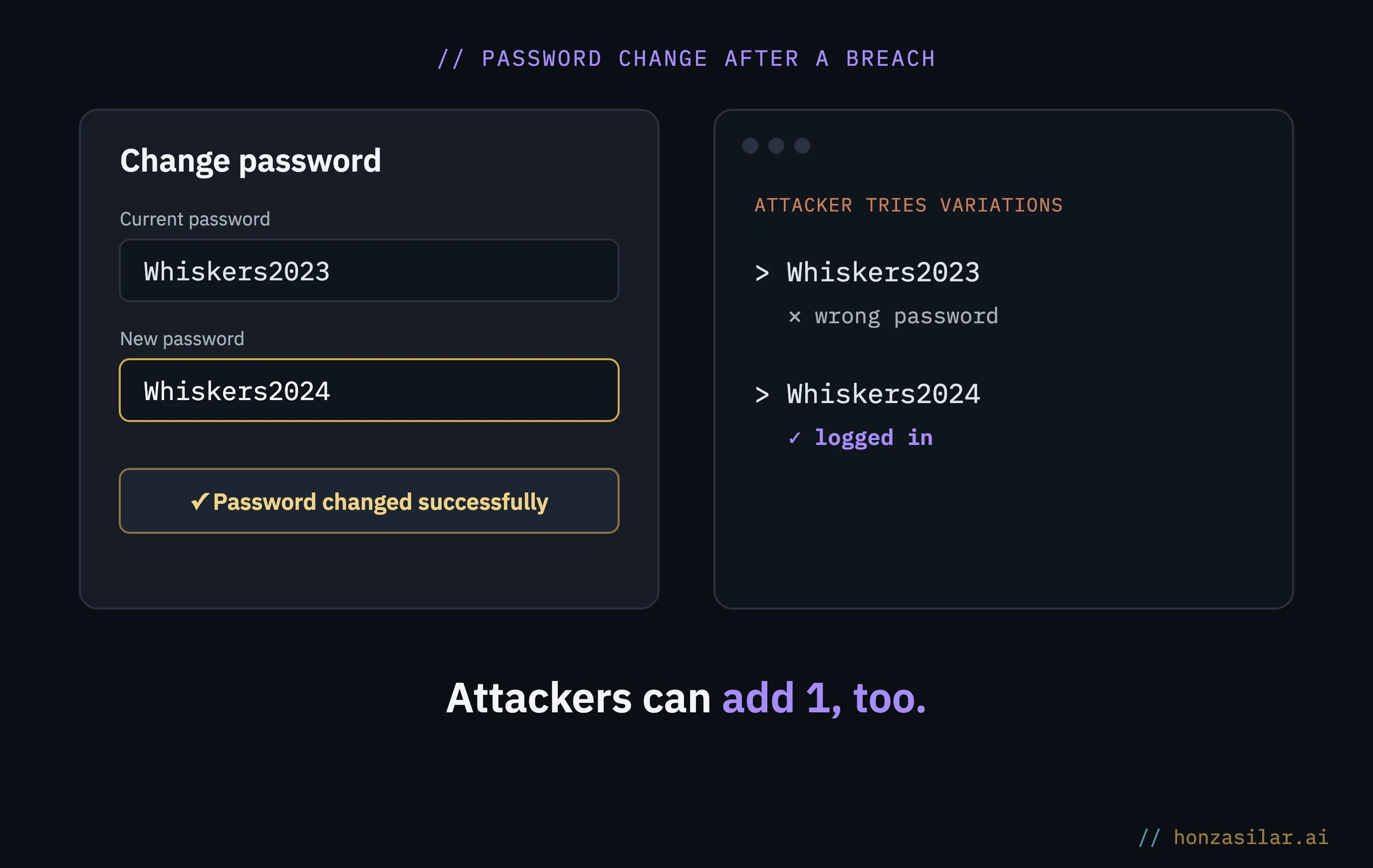
- Change your passwords in order of potential damage. Start with email, because it lets you reset the password to everything else, then financial accounts, then company systems and your website, and finally the rest. Every new password has to be different from all the others, and the easiest way to get one is to let a password manager come up with it. For email and financial accounts, turn on two-factor authentication too. You’re done when nothing with a leaked password is left on your list.
- Check whether someone is reading your email. In your Google Account, click Security & sign-in, and on the Recent security activity panel, select Review security activity. For anything you don’t recognize, choose No, it wasn’t me. Then go through Your devices → Manage all devices [12]. You’re done when you recognize every device and every event.
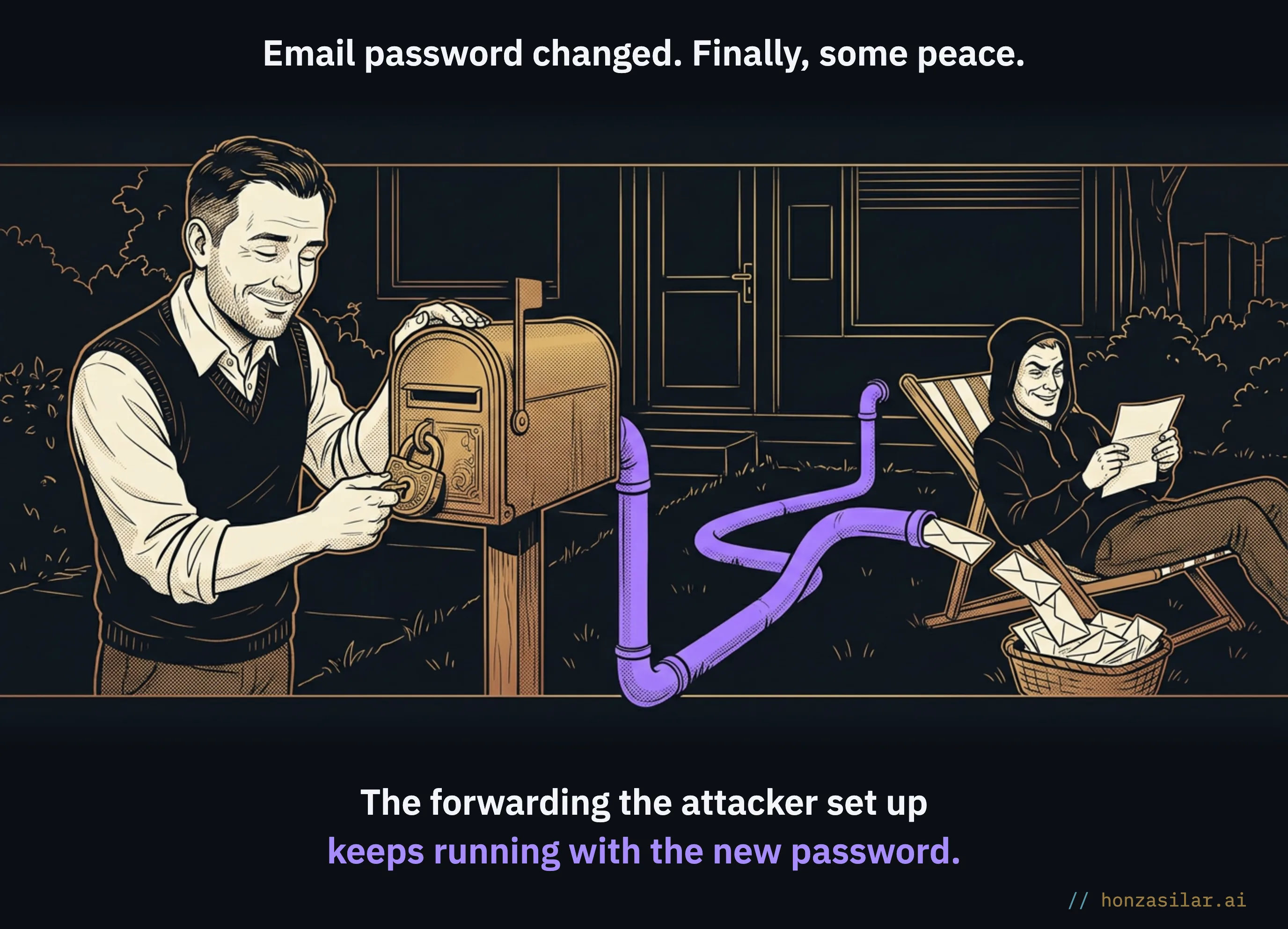
- Go through your Gmail settings. Google recommends checking mail delegation, automatic forwarding, and filters, and deleting anything you didn’t set up yourself [13]. An attacker can use them to quietly forward your mail even after you change your password. Also look at your auto-reply, the address your mail goes out from, blocked addresses, and remote access through IMAP or POP. Google lists changes to these as suspicious too, unless you made them yourself [12]. You’re done when nothing unfamiliar is left.
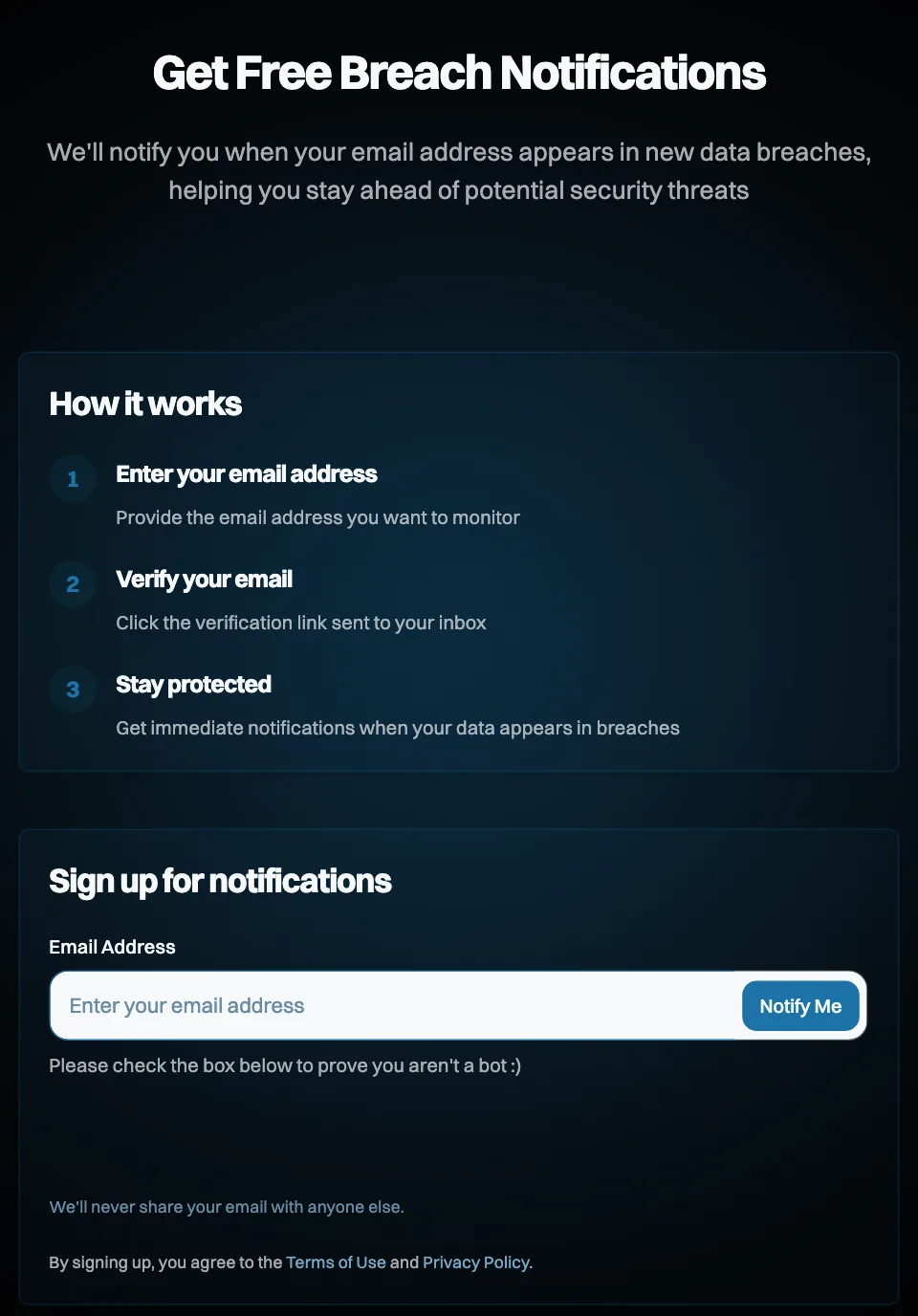
- Turn on alerts for new breaches. On the Notify Me page, enter your address in the Email Address field, check Verify you are human, and click Notify Me. Then click the confirmation link in the email you’ve just requested [14]. You’re done when you see a confirmation after clicking the link.
- Expect scam emails. Attackers use leaked details to make their emails sound believable. Don’t click links that promise to “secure your account after the breach.” I cover similar tricks aimed at companies in my piece on scams targeting small businesses. You’re done when you know to open a company’s website only by typing it in yourself.
On your phone
- On iPhone, open the Passwords app. Tap Security and go through the passwords the app recommends changing [15]. You’re done when the passwords from your phone are on your list too.
- On Android, run the check in Chrome. Open Chrome, tap the More icon (three dots), and choose Settings → Autofill and passwords → Google Password Manager → Checkup [17]. Chrome checks all your saved passwords at once and shows which of them have leaked. You’re done when these passwords are on your list too.
- Change passwords wherever it’s easier. Long passwords are a pain to type on a phone. Feel free to finish changing passwords and checking your email on your computer, following steps 4 to 6 above. You’re done when you’ve merged the lists from your phone and your computer into one.
For your company domain
- Sign in to the Dashboard. On haveibeenpwned.com, click Dashboard and choose Sign In with Email. You’ll get an email with a sign-in link you requested yourself. Click it to sign in [16]. You’re done when you see your Dashboard.
- Add your company domain and prove it’s yours. Add the domain in the Dashboard and go through verification. The Dashboard shows you how many addresses leaked right after you add the domain, and the individual addresses once you verify that the domain belongs to you [9] [10]. You’re done when the service shows you results for your domain.
- Go through your colleagues’ leaked addresses. You can see the results for free for a domain with no more than ten addresses in breaches. Larger domains usually need a subscription. The exception is breaches the service marks as subscription-free [9] [10]. For each address where a password leaked too, sit down with that colleague and go through steps 2 to 6 from the On your computer section. You’re done when every colleague has changed their passwords and turned on two-factor authentication.
If your clients’ data leaked, and not just your own passwords, you also have obligations under GDPR. I’m not a lawyer, so if you’re dealing with a real breach, contact your country’s data protection authority. Guard the company domain your email runs on as carefully as your own email address. The guide to moving a domain shows how much depends on it.
If your password leaked today#
- Don’t wait for the company to notify you. Companies often don’t know about the breach themselves.
- Check your address on haveibeenpwned.com, and for each breach, see whether your password was part of it.
- Change the leaked password everywhere you used it or a variation of it. Start with your email and turn on two-factor authentication there.
- In your Google Account, go through your security activity and devices, and check forwarding in Gmail.
- Turn on alerts for new breaches, both for yourself and for your company domain.
- Leave the links in breach emails alone and open websites yourself.
VTech only learned about its customers’ data breach from a journalist. You now know where to look before anyone gets in touch with you.
I can help with this
Let’s clean up after the breach together in one afternoon
If Have I Been Pwned turns up more breaches than you expected, you don’t have to untangle them on your own. I’m happy to go over where your leaked password is still in use, in what order to change it, and how to set up alerts for you and your company domain. Account security is something I work on in depth, and we’ll go through the whole process together, one step at a time.
Sources#
- Have I Been Pwned: VTech Data Breach. Have I Been Pwned
- The Peculiar Case of the VTech Hacker. Darknet Diaries, episode 2, 2017. Darknet Diaries
- Federal Trade Commission: VTech settlement cautions companies to keep COPPA-covered data secure, January 8, 2018. FTC
- RockYou. Darknet Diaries, episode 33, 2019. Darknet Diaries
- Have I Been Pwned: LinkedIn Data Breach. Have I Been Pwned
- Cloudflare: Password reuse is rampant: nearly half of observed user logins are compromised, 2025. Cloudflare
- Mandiant (Google Cloud): UNC5537 Targets Snowflake Customer Instances for Data Theft and Extortion, 2024. Google Cloud
- Trowers & Hamlins: DNA testing firm, 23andMe, fined £2.31m by the ICO for data breach, 2025. Trowers & Hamlins
- Have I Been Pwned: Find the Right Plan, accessed November 11, 2026. Have I Been Pwned
- Have I Been Pwned: Frequently Asked Questions. Have I Been Pwned
- Google Chrome Help: Manage passwords in Chrome. Google
- Google Account Help: Secure a hacked or compromised Google Account. Google
- Gmail Help: Check for suspicious activity in Gmail. Google
- Have I Been Pwned: Get Free Breach Notifications. Have I Been Pwned
- Apple Support: Passwords on iPhone, iPhone User Guide (iOS 27). Apple
- Have I Been Pwned: Sign In to Your Dashboard. Have I Been Pwned
- Google Chrome Help: Manage passwords in Chrome, Android phone and tablet. Google
Frequently asked questions
Is it safe to enter my email on Have I Been Pwned?
Have I Been Pwned is run by security researcher Troy Hunt, and for breach alerts it promises not to give your address to anyone. Always type it in directly at haveibeenpwned.com, though, never through a link in an email urging you to do so.
Have I Been Pwned found nothing. Am I safe?
Not necessarily. The service itself says it holds only a small share of all leaked records, because a lot of stolen data never goes public. A clean result is good news, but it doesn’t rule out a leak. Turn on alerts for new breaches anyway.
Only my email leaked, not my password. Do I need to do anything?
You don’t need to change your password if Have I Been Pwned doesn’t list passwords for that breach. Expect scam emails to that address, though, and they may mention other leaked details about you.
Is monitoring a company domain on Have I Been Pwned free?
Have I Been Pwned monitors a domain for free if no more than ten of its addresses have appeared in breaches (as of November 11, 2026). First you add the domain in the Dashboard and verify that it’s yours.
What if the company emails me about the breach?
Do the same as if Have I Been Pwned had found your address. When you change your password, though, open the company’s website yourself in your browser instead of using the link in the email, because scammers love to imitate breach notices.