Security
Attackers google you first. What they find in an afternoon and how to clean it up
Before scammers email or call, they read what’s online about you and your business and build a believable story. Let’s find it and clean it up step by step.
 Honza Silar 17 min read Nov 11, 2026
In this article
- 01A boarding pass on Instagram and a passport number in the page source
- 02Four weeks of reading, twenty minutes on the phone
- 03One photo too many and one address in an email header
- 04Who paid the price, and what didn’t give anyone away
- 05The habit: read it through a stranger’s eyes before you post
- 06Cleaning up your digital footprint, step by step
- 07The short version
- 08Sources
- 09Frequently asked questions

What you’ll take away
Your phone number is on your website, your address is in the business register, and your vacation photos are on social media. By the end, you’ll know which of those pieces a stranger can put together. And you’ll clean up most of them in a single afternoon.
- How far one photo of a boarding pass on Instagram can take a stranger.
- How a professional social engineer prepares before she picks up the phone.
- A self-test that has you google yourself the way an attacker would.
- Steps for cleaning up the old traces and not leaving new ones.
In March 2020, former Australian prime minister Tony Abbott posted a photo of his boarding pass for a flight from Sydney to Tokyo on Instagram, with a thank-you to the crew. A friend sent the link to Alex Hope and dared him to see what he could pull from it. Within 45 minutes, Hope had Abbott’s passport number and phone number [1] [2].
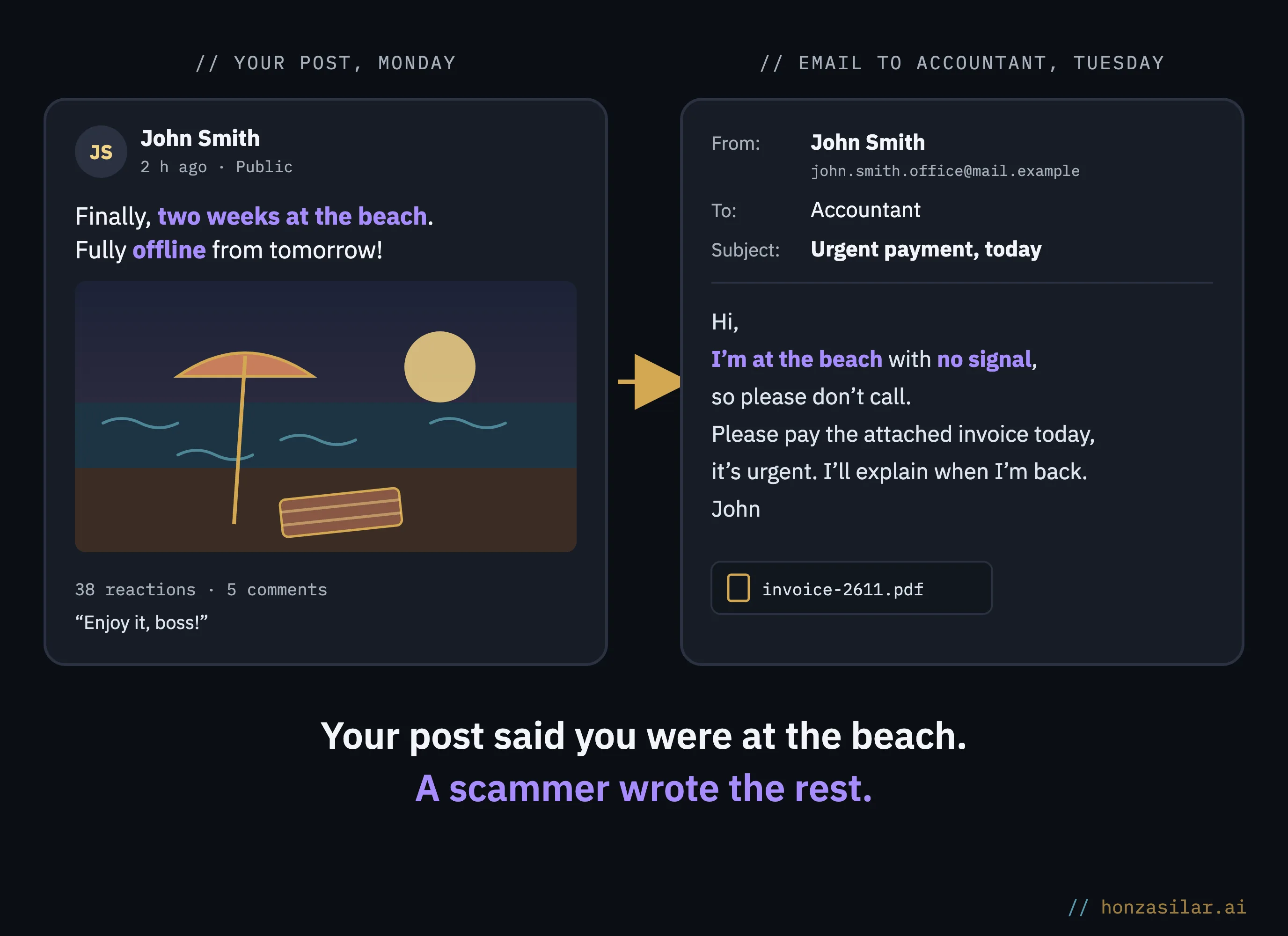
It sounds like a celebrity story, but most scams aimed at small businesses start the same way, with someone reading up on you. Before a scammer emails or calls you, they find out who runs the company, who does the books, how you sign off, and when you’re on vacation. Only then do they write the email or play the fake boss you’ll fall for.
The good news is that you can run the same search yourself. In one afternoon, you’ll find out what’s freely available about you online, clean up most of it, and learn how to stop leaving new traces. First, though, four stories where those traces decided the outcome.
A boarding pass on Instagram and a passport number in the page source#
Every boarding pass carries a booking reference. Hope discovered that the Qantas website let you manage a booking with just that code and the passenger’s last name, which is printed on the boarding pass too. Nobody treats the code as a password: the site doesn’t hide it behind dots as you type, and it’s printed right on the pass [1].
Once logged in, Hope right-clicked the page and opened its source code, something every browser can do. Among the data the site sent to the browser were Abbott’s passport number, date of birth, and phone number [1] [2]. All it took was a browser and what Abbott had posted to Instagram himself.
The hardest part came next. For more than a month, Hope tried to find someone who would do something about it. He wrote to ASD, the Australian cybersecurity agency, and eventually got through to Abbott’s staff. They told him the former prime minister was getting a new passport number. According to the BBC, the airline had fixed the flaw in the meantime [1] [2].
OSINT (open source intelligence)
Gathering information that’s publicly available: websites, public registers, social media, photos, reviews, and job postings. Everything an attacker uses is already public, and the work is reading and fitting the pieces together. Professionals spend weeks on it before they ever pick up the phone.
Four weeks of reading, twenty minutes on the phone#
Alethe Denis described what that preparation looks like on the Darknet Diaries podcast. Companies hire her to try to trick their employees, and she once won the social engineering competition at DEF CON, the hacker conference in Las Vegas. Contestants there get a target company and four weeks to learn as much about it as they can from public sources. Then they have twenty minutes to get specific information out of its people over the phone [3].
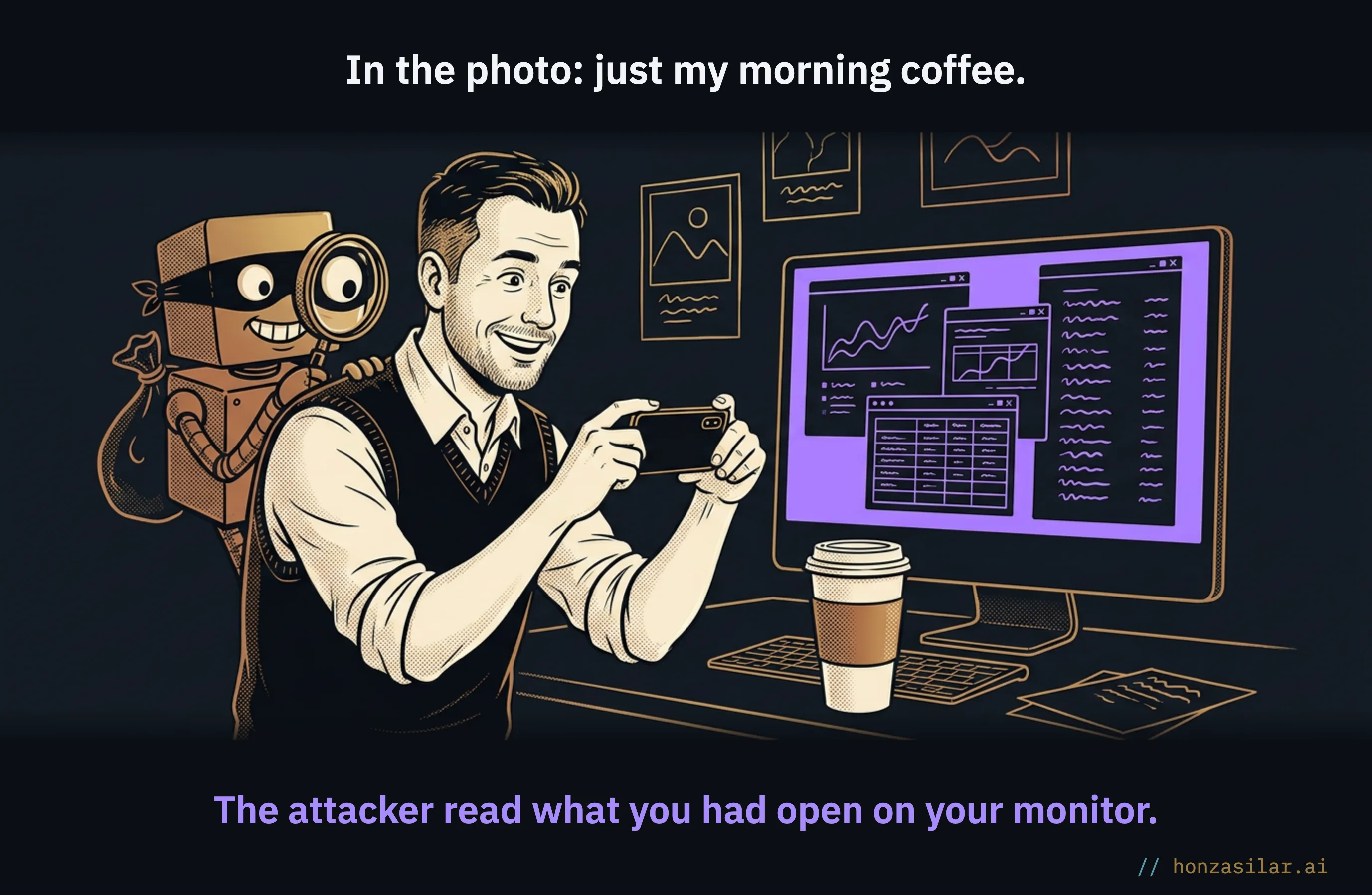
Alethe starts with the company’s website. Next she reads employee reviews on job sites, where she learns what it’s like to work there and what annoys people. The show’s host adds that LinkedIn tells you who works at a company, and from there you can find their personal accounts too. She uses search engines to dig up documents, such as a new-hire handbook with the number for the internal help desk. And on Instagram, she goes through photos tagged with the address of the headquarters or a branch office. She looks for employee badges, and in her words, there’s always a cup of coffee in front of a monitor with company apps open on it [3].
The year she won, her first call went to tech support, where she posed as a new intern. The company liked to show off on social media how many summer interns it had, so the story fit. Then she moved on to the regional sales reps, whose cell numbers she’d tracked down in advance. One of them happily answered every single question she asked [3].
An attacker doesn’t need to hack anything. Reading what you’ve put online yourself is enough.
One photo too many and one address in an email header#
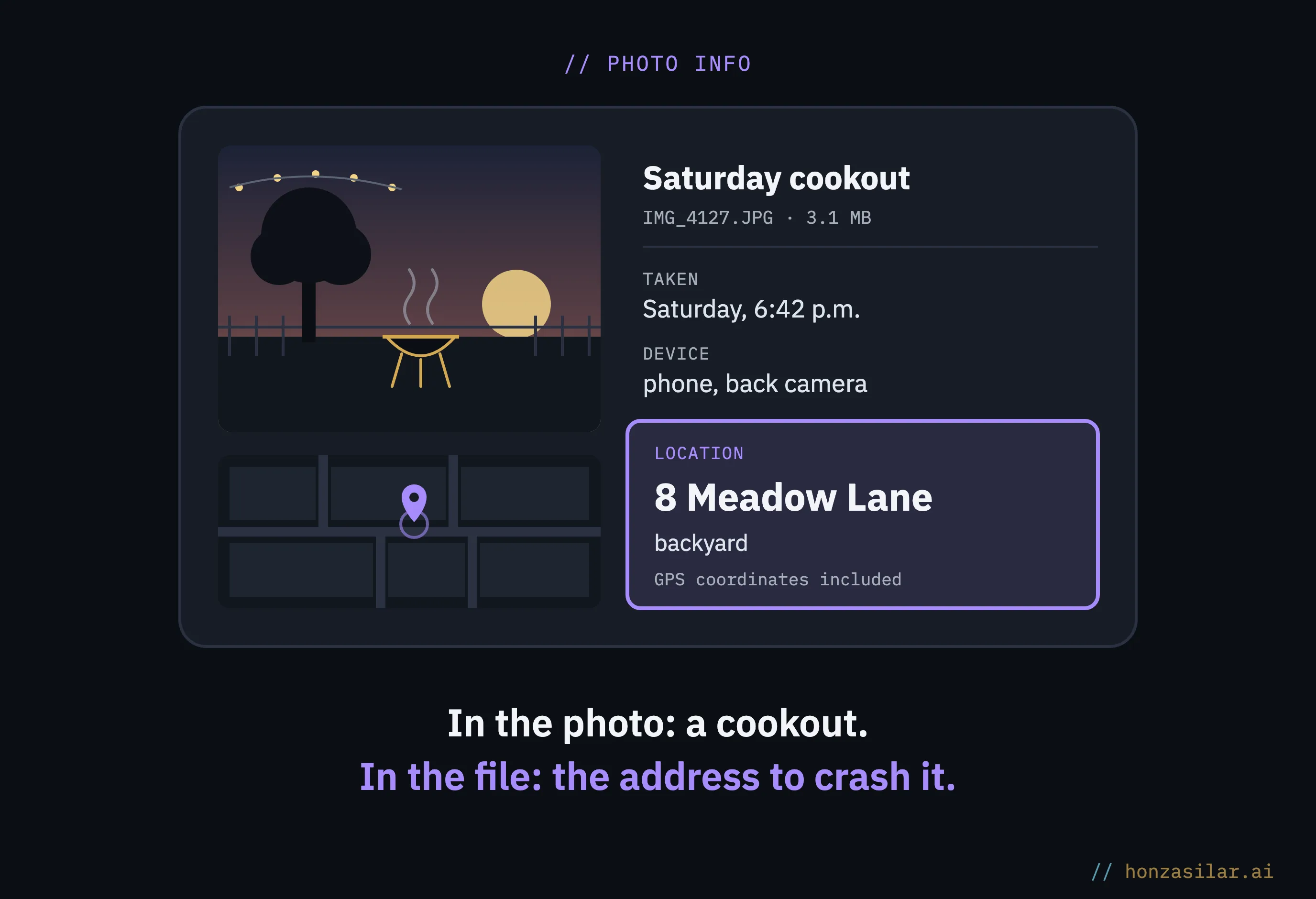
Two more stories from the podcast show that a single forgotten trace is enough. In 2012, a hacker who went by w0rmer was breaking into the websites of US police departments and attaching photos of his girlfriend holding a sign to the leaks. He knew that phones store location data in photos, so he carefully stripped it out. He missed one [4].
From that one photo, FBI agents read the GPS coordinates of a house in Victoria, Australia. They found out who lived there, and on the woman’s Facebook page they saw she was in a relationship with a man named Higinio Ochoa. All that was left was to search his name together with the handle w0rmer and find blogs that linked the two. In March 2012, the FBI came for him at home [4].
Photo metadata
Information your phone saves into the file along with the photo: the date and time, the phone model, and often the GPS coordinates of the spot. You can’t see it in the picture itself. But anyone who gets the original file can read it with ordinary software.
The second story is about Alexandre Cazes, who ran AlphaBay, at the time the biggest black market on the dark web. When an FBI agent signed up on AlphaBay, he got a welcome email, and its header listed Cazes’s personal Hotmail address as the reply-to address. Working from that address, the FBI found a LinkedIn profile with his name, a birth year that matched the number in the address, and the company he ran. In July 2017, he was arrested in Thailand [5].
Two careful criminals and the one trace each of them missed
w0rmer, 2012
Broke into US police department websites and attached photos to the leaks.
Carefully stripped the location from the photos. He missed one.
From it, the FBI read the coordinates of a house in Victoria, Australia, found the name Higinio Ochoa through Facebook, and a search engine tied him to the handle.
In March 2012, the FBI came for him at home.
Cazes, AlphaBay
Ran AlphaBay, at the time the biggest black market on the dark web.
The welcome email’s header listed his personal Hotmail address as the reply-to address.
From it, the FBI found a LinkedIn profile with his name, birth year, and the company he ran.
In July 2017, he was arrested in Thailand.
Who paid the price, and what didn’t give anyone away#
In all four stories, the outcome came down to small details that had leaked into public view and that nobody cleaned up in time.
Tony Abbott got burned. One photo from a flight meant anyone who knows how to right-click could see his passport number and phone number. In the end, he dealt with it by getting a new passport [1].
So did the sales reps at Alethe’s target company. Their cell numbers and details about how the company works were sitting on social media and in reviews. One of them then answered every question from a stranger on the phone [3].
Both criminals got caught too, even though they covered their tracks. W0rmer stripped the location from every photo but one, and Cazes was given away by a single address in an email header [4] [5].
The photos w0rmer had cleaned didn’t give him away. According to the podcast, the FBI worked with the one photo that still had a location in it [4]. A documented case of a company that dodged a scam because it had cleaned up its traces rarely makes the news, because nothing happened. Even so, the principle comes through in all four: the fewer pieces there are to find, the longer it takes an attacker to build a believable story. The second defense is fast reporting. In her client work today, Alethe mainly tracks how many people report a suspicious email and how quickly the first report comes in [3].
How one photo turned into a passport number
Run the check on yourself
Answer yes or no. Can you find your cell number by searching your name and city? Is your apartment listed as the company address in the business register or the trade register? Do your public photos show the inside of your office, badges, or a monitor? Can strangers on social media see who your coworkers are and when you’re on vacation? Do you use one email address for your bank, online shopping, and your website? Every yes is a trace you can clean up or shrink with the steps below.
The habit: read it through a stranger’s eyes before you post#
Cleaning up after yourself online rests on one question you ask yourself before you post anything: what could someone who wants to scam me learn from this? A boarding pass photo, a vacation post, a badge around your neck, or a new coworker on LinkedIn are each harmless on their own. They only become dangerous once someone puts them together. Public information is a rich source. I work with it myself, for example when I collect data from websites for clients or study competitors’ ads, and attackers use the same sources.
Google has a free tool for cleaning up what’s already out there, called Results about you. It shows you where your phone number, address, or email appears in search results. For the results it finds, you can request removal and turn on alerts for new ones [6]. Google offers it only in some markets so far, so your account may not have it. In that case, the form right next to the search result does the job. I cover it in the steps below.
Google’s Results about you: what it can and can’t do
It can
- Find where your phone number, address, or email appears in search results
- Let you request removal of the results it finds
- Alert you when new ones appear
- Cost you nothing
It can’t
- Remove pages from government institutions, schools, news sites, and businesses, so the business register stays searchable
- Delete the information from the website itself (it only disappears from Google’s results)
- Work everywhere: it’s only in some markets so far, and your account may not have it
Removing a result from Google leaves the information on the website where it sits. On your own profiles and websites, delete it at the source.
Email aliases keep you from leaving new trails. In Gmail, you just add a plus sign and any word after your name, and the message still arrives in your regular inbox [8]. If you use an iPhone, you can choose Hide My Email for services that offer Sign in with Apple. It creates a random address and forwards messages from it to you [9]. When a phishing email then shows up at one of those addresses, you know exactly who passed it on.
Cleaning up your digital footprint, step by step#
Plan on an hour or two. After that, monitoring for new results runs on its own. Menu names are current as of November 2026, and the iPhone steps are for iOS 27. There are five parts, and you can do each one separately.
Find out what’s out there about you
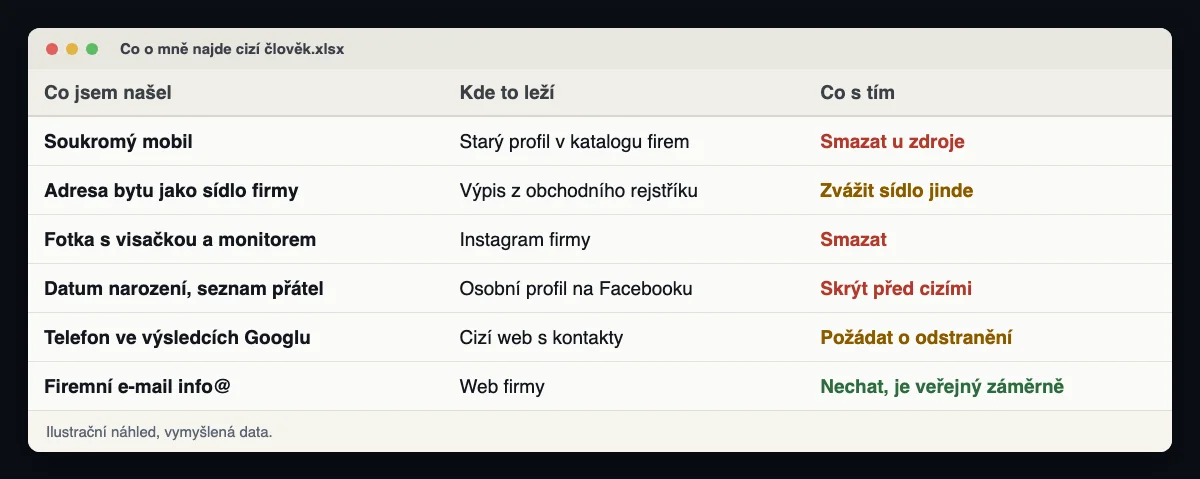
- Google yourself like a stranger would. Open a private browser window and search for your name in quotation marks (for example, “John Smith”) so Google looks for that exact phrase [7]. Then repeat the search with your city, your company name, your phone number, and your email address. Switch to Images too. Log everything you find in a spreadsheet: what it is, which page it’s on, and whether you want it gone. You’re done when you have the spreadsheet and know which items are yours (your own profiles) and which sit on other people’s websites.
- Check the public registers. Open your company’s entry in the business register (in the Czech Republic, that’s or.justice.cz). Under Czech law, the entry for a company director includes, among other things, their date of birth and address [10]. If your apartment is listed as the company’s registered office, your home address shows up there a second time. The registered office can be somewhere else, for example at your accountant’s or in a rented office, but changing it means a new filing with the register. You’re done when you know what the register says and you’ve decided whether to move the registered office.
Ask Google to remove results
- Turn on Results about you. On your phone, open the Google app, tap your profile picture, and choose Results about you. On a computer, open the Results about you page and choose Get started. Enter your name and the contact details you want to monitor, and turn on notifications. The results it turns up then wait for you to review them, and for most of them you can choose Request to remove. For pages from government institutions, schools, news sites, and businesses, you won’t see that option [6]. You’re done when notifications are on and every result on the list is either reported or marked as reviewed.
- If your account doesn’t have the feature, report the result directly. In Google Search, click the options icon next to the result that shows your phone number or address. The About this result panel opens. There, choose Remove result, then the option saying it shows your personal info, then Contact info. Follow the instructions and submit the request. A confirmation arrives by email within a few hours [6]. You’re done when you have a confirmation for every result in your spreadsheet that you want gone.
- Delete what’s yours. Remove your phone number, personal email, and date of birth from your own profiles and websites directly. On social media, check who can see your friends list, contacts, and photos, and limit it to people you know. You’re done when your public profile has nothing that would help a stranger write a believable message.
Location in your photos: iPhone and Android
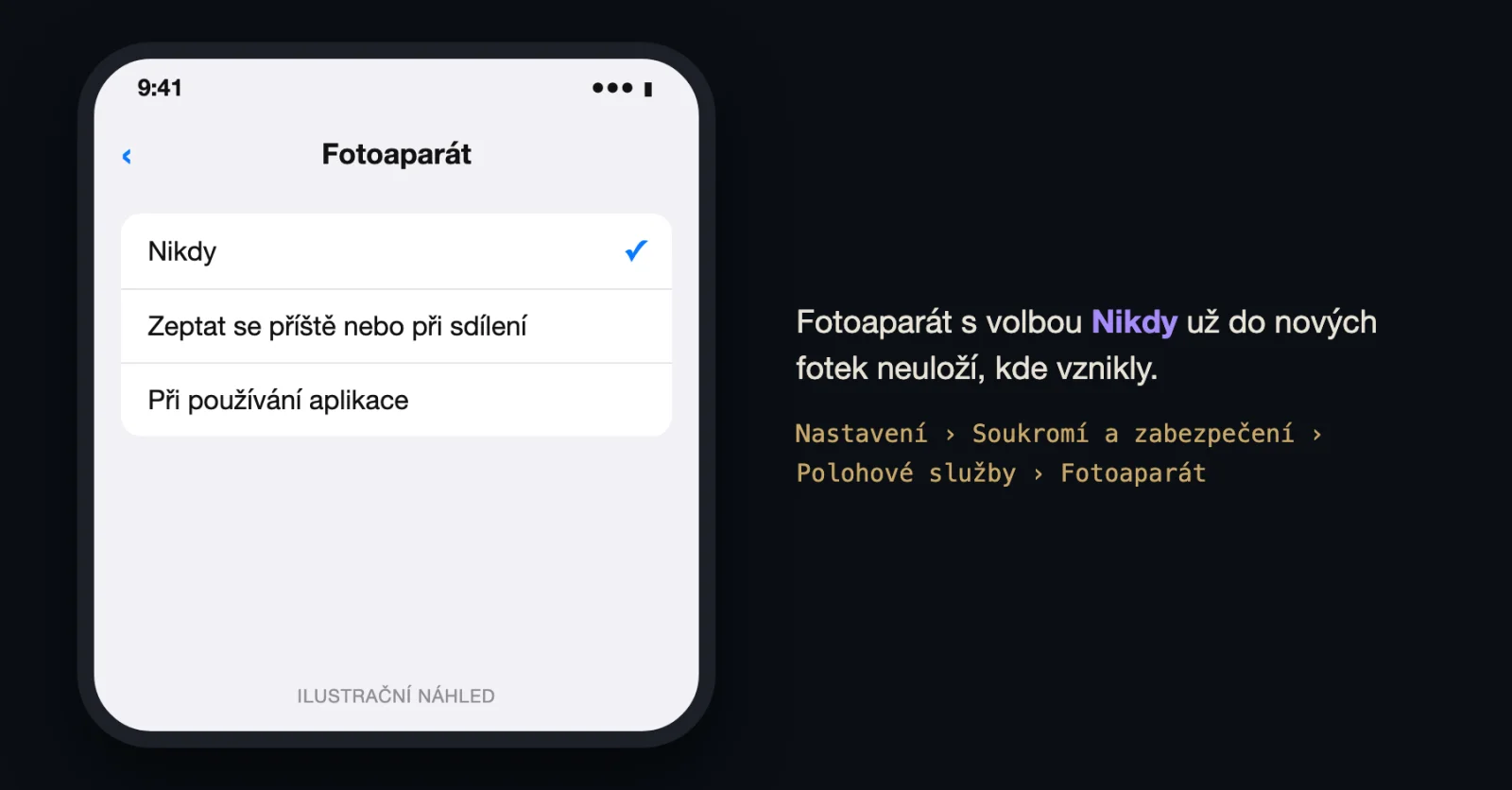
- On iPhone, open Settings → Privacy & Security → Location Services. Leave Location Services itself turned on, because without it many important phone features stop working [11]. Scroll down to the Camera app and choose Never [12] [13]. You’re done when Never is checked for Camera.
- On Android, open the Camera app and turn off location saving in its settings. Each manufacturer names the option differently: Save location on Google, Motorola, and Sony phones, Location tags on Samsung, and Save location info on Xiaomi. For other brands, check the Google Photos help [13]. You’re done when the camera no longer saves location.
- Turn off estimated locations in Google Photos. Google Photos can add a place even to a photo without location data, based on landmarks in the shot or your other photos. In the Android app, tap your profile photo at the top, then Photos settings → Privacy → Location options, and turn off Estimate missing locations. This doesn’t remove older estimates, which you delete photo by photo with Remove location. Google Photos can’t edit or remove a location that the camera saved into the photo [14], so the previous step is what keeps it out. You’re done when estimates are turned off.
Email aliases in Gmail and on iPhone
- A plus address in Gmail. For online stores and newsletters, use an address with a plus sign, like [email protected]. Messages sent to it arrive in your regular inbox [8]. Then, in Gmail on a computer, click Show search options in the search bar at the top, enter the plus address in the To field, and click Create filter at the bottom. Choose what should happen to those messages, such as applying a label, and confirm with Create filter [15]. You’re done when mail from each online store arrives under its own label.
- Hide My Email on iPhone. When you sign up for something new with Sign in with Apple, choose Hide My Email. The service gets a random address, and messages sent to it are forwarded to you. To see the apps and websites you use with Sign in with Apple, go to Settings → your name → Sign in with Apple on your iPhone. Open an entry to see whether it uses a hidden address [9]. You’re done when every new sign-up gets its own address.
- Keep your password recovery address to yourself. Don’t share the address you use to reset passwords for your bank and other important accounts. You’re done when only the services it belongs to know it.
Two rules for your business
- Office photos don’t go out until someone checks the background. Before a photo goes up on social media, someone looks at the badges, monitors, and bulletin boards. You’re done when everyone who posts for the company knows this.
- You verify callers through contact details you already have. When someone calls “from headquarters” or “from a supplier” and asks for information, the employee checks them through a contact the company already has on file and reports any suspicious attempt right away. You’re done when everyone who answers the phone knows this.
The short version#
- An attack on a small business usually starts with reading your public traces rather than breaking in.
- Once a quarter, google yourself the way an outsider would and write down what you find.
- Google’s Results about you watches for your phone number, address, and email and lets you request their removal.
- Strip the location from your photos and check the background before you post.
- Use aliases for sign-ups, and keep your password recovery address private.
Tony Abbott was thanking a flight crew, and Cazes had once simply set up an email account. Neither of them knew where that trace would lead. You can find out where yours lead by looking at yourself today the way a con artist would.
I can help with this
Let’s go through your traces together
If you’re not sure where to start, we’ll look at you and your business through a stranger’s eyes. We’ll list what’s out there about you online, what can be deleted, and what you’re better off no longer posting, and we’ll set up alerts for new results. Security is something I work on closely, for myself and for my clients, so I’m glad to help you with this.
Sources#
- Jet-setters. Darknet Diaries, episode 84, 2021. Darknet Diaries
- BBC News: Tony Abbott hacked after posting boarding pass on Instagram, September 17, 2020. BBC
- Alethe. Darknet Diaries, episode 107, 2021. Darknet Diaries
- w0rmer. Darknet Diaries, episode 63, 2020. Darknet Diaries
- Operation Bayonet. Darknet Diaries, episode 24, 2018. Darknet Diaries
- Google Search Help: Find and remove personal contact info from Google Search results. Google
- Google Search Help: Refine Google searches. Google
- Gmail Help: Send emails from a different address or alias, section Use Gmail aliases. Google
- Apple Support: Use Hide My Email with Sign in with Apple. Apple
- Act No. 304/2013 Coll., on Public Registers of Legal and Natural Persons, Section 25 (Czech). zakonyprolidi.cz
- Apple Support: Control the location information you share on iPhone. Apple
- Apple Support: Turn Location Services and GPS on or off on your iPhone, iPad, or iPod touch. Apple
- Google Photos Help: Change camera location settings. Google
- Google Photos Help: How location works in Google Photos and how to find or edit it. Google
- Gmail Help: Create rules to filter your emails. Google
Frequently asked questions
What is OSINT?
Short for open source intelligence. It means gathering information that’s publicly available: websites, public registers, social media, photos, and reviews. An attacker doing it only reads what’s already public and pieces it together.
Can I get my address removed from the Czech business register?
Under the Czech Public Registers Act, the entry for a company director includes, among other things, their date of birth and address, so the address has to be there. The main thing you control is which address you give as the company’s registered office. I’m not a lawyer, so for your specific situation, talk to an attorney.
Will Google remove a search result that shows my phone number or address?
You can ask for a result with your contact info to be removed through the Results about you tool or straight from the search result. Google won’t remove pages from government institutions, schools, news sites, and businesses. And the request doesn’t delete the information from the website itself. It only disappears from Google’s results.
Can a photo from my phone reveal where I took it?
It can. If you let it, your phone saves the location into the photo file. On an iPhone, you change this for the Camera app in the Location Services settings, and I walk you through it below.
What is an email alias?
An extra address that delivers to your regular inbox. In Gmail, you just add a plus sign and any word after your name, like [email protected]. If a suspicious message then lands at that address, you know who passed it on.